Reference
Offline Support
Reference
Offline Support
Capacities is an offline-first application. You can work offline and your changes will get synchronized as soon as you're back online. Here's everything you need to know about offline support in Capacities.
Offline & Sync State
After you login, Capacities will automatically download all your notes to your device. All changes you make to your notes are stored locally and will be synchronized with the cloud when you're online.
You can check the offline and sync state in the app settings under "Offline & Sync".
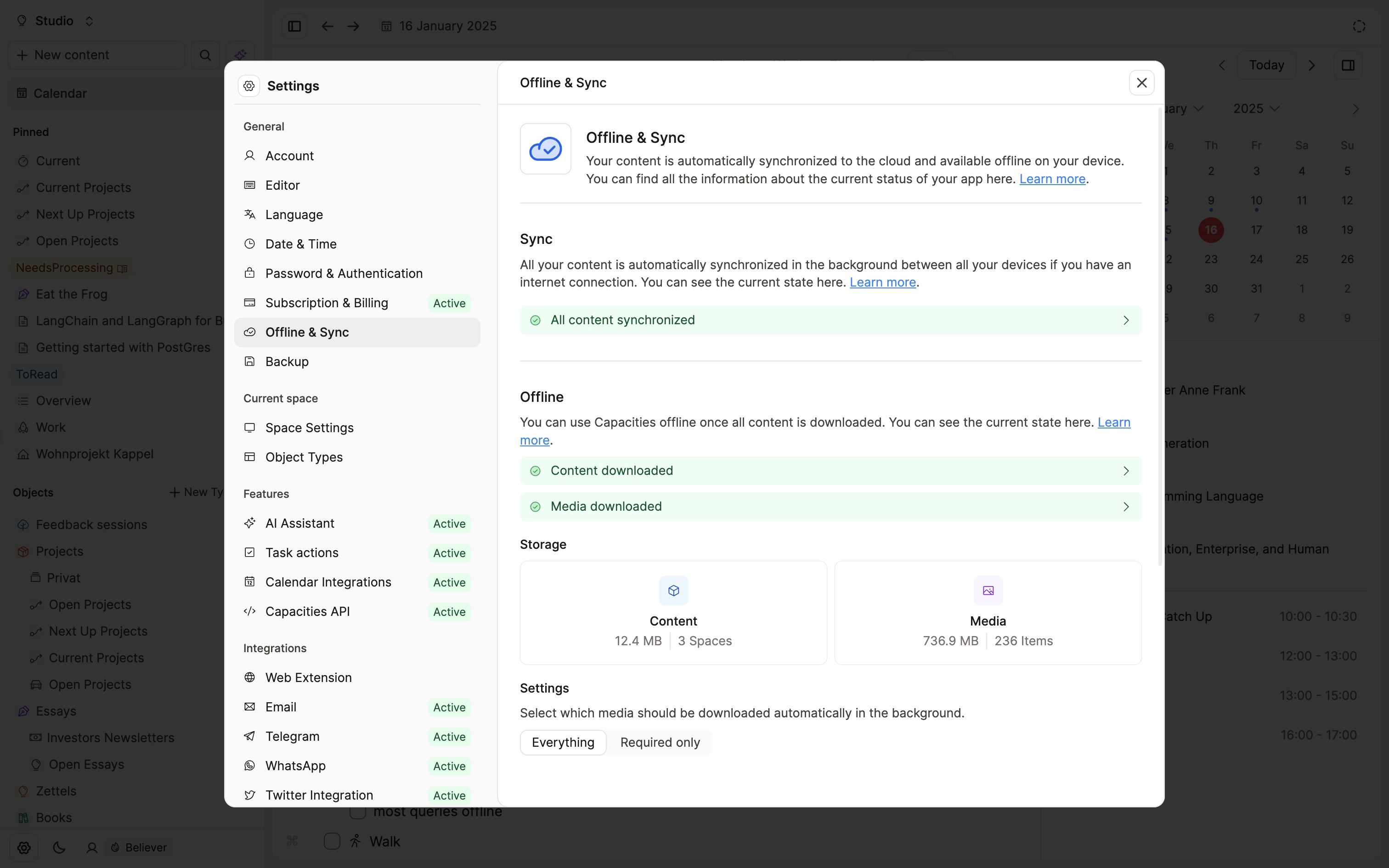
Your device is only offline-ready when all your notes are downloaded. If you have a large amount of notes, this might take a while. Please check the "Offline & Sync" state in the app settings to see if your device is ready.
Media settings
Capacities can also download all media files to your device so that they load faster and you can view them offline.
In the "Offline & Sync" settings, you can select whether you want to download media files to your device. You have two options:
- Everything: This will download all media files to your device. You'll be able to access and view these files in Capacities while offline.
- Required only: This will only download media files that are required to display your notes. This means that some images, files, and videos might not be available when offline. This setting saves storage space on your device but limits your offline experience.
In the settings you can see how much storage is used by Capacities for content and media. By default, Capacities will download all media files to your device if you use Capacities via the app (desktop and mobile). If you use Capacities in your browser, it will be "Required only".
On mobile devices, Capacities only downloads media files in the background while you have a WiFi connection to save battery life and network traffic.
Version conflicts
When Capacities identifies that the version of a note on your local device is different to the one on the server, this creates what is called a version conflict. In order to solve this, you need to choose which version you want to keep. We do this with a pop-up window. These windows will appear whenever a conflict is detected, therefore you could see it on all devices.
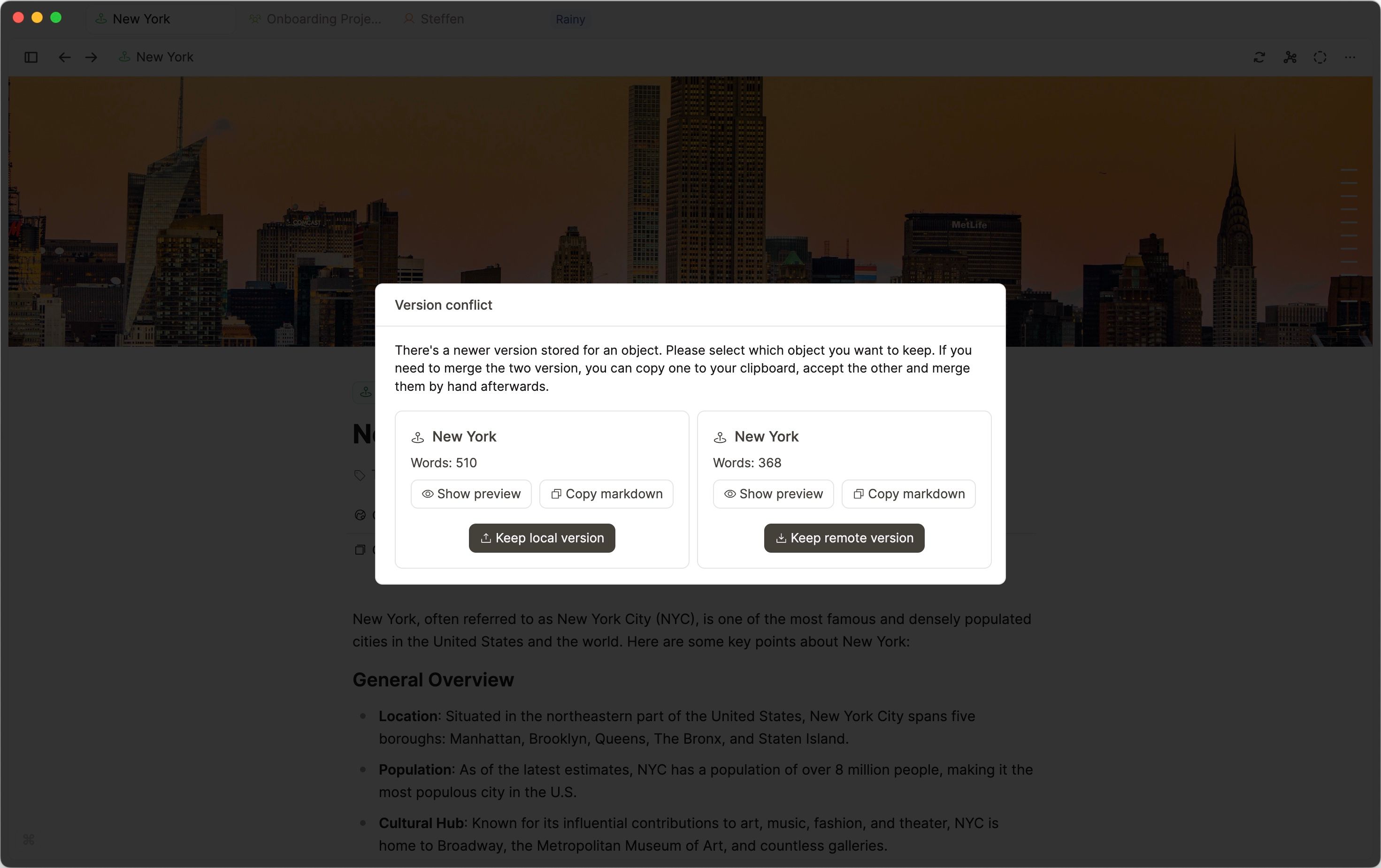
It will tell you which object(s) have a version conflict. The choice is whether to keep the local version that you've been working on offline or whether to keep the one stored on our servers. Whichever version you don't choose will be deleted and it cannot be recovered.
To help make this decision you can
- see the word count at a glance, this can help you make decisions quickly in some cases
- choose to "Show preview" so you can review the entire notes and look more granularly at which version you wish to keep
- copy the markdown (the text) to your clipboard just in case you want to use it elsewhere or you want to merge the notes later manually.
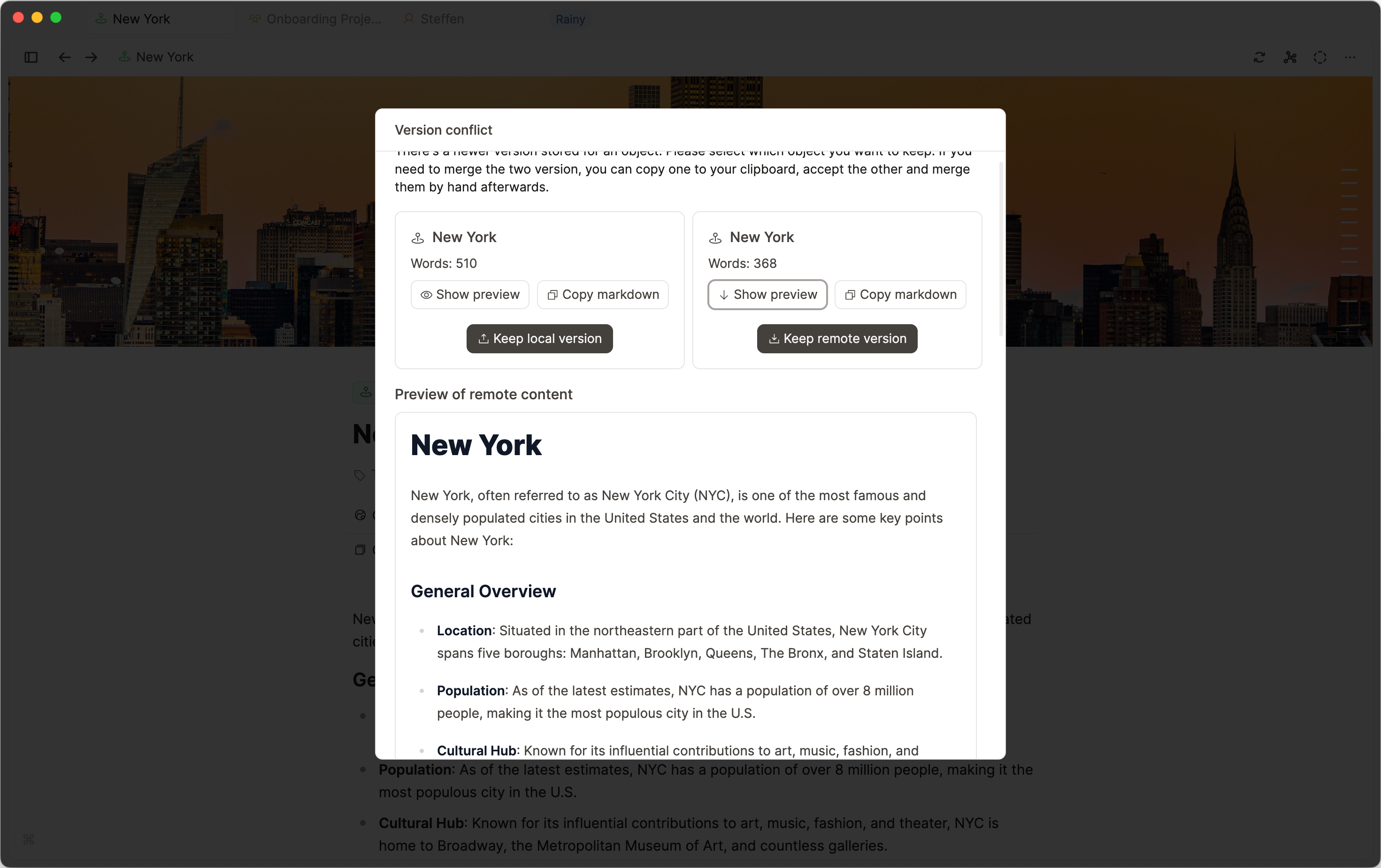
Once you have reviewed the versions, simply click the appropriate button beneath it (keep local or remote version). The other version is discarded and it cannot be recovered.
You may have several objects to do this process with, but the buttons are always the same.
Limitiations when offline
Not all features are available offline but we're trying to support as much as possible. Here's a list of features that are available offline.
- Full-text search, extended search, and search queries: These features will not work offline. Nevertheless you'll have access to title search when offline via the command palette.
- AI features: AI features will in the foreseeable future be dependent on a powerful server. They will not work while offline.
- Task actions: For most apps, your tasks will only be added as soon as you're back online.
- Some settings: Updates on the user account, integration setups, etc. will not be possible when offline. This is a technical limitation as we need to connect to our server or other services to update these settings.
What offline-first is not
Offline-first is about having a seemless offline experience. It's not about having your notes stored locally as files on your device.
Capacities stores your notes in its own database format, not as traditional markdown files in folders. Capacities unique way of organizing your notes is not compatible with a folder structure based on markdown files.
While you can't directly access your notes as files, we provide several options:
- Export your notes to various formats using our export feature
- Transfer your notes to other applications via backups
- Save media files to your device's local storage by downloading it from an objects page
Your notes and media files are securely stored within the app and automatically synchronized with the cloud.
FAQs
- Where is my data stored?
Your data is stored in the app's data on your device. It's not stored in your file system. If you're using Capacities via a browser all your data is stored in your browser's storage.
Media items are also stored within the app or the browser. They are not stored on your device's file system. - Is my data encrypted on my device?
No, your data is not encrypted on your device but it is part of the app's or browser's storage and not directly accessible via the file system. - Can I delete my data?
Yes, as soon as you logout all your data is deleted from your device. - How much storage does Capacities use?
Capacities tries to be as efficient as possible with storage. The amount of storage used depends on the size of your notes and the media files you have. Your notes usually take up very little storage while media files can take up a lot of space.
You can select to not download all media files to your device to save storage space. You can find this in the "Offline & Sync" settings. - Can I completely disable syncing to servers?
No this is not possible and not planned.
Ask a question! - The Docs Assistant knows everything about the documentation, and the ideas and feature requests from other users.
Create a ticket on our feedback board. - Let us know if you have an idea for a feature, improvement or think there is something missing.
Request additions to the documentation. - If your questions are not getting answered, let us know and we will extend the documentation.