Reference
Block-based linking
Reference
Block-based linking
Capacities lets you link to individual blocks inside of an object, and reference them in other pages. We call this concept block-based linking or just block references.
This not only lets you link to other blocks, but it also lets you embed individual blocks and their children inside another page.
Searching for blocks
The easiest way to link to a block is by searching for it. Type (( anywhere in your content and a search will open. Search for the content of the block you want to link to. The search results show the name of the containing object on the right to help you find the correct block.
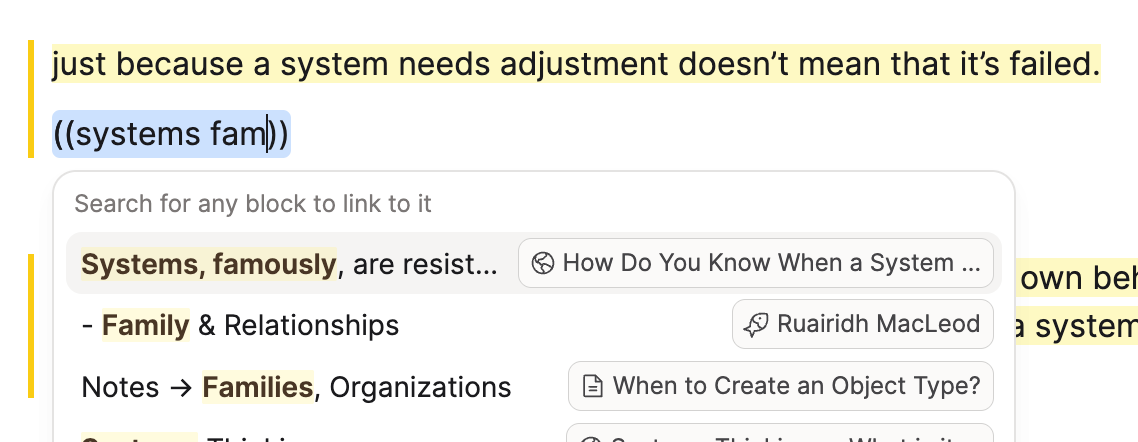
Press enter when you find the block you're looking for, and it will create a link to that block. Learn more about linking search.

Copying a block reference
Alternatively, you can manually copy a block reference if you're already viewing the block you want to link to.
Go to the block you want to link to or embed elsewhere. Open the block menu by clicking on the handle with the six dots at the top left. Go to Copy > Copy block reference.
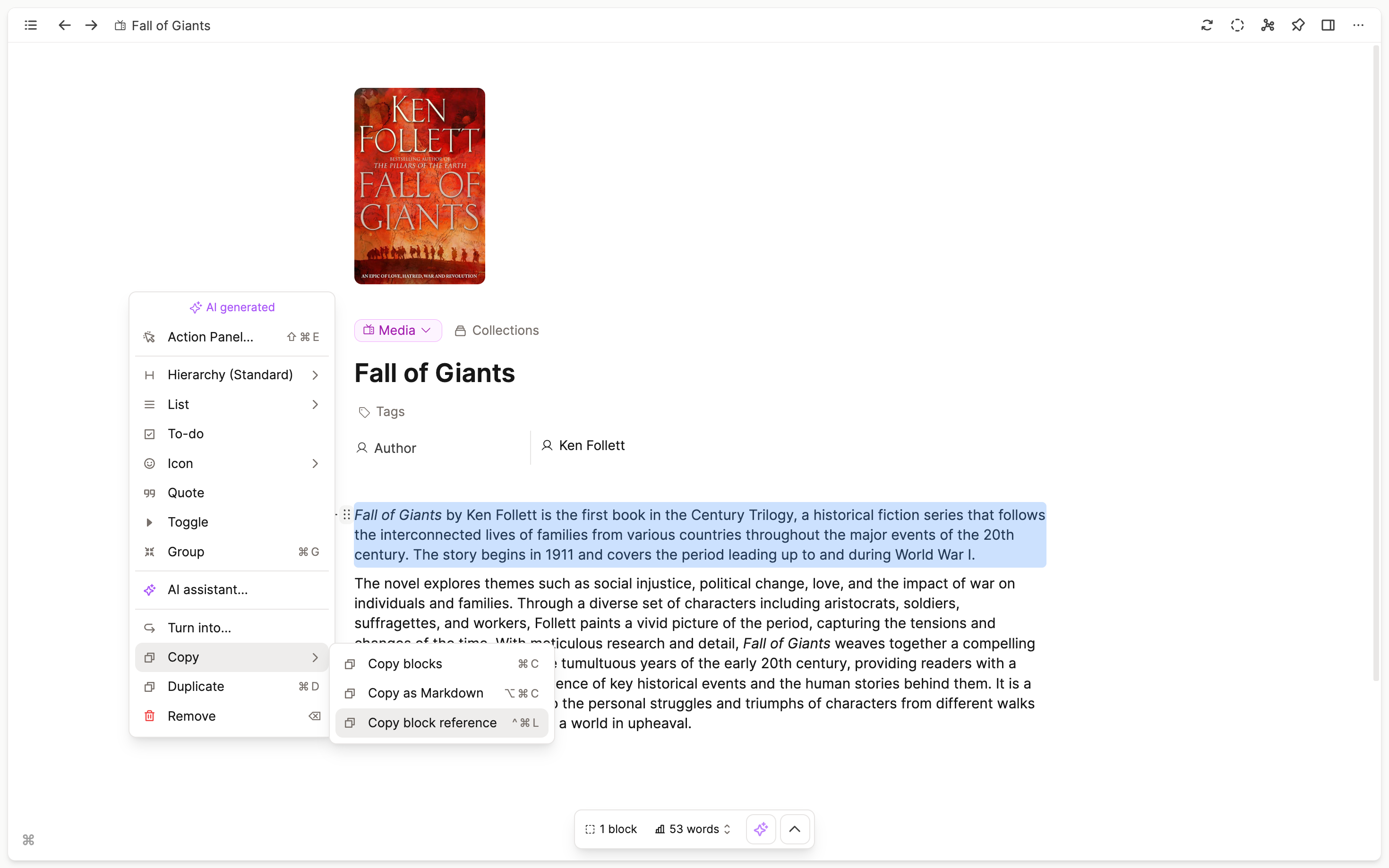
This will copy the link to this block to your clipboard. The last step is to paste this link at the place where you want to link or embed the block.
Embedded vs. inline block references
If you paste a block reference into an empty block, it creates an embedded view of that block.
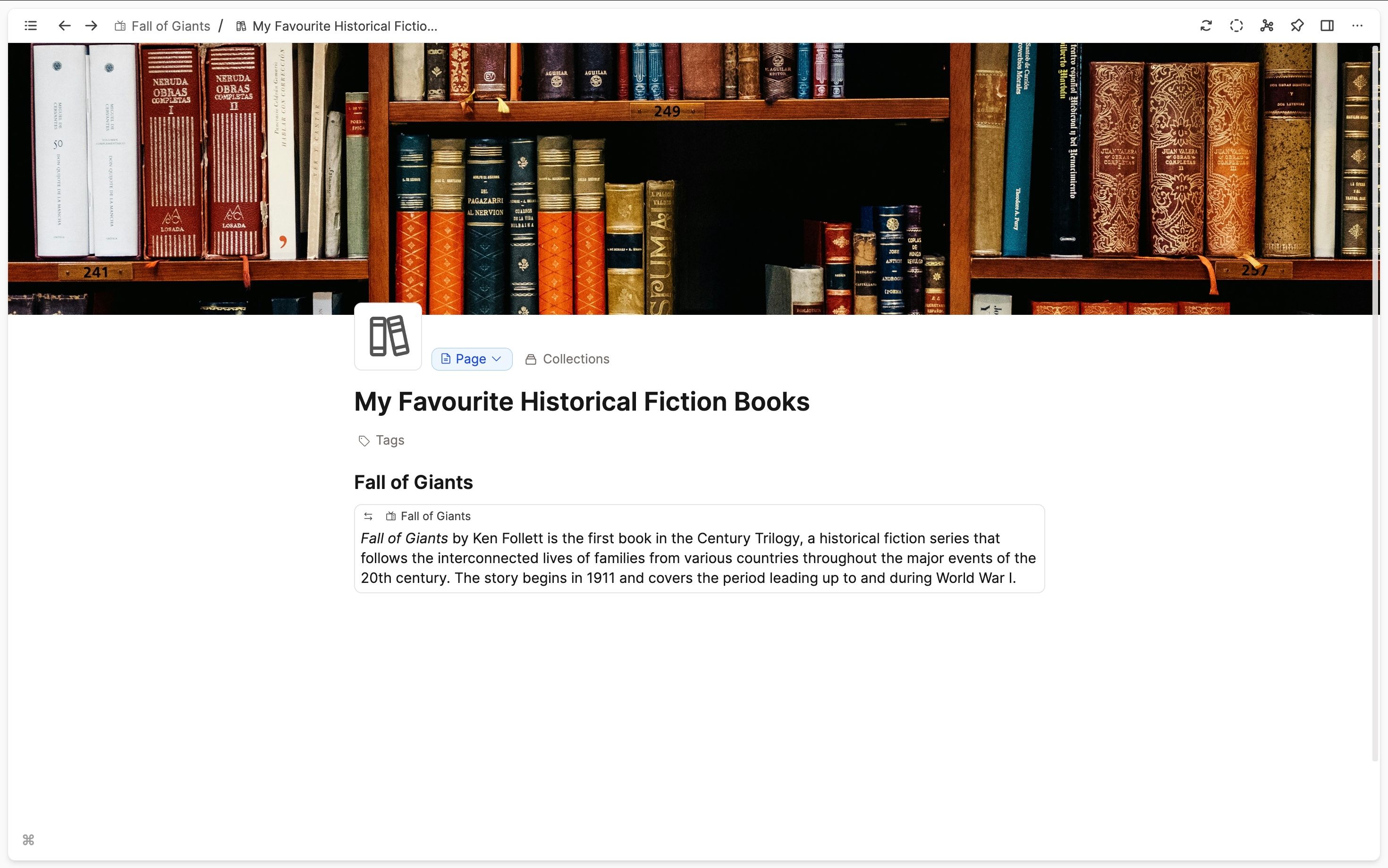
Pasting a block reference somewhere inside your text will result in a simple link to that block.

Transclusion
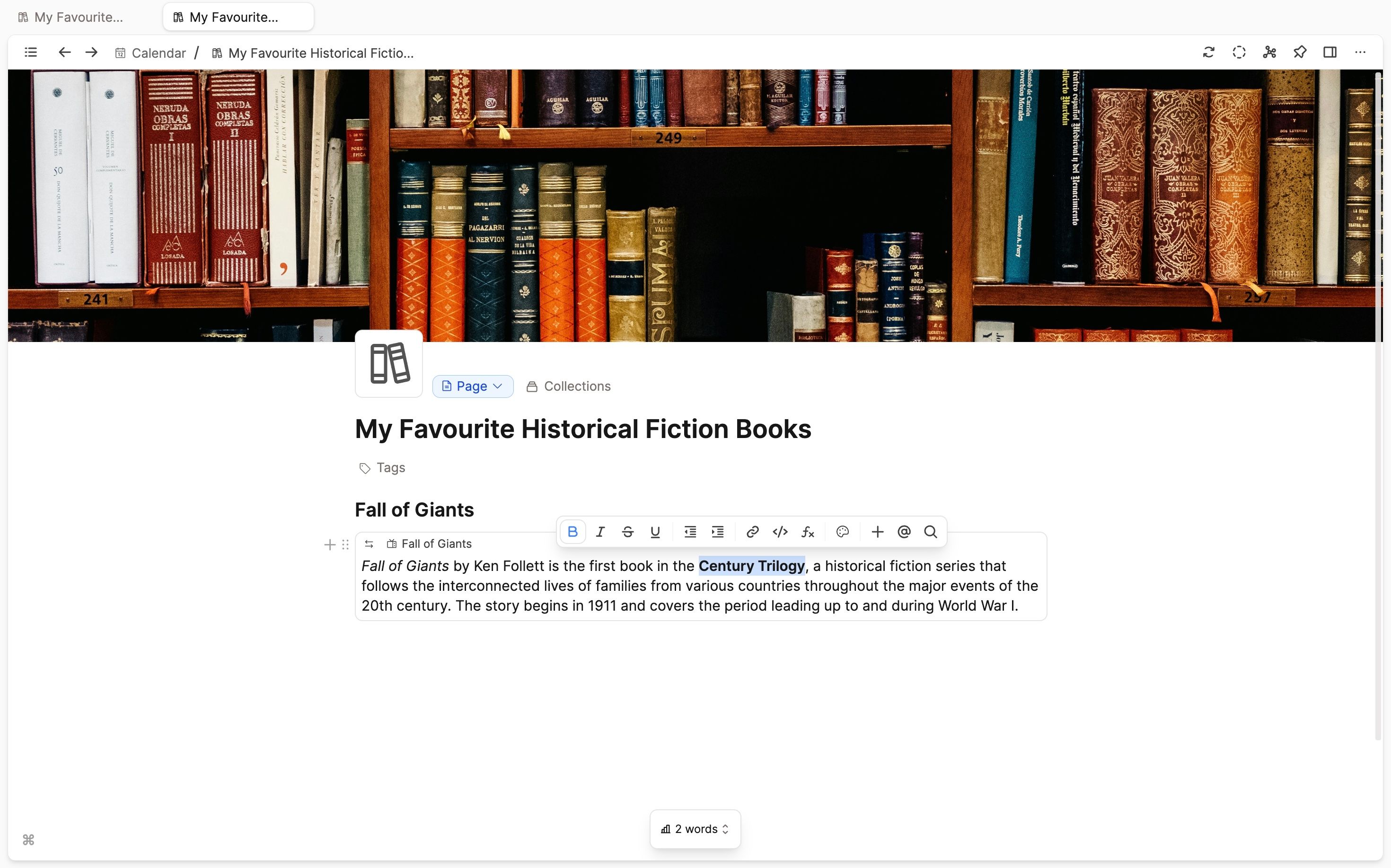
An embedded block is identical to the original. This means that any edits will occur in all places where this block is used. This concept is called transclusion.
Navigating block references
You can jump back to the original context of an embedded block by clicking on the link at the top left, which displays the name of the object the block originates from. If you go to the referenced block in its original context, you will notice a reference counter beside the block. It shows how many times the block is referenced.
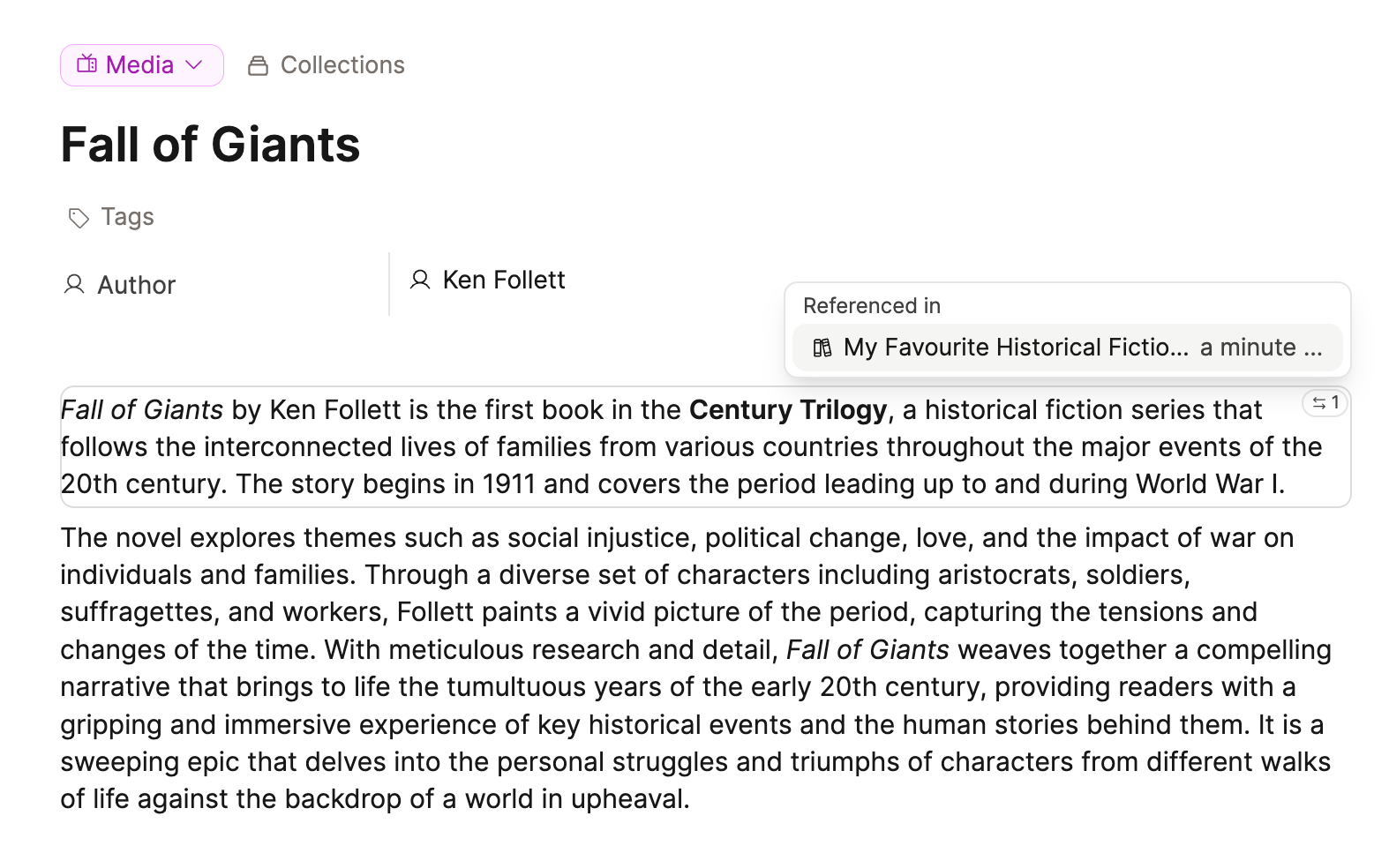
If you click on the counter, you get a list of all objects from which the block is being referenced. On mobile, this list opens as a bottom sheet. Clicking on an entry leads you to the exact position.
Ask a question! - The Docs Assistant knows everything about the documentation, and the ideas and feature requests from other users.
Create a ticket on our feedback board. - Let us know if you have an idea for a feature, improvement or think there is something missing.
Request additions to the documentation. - If your questions are not getting answered, let us know and we will extend the documentation.