Tutorials
Sharing in a knowledge graph
Tutorials
Sharing in a knowledge graph
✅ You can share individual objects for people to view. Viewers do not need their own Capacities account.
❌ Full workspace sharing, collaborative editing or automatic sharing are not supported and are not currently planned.
Sharing your content is the best way to get feedback or to multiply the value of your work. Let's see how sharing works in Capacities. 💡
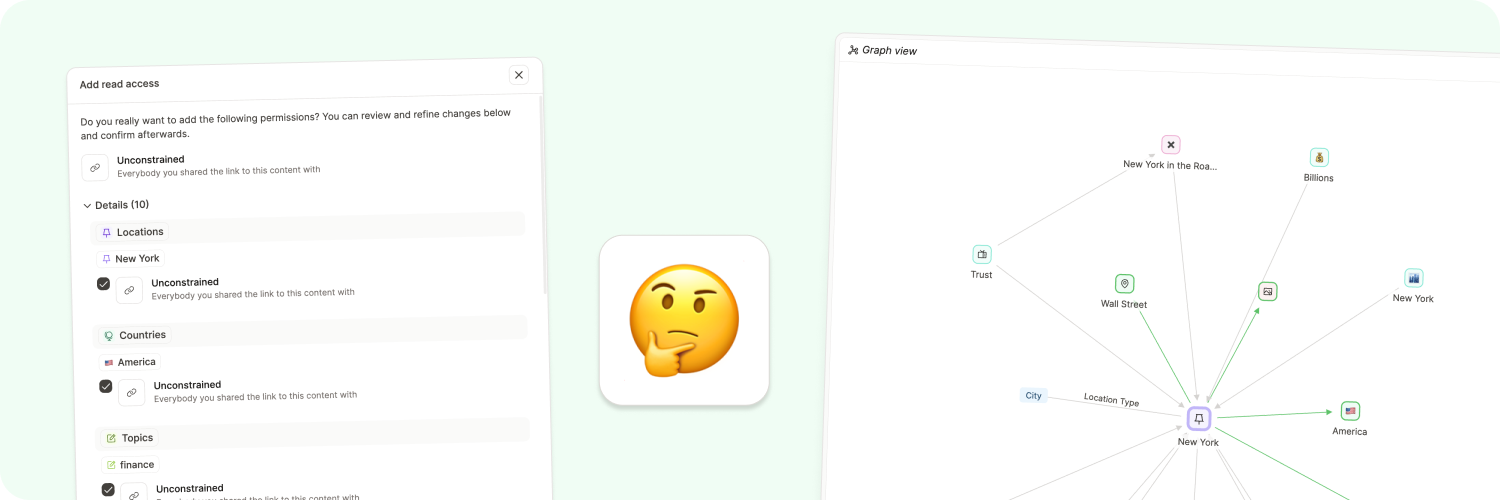
Since Capacities does not work like a traditional note-taking app, the sharing experience is different. You are sharing content in a connected knowledge graph, so you need to decide which objects and which connections you want to share.
If you don't share content, no one except you will ever have access to it. Shared content is only accessible to people you choose to share your content with via the link that is created. Your content is not publicly listed.
You remain the owner of your content (e.g., texts, images, or files you saved on Capacities), but you grant Capacities the necessary rights for the intended use.
Content can currently either be private or shared without any access constraints meaning that everybody you share a link with will have access to your shared content. More granular permissions will be added later.
How it works
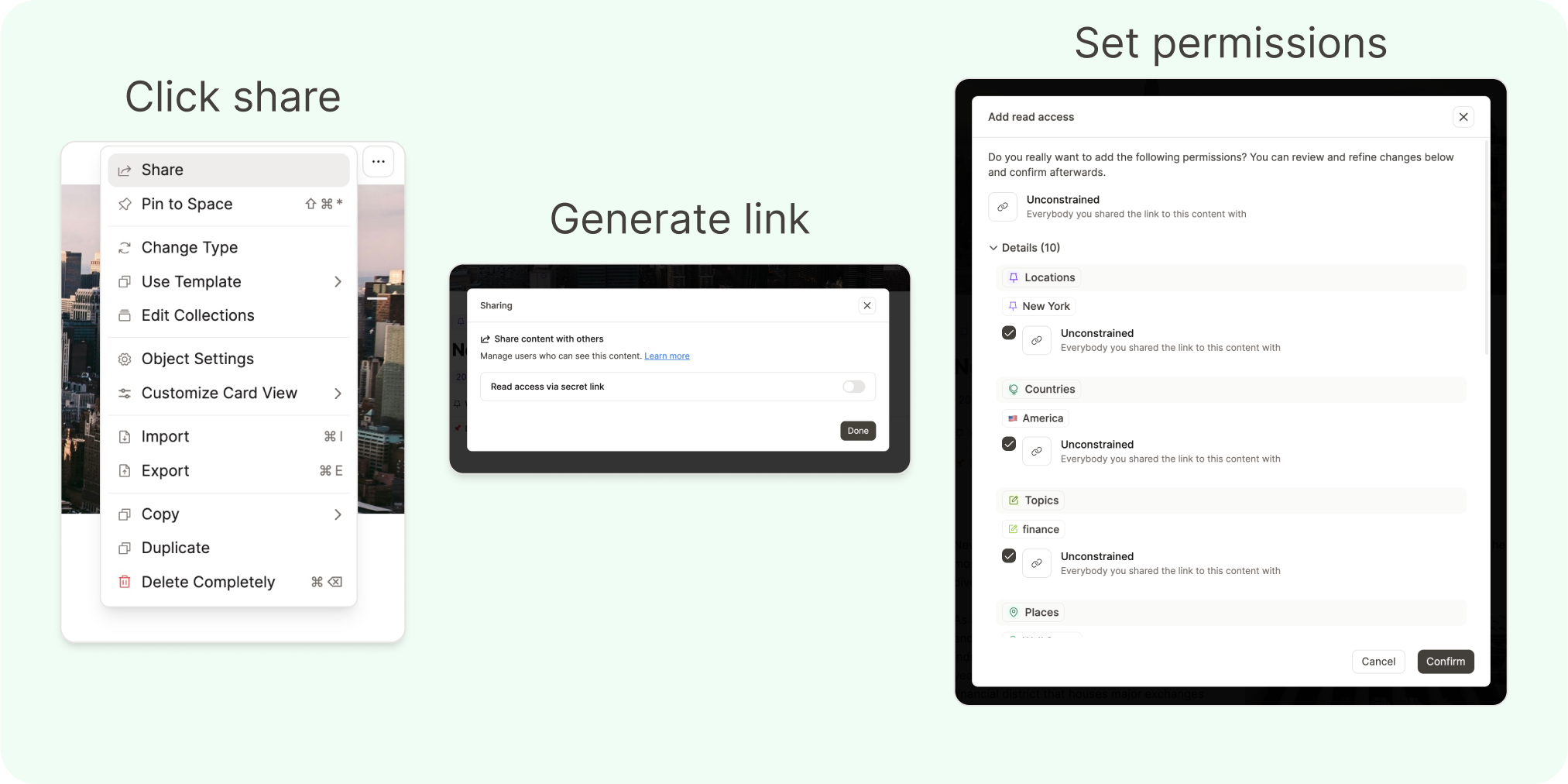
To share content, open an object. Open the three-dot menu (...) and click share. A window will pop up where you can create a link to this piece of content. Then, you can toggle the precise permissions for what you want to share.
By default, all objects that are referenced within that content (and content that is referenced in that content, and so on) will be shared as well. You can expand the details to see which elements will be shared and deselect the ones you don't want to share.
Once you have shared content, permission changes are based on four rules:
- If two objects that are linked are shared they are both visible.
If you have a page within a page and both are shared both pages are visible. If you have a shared tag, all elements that are shared and tagged with that tag will also be visible. Or if a shared page references another page it will be visible in the backlink section of that page. - If you create content on a shared page that content will automatically also be shared.
If you are working on a shared page and you create another page within that page, or you add images or web links these objects will automatically be shared as well. You can at any point remove permissions in the "Share" menu. Here you again can select and deselect which permissions for which content you want to remove. One exception is Daily Notes. If you link a daily note in your content it will not be shared by default. - If you have public collections all content that is shared and part of that collection will be visible in the collection.
If you share a collection that includes public content the content will be visible. When sharing a collection, you can select if and which objects in that collection you want to share. - Reused content will not be shared automatically
If you are working on a public page and you reuse existing content that is not shared yet you will be asked if you want to share this content as well or not.
If you keep these rules in mind while working with public content you can create a powerful second brain that contains ideas that are shared with friends and colleagues. You can garden these public pages like your private notes and create explorable content networks for others. 🤯
Shared overview
Click Shared in the left sidebar to see all objects you have shared in the current space.
The option appears in the sidebar as soon as you share your first object. If you already have shared content but do not see Shared, share another object and it will appear.
If other users come across private content on your pages they will see a small banner with "Access denied" but never the object. You have full control over privacy.
Tips on sharing
- All public content will have a
Sharedlabel in the top left. That way you always know that you're editing public content. - If you open the graph view from Explore in the right side panel, you will see the public subgraph marked in green. If you shared a link to one of that content a user can explore all green links starting from that node.
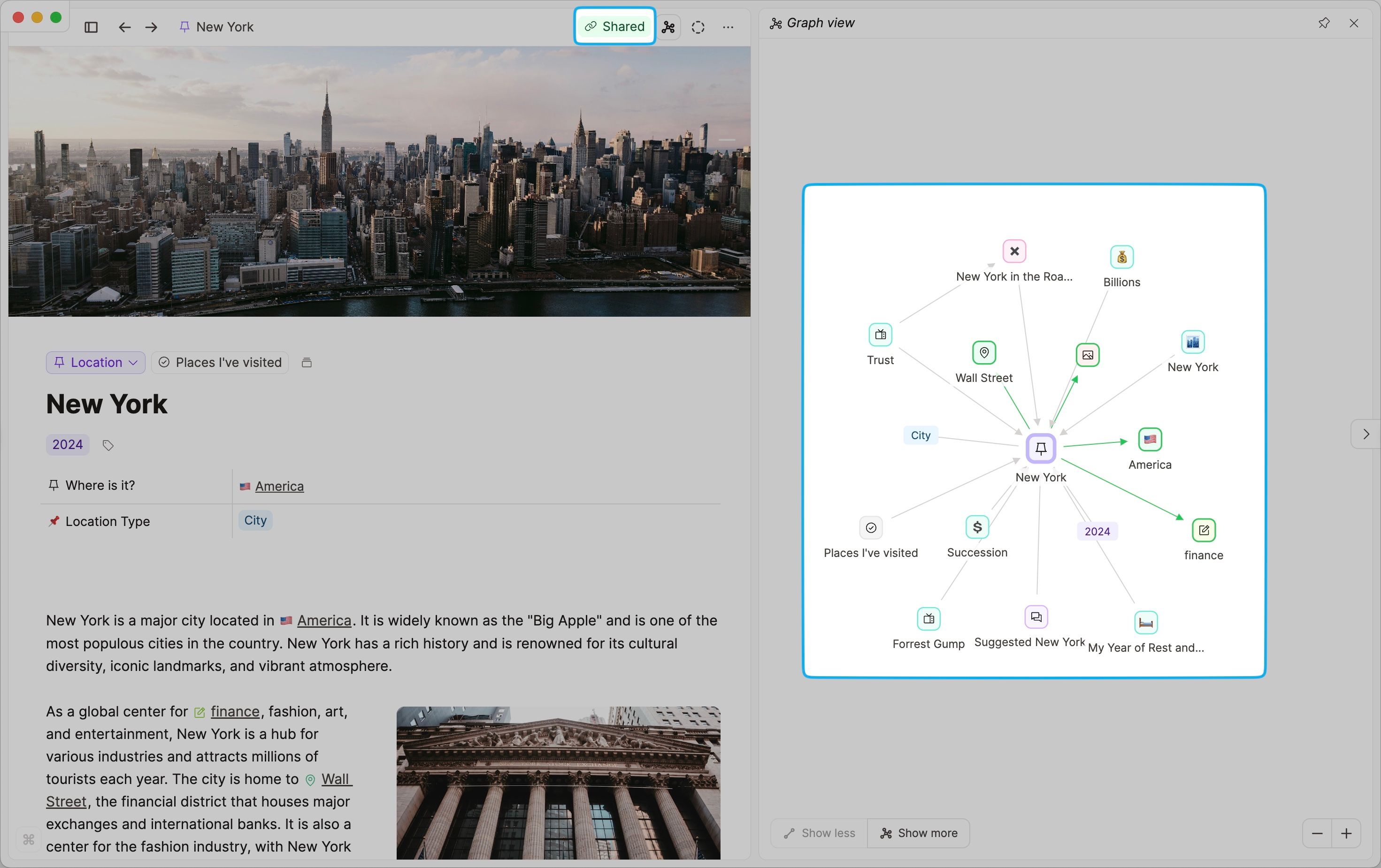
- Make sure to check the details when you share content. Often we forget how many links we create. If you share a page with a lot of links you will also by default share a lot of content. Remove content you don't want to share before you confirm.
Stop sharing
You can stop sharing any object by removing its share link or turning off its permissions.
- Open the object (page, media, etc.).
- Open the three-dot menu (
...) and chooseShare. - In the sharing dialog, disable or remove the share link, or turn off the permissions for the content you no longer want to share.
- Confirm.
Once removed, the link will no longer give access.
If you remove read permissions from a shared object, read permissions of included content are also removed by default, unless that content is shared elsewhere (for example through another shared page or a shared collection).
If you have any ideas or questions about sharing, feel free to reach out. 📧
FAQs
- Can anyone edit my content?
No, there are no collaborative features in Capacities. - Can I share my whole space?
No, this is not possible. Feel free to vote on this ticket to be notified if that changes. - Are there any custom domains available when sharing?
No there aren't. Feel free to vote on this ticket to be notified if that changes. - Why aren't the tagged visible in a shared object?
You probably haven't shared the tags themselves. If you share each tag and then refresh the tagged and shared object, they should be visible. - Can I add or remove public read access for many objects at once?
Yes. Select several objects, choose Edit property, then Add public read access or Remove public read access. See Edit property.
Ask a question! - The Docs Assistant knows everything about the documentation, and the ideas and feature requests from other users.
Create a ticket on our feedback board. - Let us know if you have an idea for a feature, improvement or think there is something missing.
Request additions to the documentation. - If your questions are not getting answered, let us know and we will extend the documentation.