Reference
Bulk Actions
Reference
Bulk Actions
Bulk actions allow you to perform actions on multiple blocks or objects at one time. This is a more efficient use of your time than repeating the same action multiple times on individual objects.
To trigger bulk actions, you can
Cmd+Shift+click(Mac) orCtrl+Shift+click(Windows/Linux) on blocks, objects or both.- Open any object type, click the three-dot menu (
...) and select "select multiple objects"
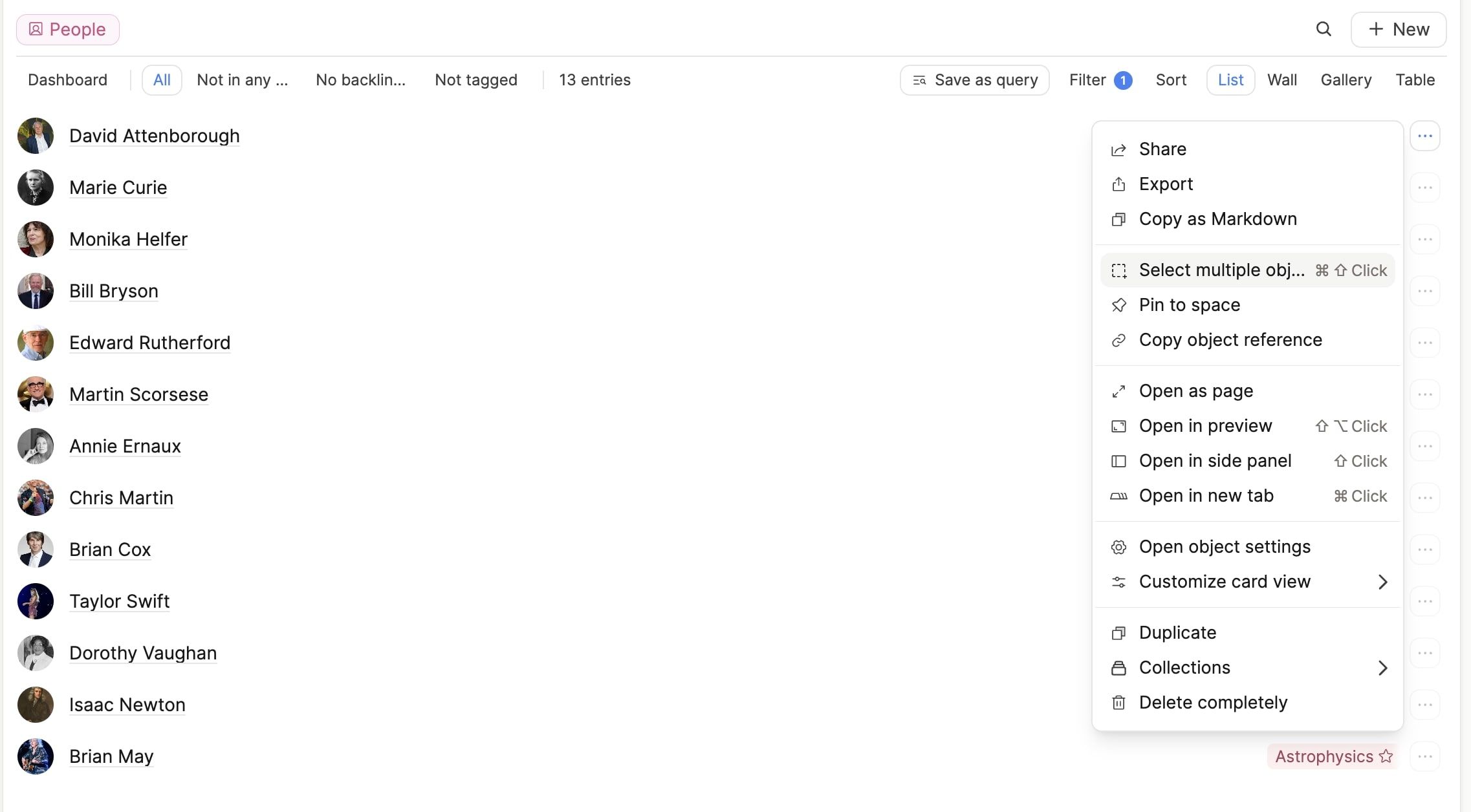
Once you do this, an action menu will pop up. The actions available on it will depend on your selection of content.
Here is a Quick Tip video about templates to see them in action:
Current Actions
Action menus will show a selection of the following (depending on what you have selected):
- Add blocks/object references to another object (blocks and objects)
- Turn blocks into an object (blocks only)
- Change type (only objects of the same type)
- Add to/remove from collections (only objects of the same type)
- Add/remove tags (blocks and objects)
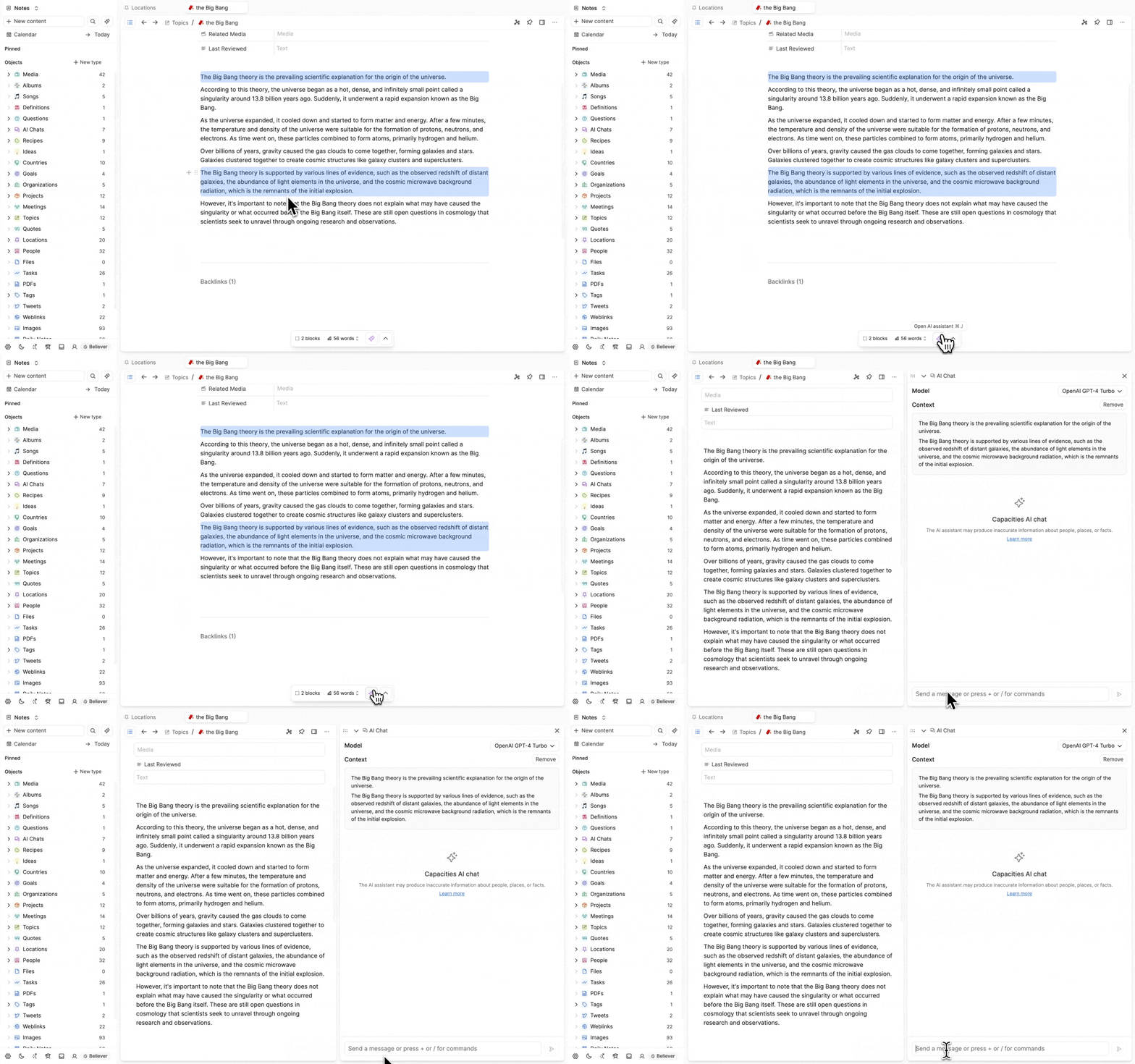
- Open the AI assistant with the selection as context (blocks only)
- Open in side panel (objects only)
- AI Chat with selection as context (objects only)
- Delete items (blocks and objects)
- Change view of linked objects (objects only)
- Text formatting options (blocks only)
- Add emojis (blocks only)
- Add styles (blocks only)
- Edit property (objects only)
Object Actions
Select the objects you want to apply a bulk action to with Cmd + Shift + click (Mac) or Ctrl + Shift + click (Windows). The object action menu will pop up.

If your selection contains objects of different types (e.g. meetings, people and organizations), you will have fewer actions to choose from than if you select multiple objects of the same type (e.g all meetings, or all people, or all organizations)
Edit property
Select several objects and choose Edit property. Change the properties they share in one pass.
If they are the same type, you can edit text, numbers, checkboxes, icons, dates, labels, links, tags, aliases, and collections.
If they are mixed types, you can still edit title, description, icon, aliases, and tags.
From Edit property you can also choose Add public read access or Remove public read access for the selection. See Sharing for how public read access works.
Adding multiple links to objects
If there is a selection of objects you'd like linked in an object, you can use this function to do that.
Cmd + Shift + click (Mac) or Ctrl + Shift + click (Windows) on the objects you'd like to link in one of your objects > click on the arrow > Search for the page these links will appear on > press enter > this will open up the destination you just chose.
You can then use a block action to choose the view of these objects too!
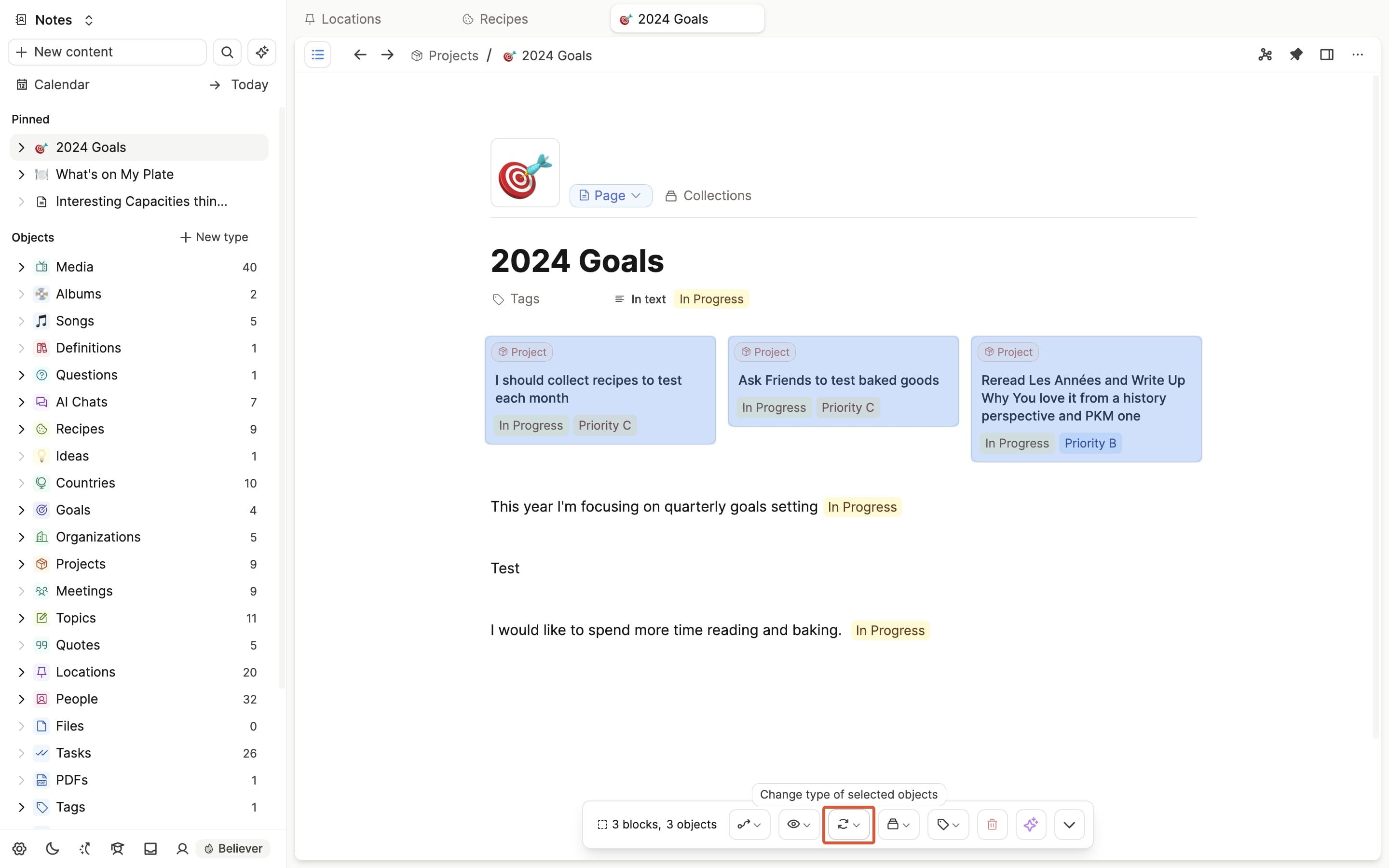
Change objects into a different object type.
You can change the object type you first assigned an object at any point. You do this individually or in bulk.
Cmd + Shift + click (Mac) or Ctrl + Shift + click (Windows) on the objects you'd like to turn into a different object type (e.g. pages to projects) > click on the 'change type' icon (highlighted below) > choose the object type these objects will be converted to > click convert.
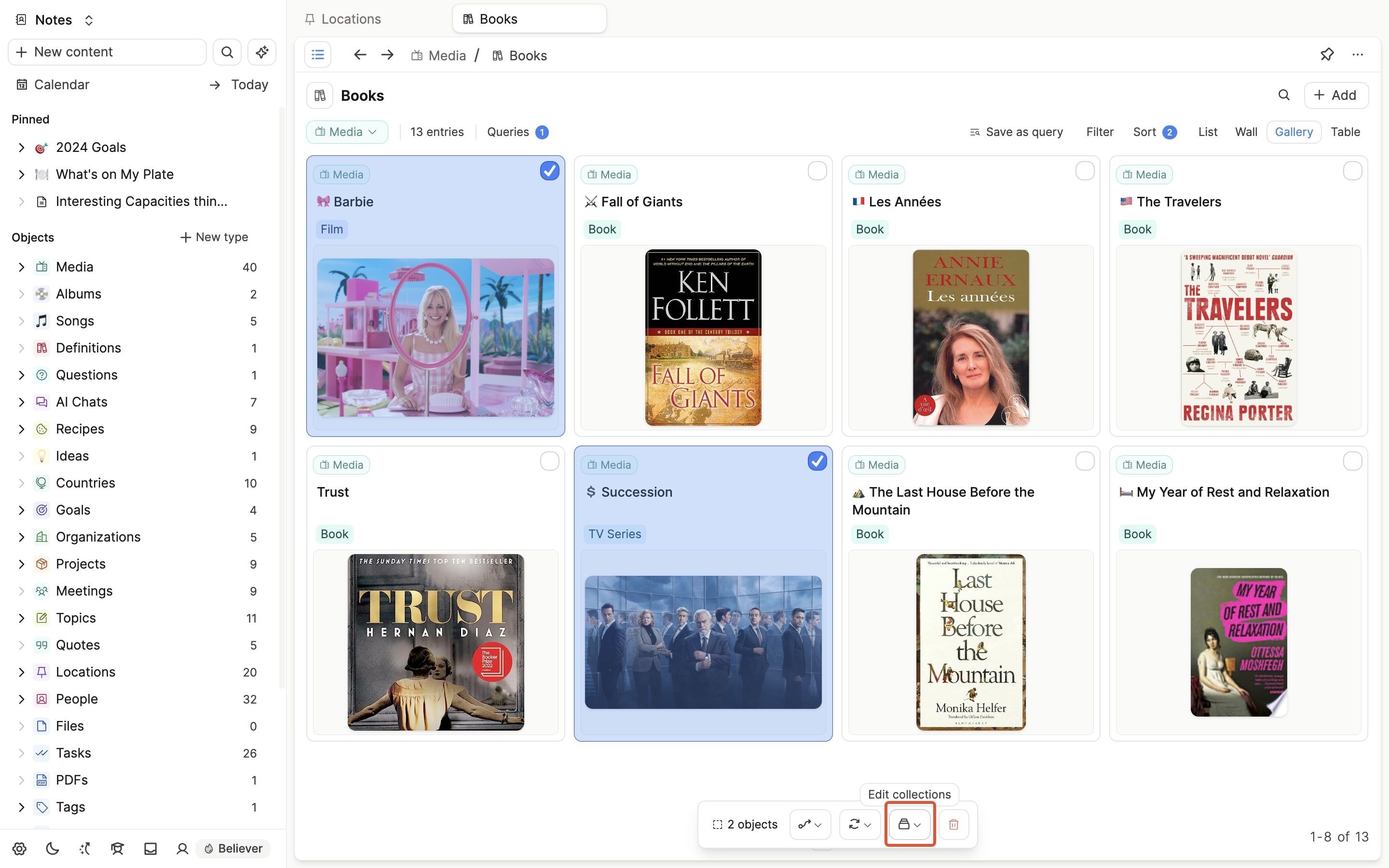
Add objects to or remove from collections
Cmd + Shift + click (Mac) or Ctrl + Shift + click (Windows) on the objects you want to move > click the collections button (the folder icon) > remove them from their initial collection by clicking 'remove' > add into the correct one by selecting it from the list and clicking 'add'.
You can also create a collection from here.
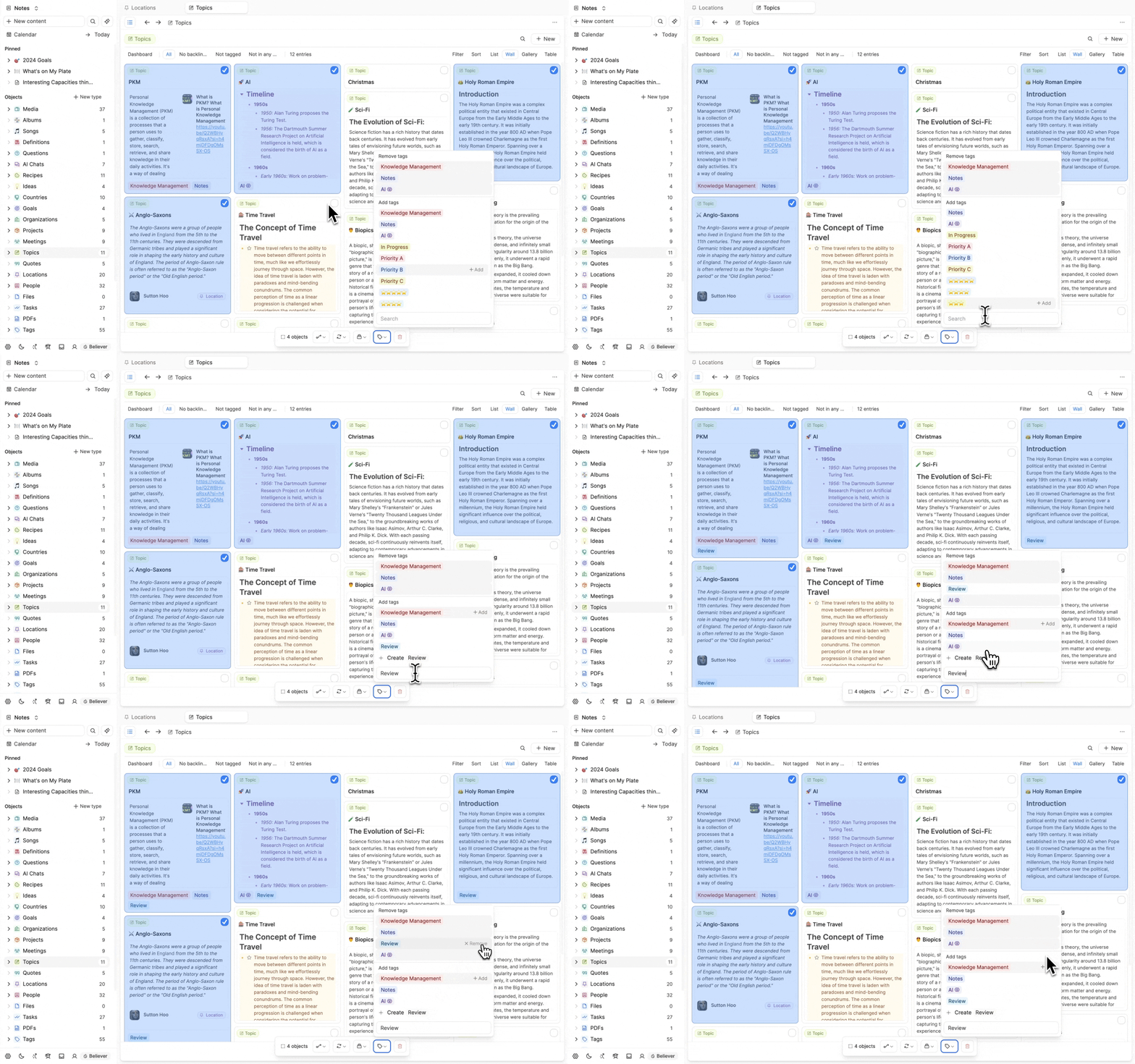
Add or remove tags with Objects
Simply select the objects you wish to add tags to with Cmd + Shift + click (Mac) or Ctrl + Shift + click (Windows) > pick the tag you'd like to assign or remove.
Open objects in the side panel
Select the objects you want to open, then click Open in the bulk action menu. Each selected object will open in its own tab in the side panel.
Open AI chat with objects as context
Select the objects you want the AI to work with, then click AI Chat in the bulk action menu. This opens the AI assistant with the selected objects as context.
Deleting objects in bulk
If you no longer need certain objects, you can select them in bulk and delete them.
Select the objects to be deleted > click the bin icon.
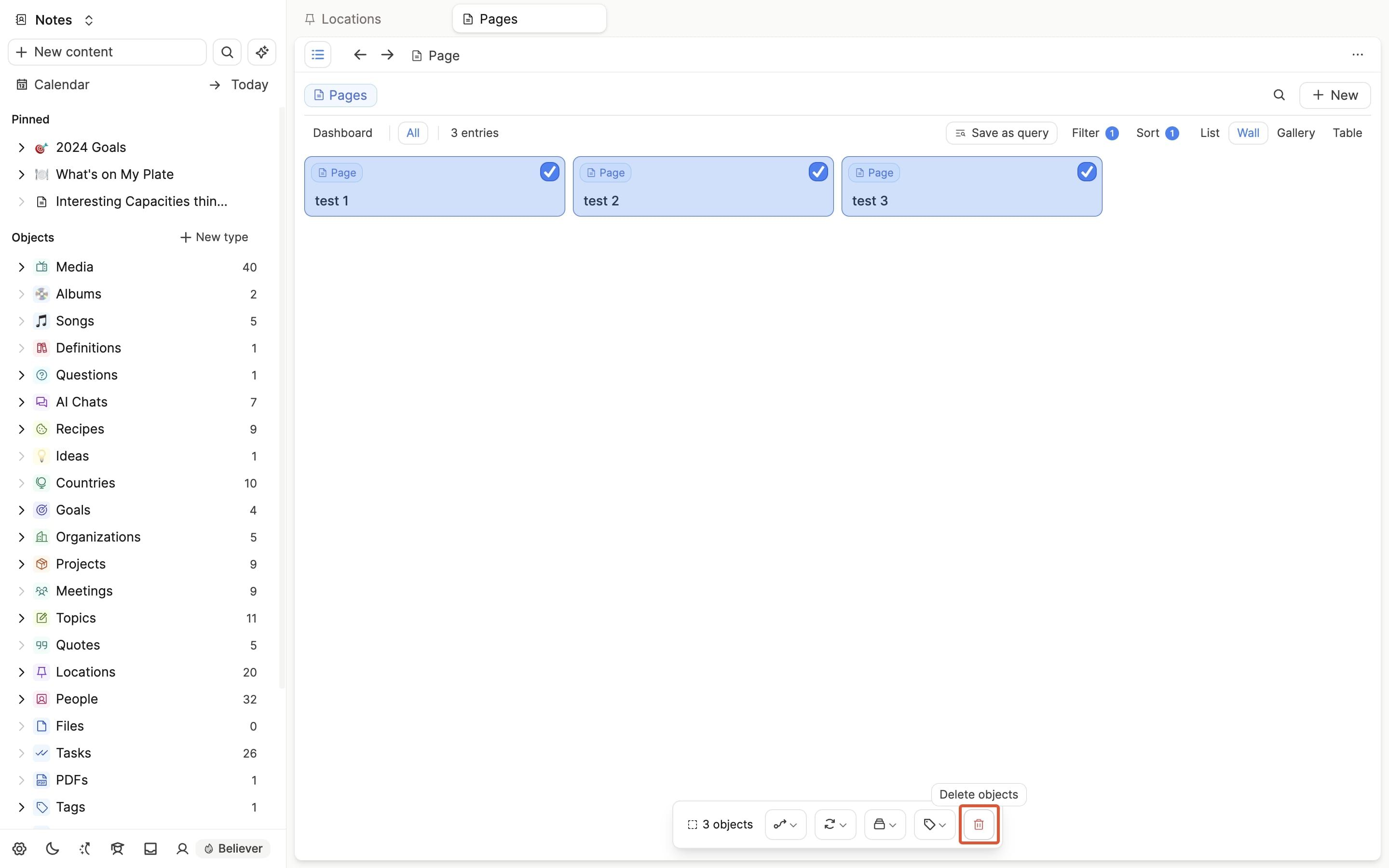
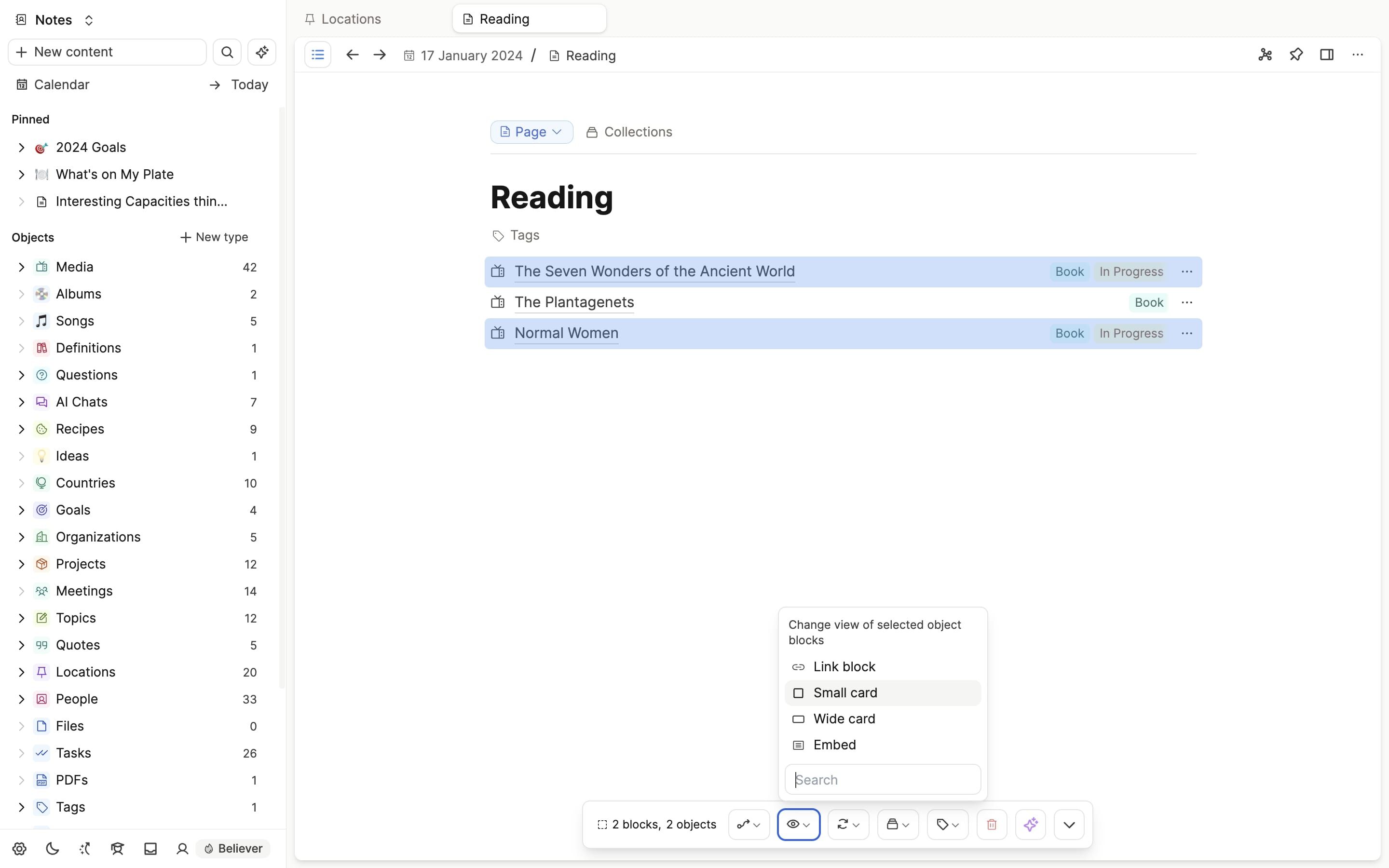
Change the view of your linked objects
When you create links to new objects, you can choose how this link appears. Bulk actions allow you change these views in bulk.
Select the linked objects whose views you'd like to change >
Block Actions
Block actions combine the previous editor menu with these new bulk actions. You can do all of the editing functions that previously appeared in the editor menu, and now much more.
- Add blocks to different objects
- Turn blocks into objects
- Add tags to the blocks/remove tags from the blocks
- Add the blocks as context for the AI assistant
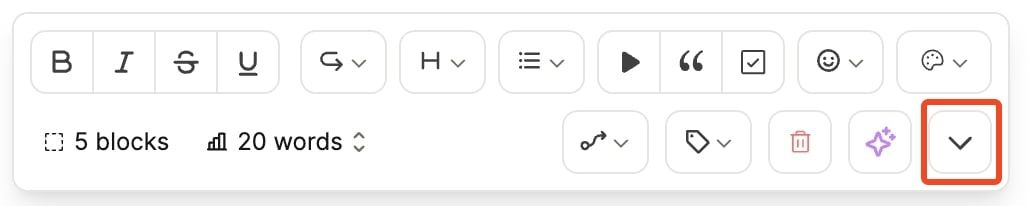
The blocks menu shows a selection of buttons at first, but you can open the full menu with the toggle button, or with the Cmd (Mac) or Ctrl (Windows) + Shift + E shortcut.
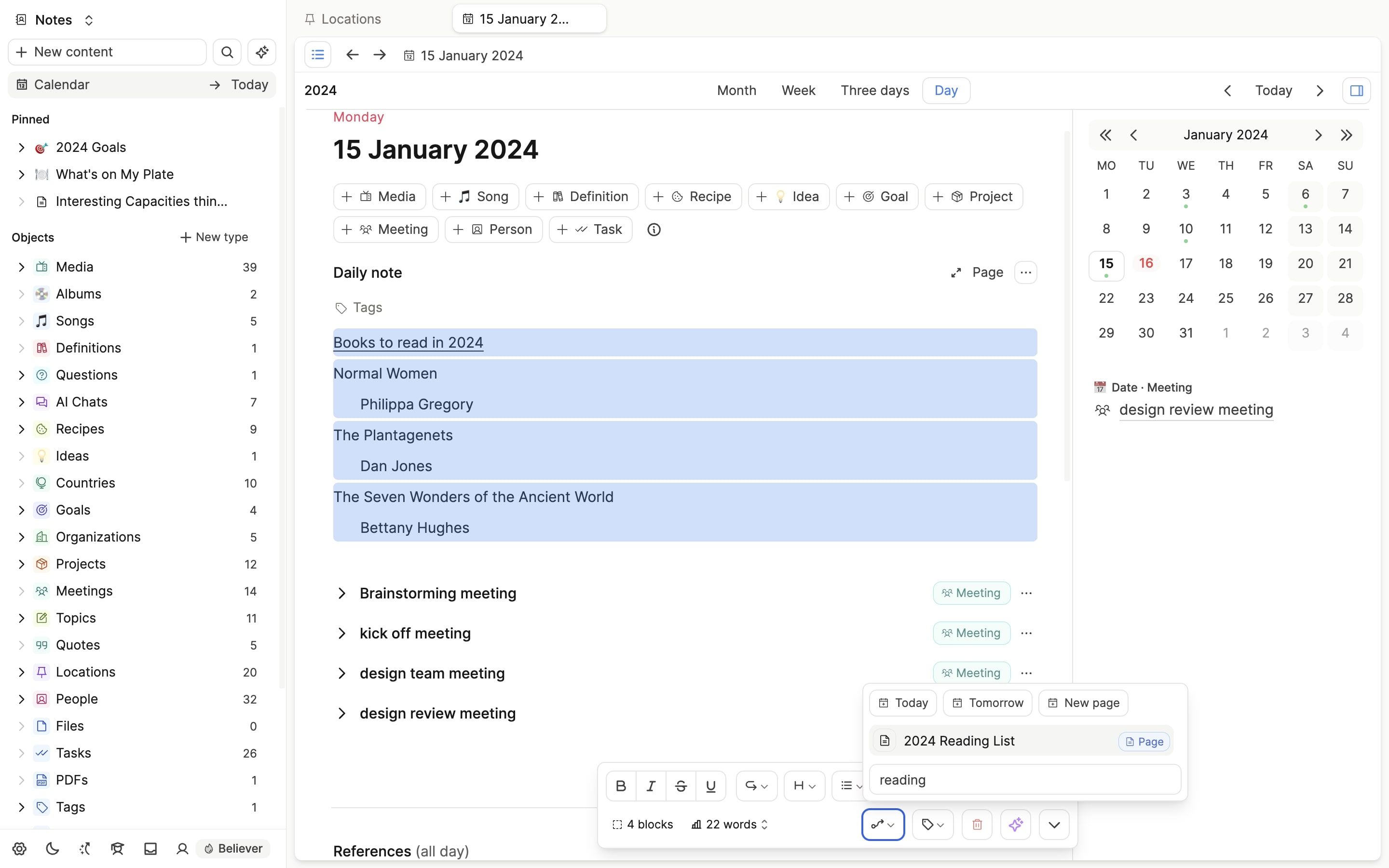
Move blocks to different objects
You can select blocks and move them to other objects, including quick access buttons to send blocks to your daily notes.
Turn blocks into objects
You can also turn a selection of blocks into a new object, or several objects. The text in the block becomes the name of the new object, you just need to choose what type these objects will be.
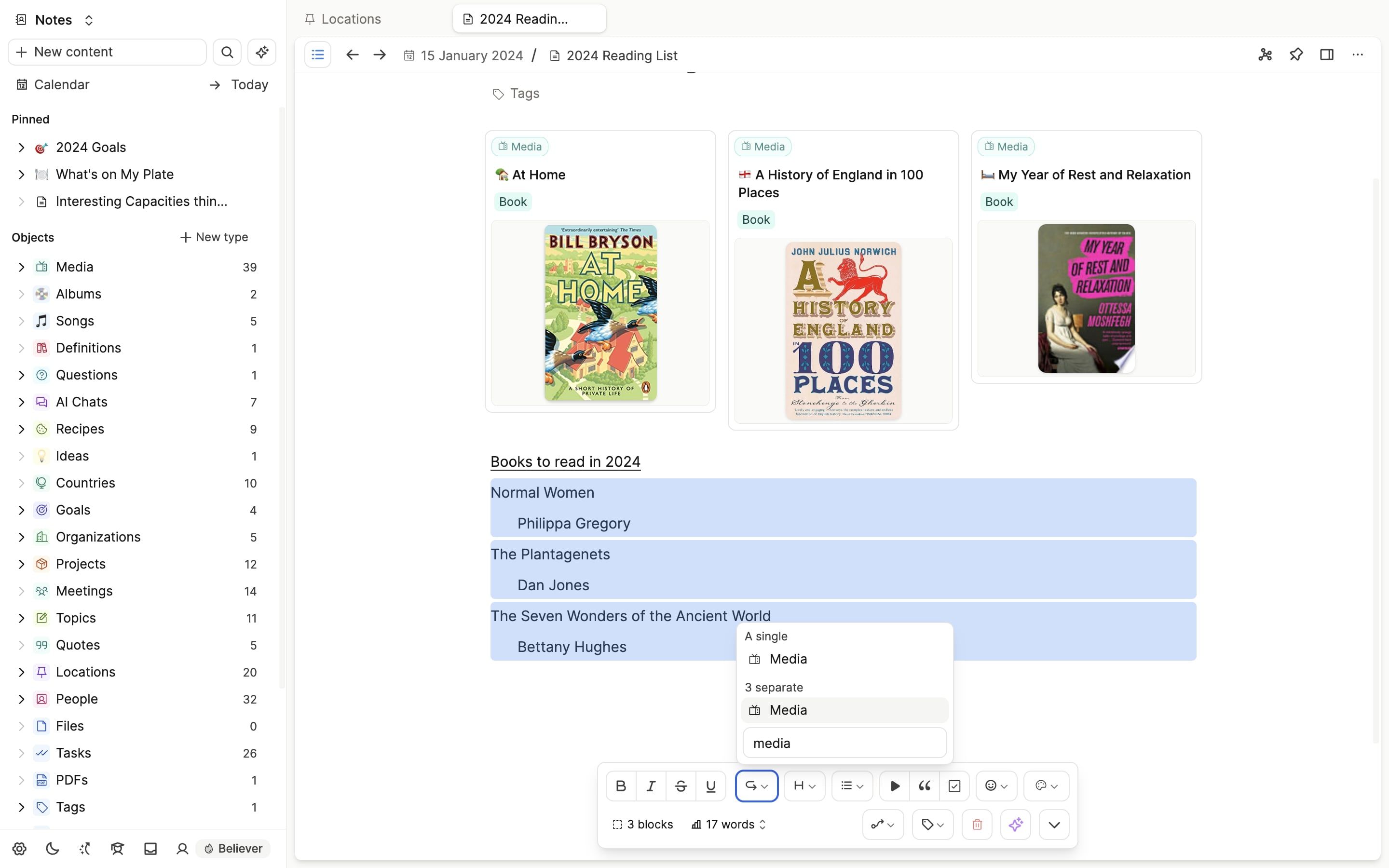
If you have child blocks when you turn blocks into objects, those child blocks will move onto the page.
In this example, the Author's names will be added to the new media projects this block action will create.
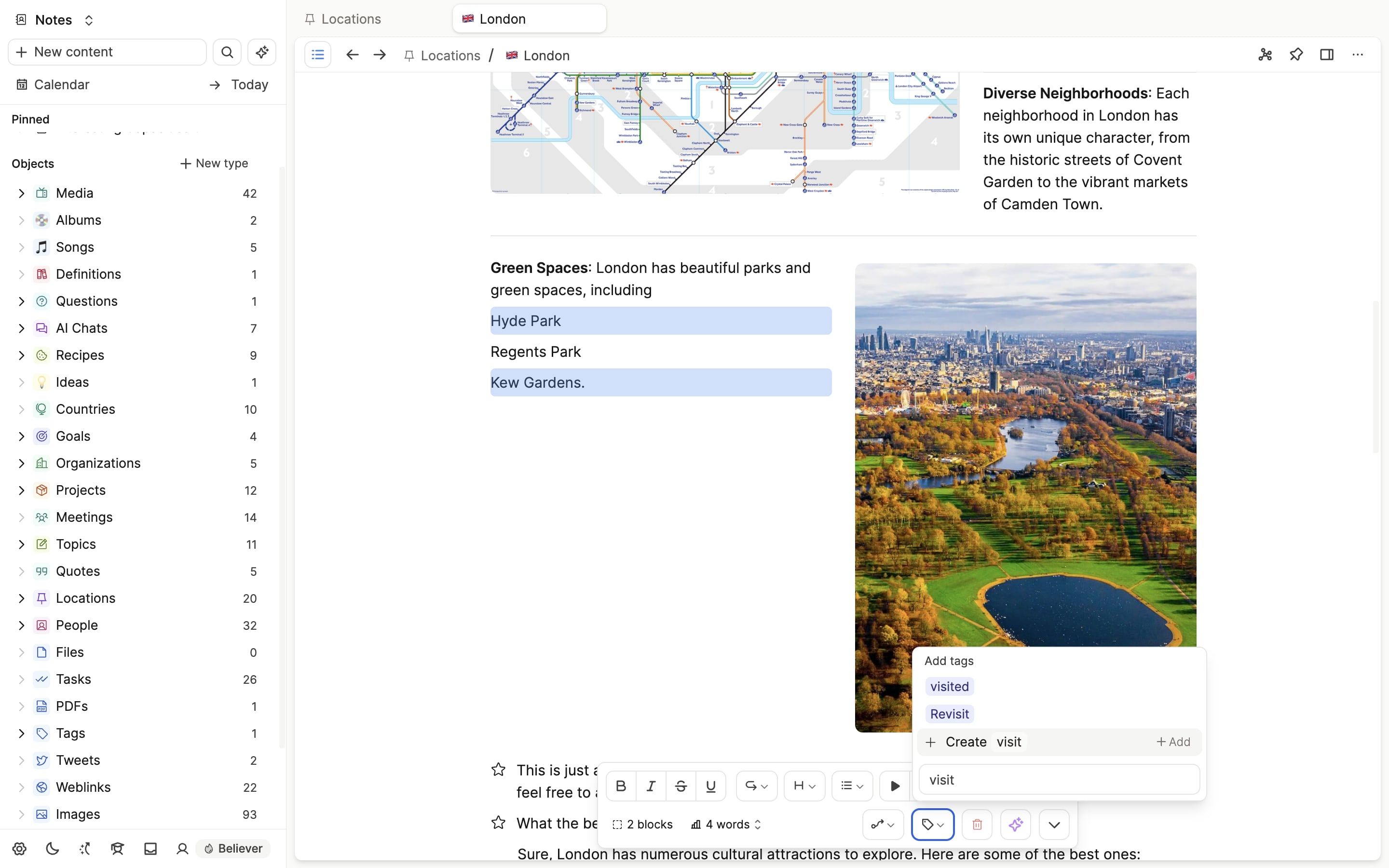
Add or remove tags
Just like with objects, you can choose to add or remove tags to multiple blocks at a time.
Use blocks as context for the AI assistant
Block actions let you choose precisely which blocks you'd like to add as context to the AI assistant, and access it quickly with the new button.
Ask a question! - The Docs Assistant knows everything about the documentation, and the ideas and feature requests from other users.
Create a ticket on our feedback board. - Let us know if you have an idea for a feature, improvement or think there is something missing.
Request additions to the documentation. - If your questions are not getting answered, let us know and we will extend the documentation.