Features
Task actions
Features
Task actions
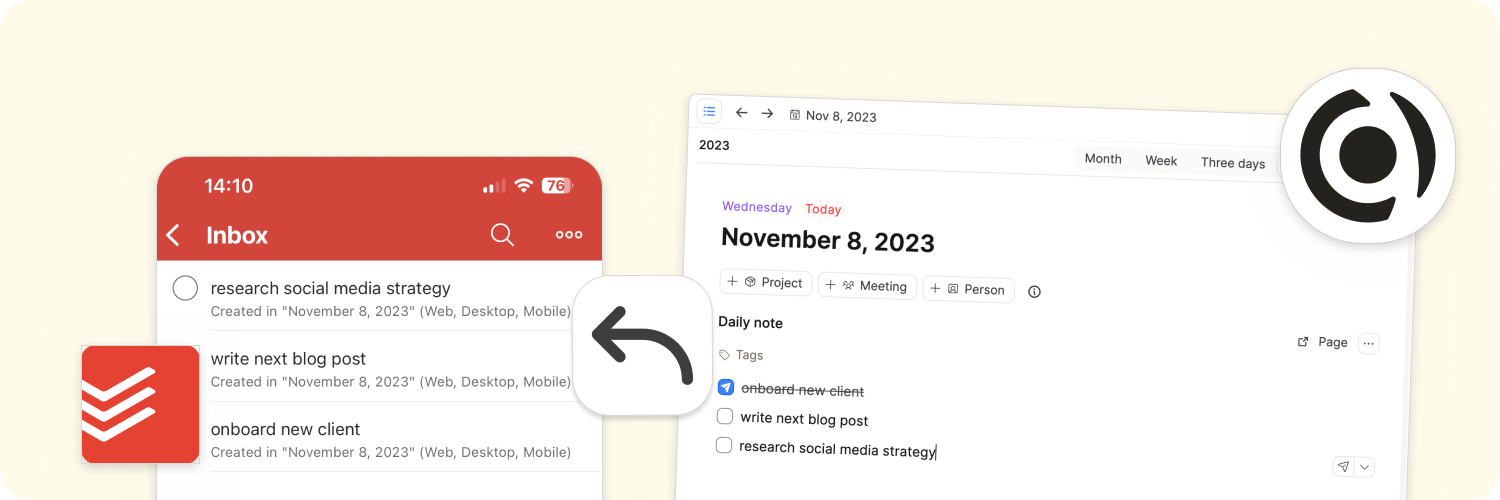
Managing tasks and to-dos is an integral part of knowledge management. Capacities' task actions allow you to send tasks from Capacities to your task manager of choice. This way, you can keep track of your tasks in your dedicated task manager, rather than having them distributed throughout different apps.
Task actions are an alternative to the built-in task management feature in Capacities. Task actions are great for you if you want a dedicated place to manage your tasks, organize them in projects, boards, and lists, and collaborate with your team.
Capacities currently support first-class integrations to the following task management apps:
If your task manager is not supported, you can use a webhook action. If you would like your task manager to be integrated into Capacities, please vote or comment on our community announcement. We will prioritize the task managers with the most votes.
How does it work?
After you have defined your task actions a small paper plane icon will appear next to each To-Do in Capacities.
You can create a to-do block by typing /todo + enter" or "[] + space".
You can click on the icon (or on the dropdown if you defined multiple task actions) to send the To-Do to your task manager.
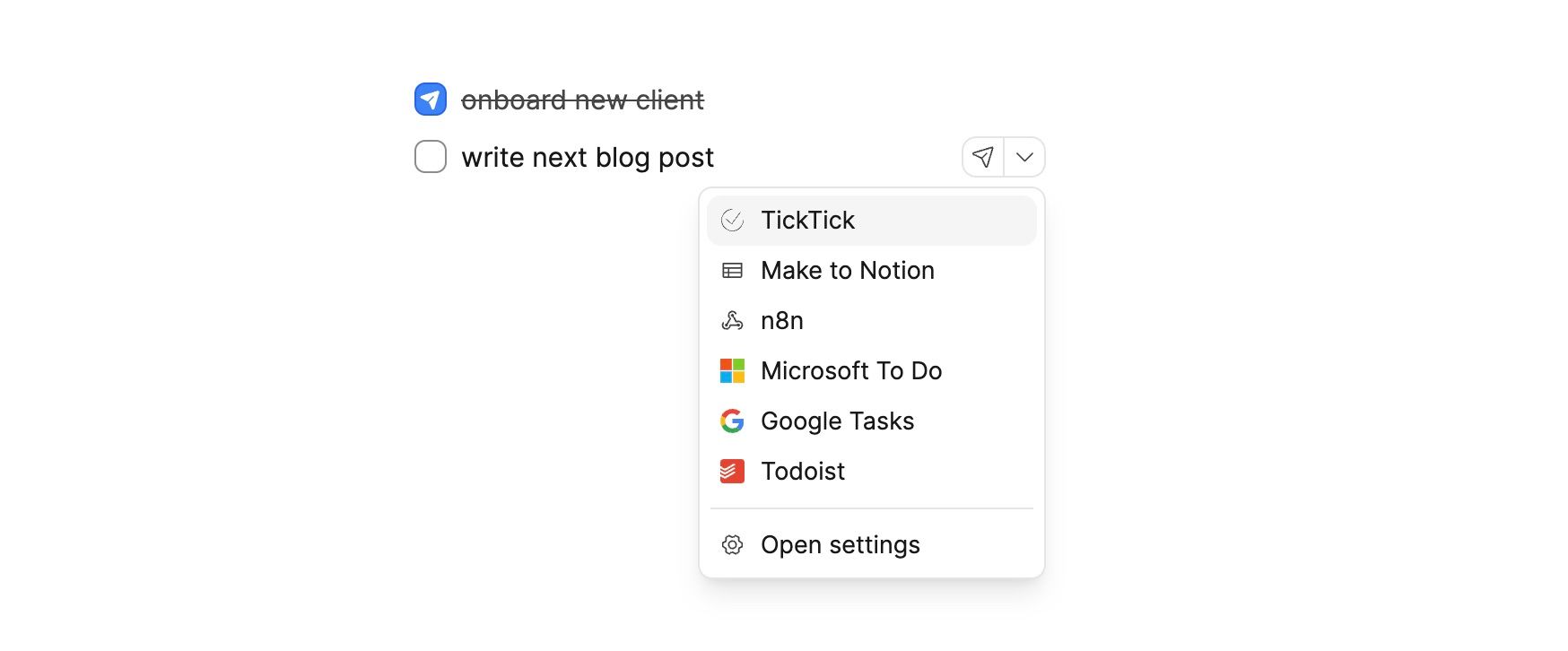
You can also quickly use the shortcut Option + Enter (Mac) or Alt + Enter (Windows) to send the To-Do to your default task manager or Option + Shift + Enter (Mac) or Alt + Shift + Enter (Windows) to open the dropdown and select a task action.
Find out how to set up task actions via this video or in the documentation below:
Get a 5 minute video introduction to task actions here. You can find more details below.
Todoist
✅ Desktop ✅ Web ✅ Tablet ✅ Mobile
Go to Settings > Task Actions > Add Connection > Todoist and follow the instructions there. This step must be completed before configuring specific task actions.
Scroll down to the Add task action button > click Todoist and then you can configure your task action.
Besides the general settings you can define the following settings:
- Project: If you have multiple projects in Todoist, you can select the project you want to save your task to. You can select from all the projects you have in Todoist. If you have multiple projects, create task actions for each project and they will appear in the dropdown list when you create a task block.
- Labels: You can define a list of labels that should be added to your task. Add all labels you want to add as a comma-separated list. Your labels need to exactly match the labels you have in Todoist. If you, for example, have labels called
ImportantandUrgent, you can add them like this:Important, Urgent.
Note: You can currently connect Capacities only to a single Todoist account. If you want to connect Capacities to multiple accounts, you can use webhook action.
When you send a todo block to Todoist, you can additional add the following properties:
- Due date: By linking a date in your block (e.g. by typing
@today) you can set a due date for your task. - Labels: By adding a tag to your todo block (e.g. by typing
#important) you can add a label to your task.
TickTick
✅ Desktop ✅ Web ✅ Tablet ✅ Mobile
Go to Settings > Task Actions > Add Connection > TickTick and follow the instructions there. This step must be completed before configuring specific task actions.
Scroll down to the Add task action button > click TickTick and then you can configure your task action.
Besides the general settings you can define the following settings:
- Lists: If you have multiple lists in TickTick, you can select the list to which you want to save your task. You can choose from all the lists you have in TickTick. If you have multiple lists you can also create task actions for each. They will appear in the dropdown list when you create a task block.
Note: You can currently connect Capacities only to a single TickTick account. If you want to connect Capacities to multiple accounts, you can use webhook actions
When you send a todo block to TickTick, you can additional add the following properties:
- Due date: By linking a date in your block (e.g. by typing
@today) you can set a due date for your task.
Things3
✅ Desktop ❌ Web ❌ Tablet ❌ Mobile
Ensure Things is installed on your device. Click on the Add task action button and select Things.
You can then define the settings of your task action. Besides the general settings you can define the following settings:
- List Name: If you want to save your task to a specific list, you can enter its name here. It needs to exactly match your list name. If you leave it empty or the list does not exist, your task will be saved to your inbox.
If you want to add multiple lists, see here
- Tags: You can define a list of tags that should be added to your task. Add all tags you want to add to a comma-separated list. Your labels need to exactly match the labels you have in Things. If you, for example, have labels called
ImportantandUrgent, you can add them like this:Important, Urgent. If your tag does not exist in Things, it will be ignored.
When you send a todo block to Things, you can additional add the following properties:
- Due date: By linking a date in your block (e.g. by typing
@today) you can set a due date for your task. Please not that Things only supports due dates without a time. - Tags: By adding a tag to your todo block (e.g. by typing
#important) you can add a tag to your task.
Apple Reminders
✅ Desktop (Mac Only) ❌ Web ❌ Tablet ❌ Mobile
Please use the native Apple Reminders app on mobile devices.
Create a task action for Apple Reminders by clicking on the Add task action button and selecting Apple Reminders. You can then define the settings of your task action. Besides the general settings you can define the following settings:
- List name: If you want to save your task to a specific list, you can enter its name here. It needs to exactly match your project name. If you leave it empty or the project does not exist, your task will be saved to your inbox.
When you send a todo block to Apple Reminders, you can additional add the following properties:
- Due date: By linking a date in your block (e.g. by typing
@today) you can set a due date for your task.
Google Tasks
✅ Desktop ✅ Web ✅ Tablet ✅ Mobile
Go to Settings > Task Actions > Add Connection > Google Tasks and follow the instructions there. This step must be completed before configuring specific task actions.
Scroll down to the Add task action button > click Google Tasks and then you can configure your task action.
Besides the general settings you can define the following settings:
- Lists: If you have multiple lists in Google Tasks, you can select the list to which you want to save your task. You can choose from all the lists you have in Google Tasks.
You can create connections to multiple Google accounts. Follow the instructions to connect Capacities to Google Tasks again. You can then create multiple task actions for each Google account.
When you send a todo block to Google Tasks, you can additional add the following properties:
- Due date: By linking a date in your block (e.g. by typing
@today) you can set a due date for your task. Please not that Things only supports due dates without a time.
Whilst Google Tasks syncs with Google Calendar, it's not possible to see the tasks in Capacities because of a limitation from Google. The tasks calendar is not a part of the Calendar API, so we are unable to show it in Capacities.
Microsoft To Do
✅ Desktop ✅ Web ✅ Tablet ✅ Mobile
Go to Settings > Task Actions > Add Connection > Microsoft To Do and follow the instructions there. This step must be completed before configuring specific task actions.
Scroll down to the Add task action button > click Microsoft To Do and then you can configure your task action.
Besides the general settings you can define the following settings:
- Lists: If you have multiple lists in Microsoft To Do, you can select the list you want to save your task to. You can choose from all the lists you have in Microsoft To Do.
- Labels: You can define a list of labels that should be added to your task. Add all labels you want to add in a comma-separated list. Your labels need to exactly match the labels you have in Microsoft To Do. If you, for example, have labels called
ImportantandUrgent, you can add them like this:Important, Urgent.
You can create connections to multiple Microsoft accounts. Follow the instructions to connect Capacities to Microsoft To Do again. You can then create multiple task actions for each Microsoft account.
When you send a todo block to Microsoft To Do, you can additional add the following properties:
- Due date: By linking a date in your block (e.g. by typing
@today) you can set a due date for your task. Please not that Microsoft To Do only supports due dates without a time. - Labels: By adding a tag to your todo block (e.g. by typing
#important) you can add a label to your task.
If you're using tasks in Microsoft Outlook, you can use this integration as well. It connects to the same task manager. Please ensure you're using Microsoft To Do in Outlook and not the legacy task system in Outlook.
General Task actions settings
You can define a task action for each task manager you have connected. You can also define multiple task actions for each task manager. This allows you to send tasks to different projects, boards, or lists. If your task manager is not supported, you can still use webhook actions.
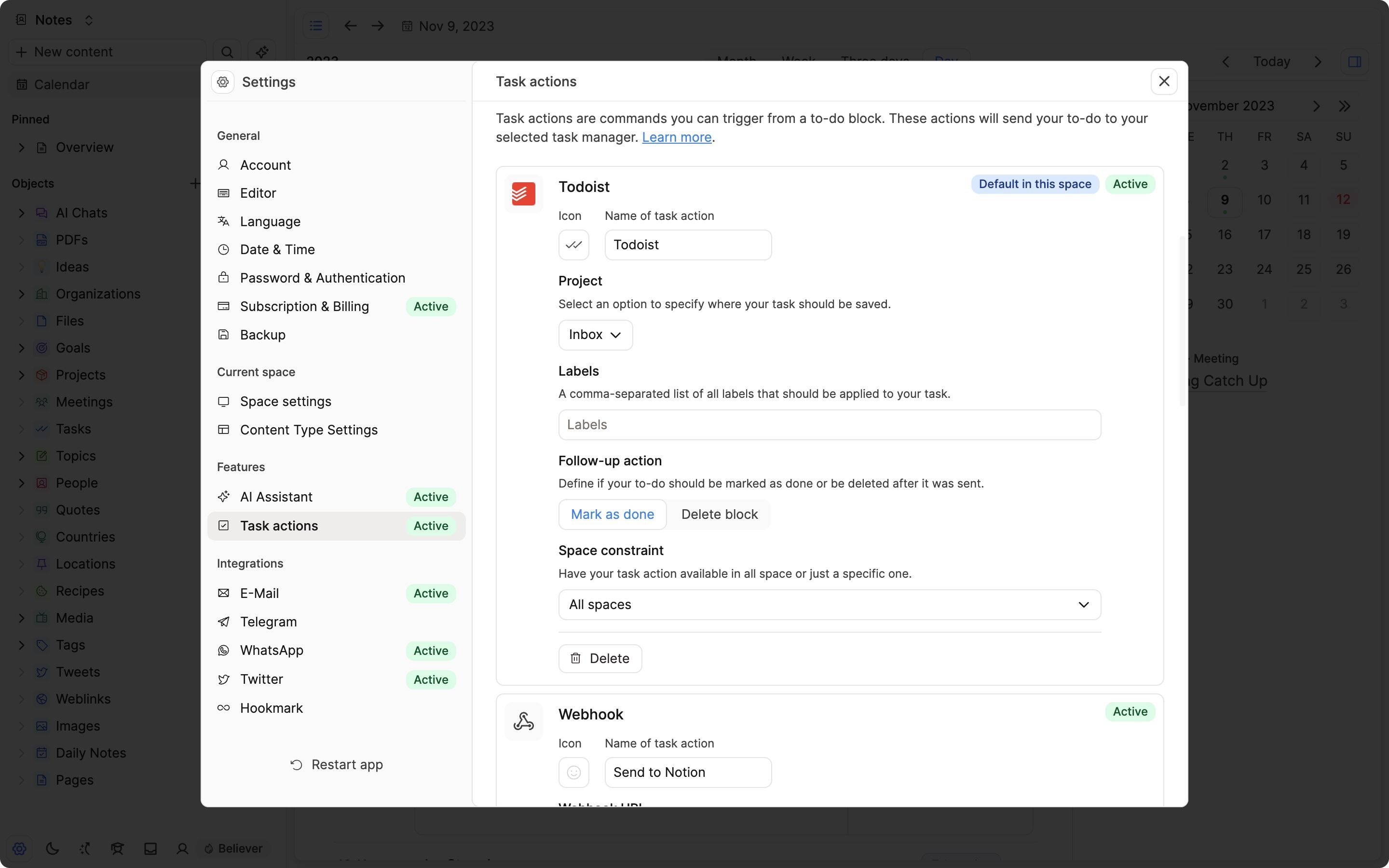
All task actions include the following settings:
- Follow-up action: Define what happens after your task has been sent. You can choose between
Mark as doneandDelete. If you chooseMark as done, the to-do block will be marked as done after the task has been sent to your task manager. If you chooseDelete, the to-do block will be deleted after the task has been sent to your task manager. - Space constraint: You make your task action available in all spaces or only in a specific space. If you want to make your task action available in multiple specific spaces, you can create multiple task actions with a space constraint.
Adding multiple task actions
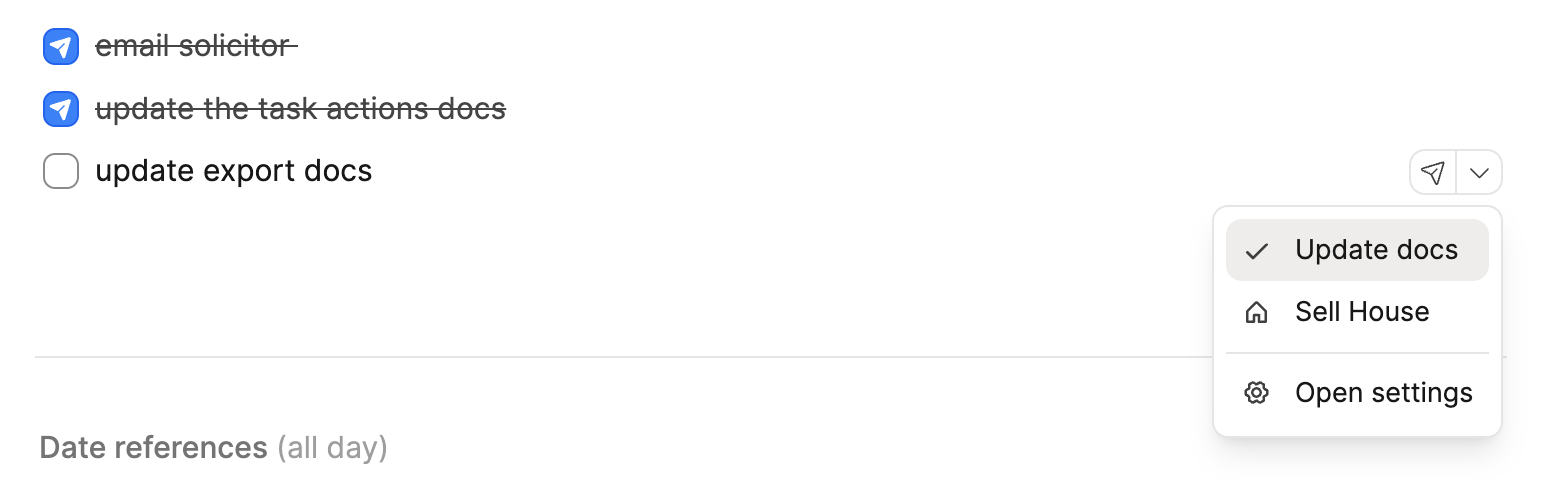
If you have multiple projects or lists that you wish to use task actions for, then set up multiple task actions, assigning a project to each one. You can name the task action the same as your project.
Webhooks for apps without an integration
Webhooks are a way to send data from Capacities to an internet address you define. This way, you can send task data to any service supporting webhooks (or your own server). More information about webhooks can be found here.
Webhooks are a great way to integrate any service that Capacities does not support. Further, you can add any additional logic to your task actions.
If you don't have computer science knowledge, you can use various no-code tools to receive a webhook and then plug it into your task manager of choice.
You can, for example, use one of the following tools:
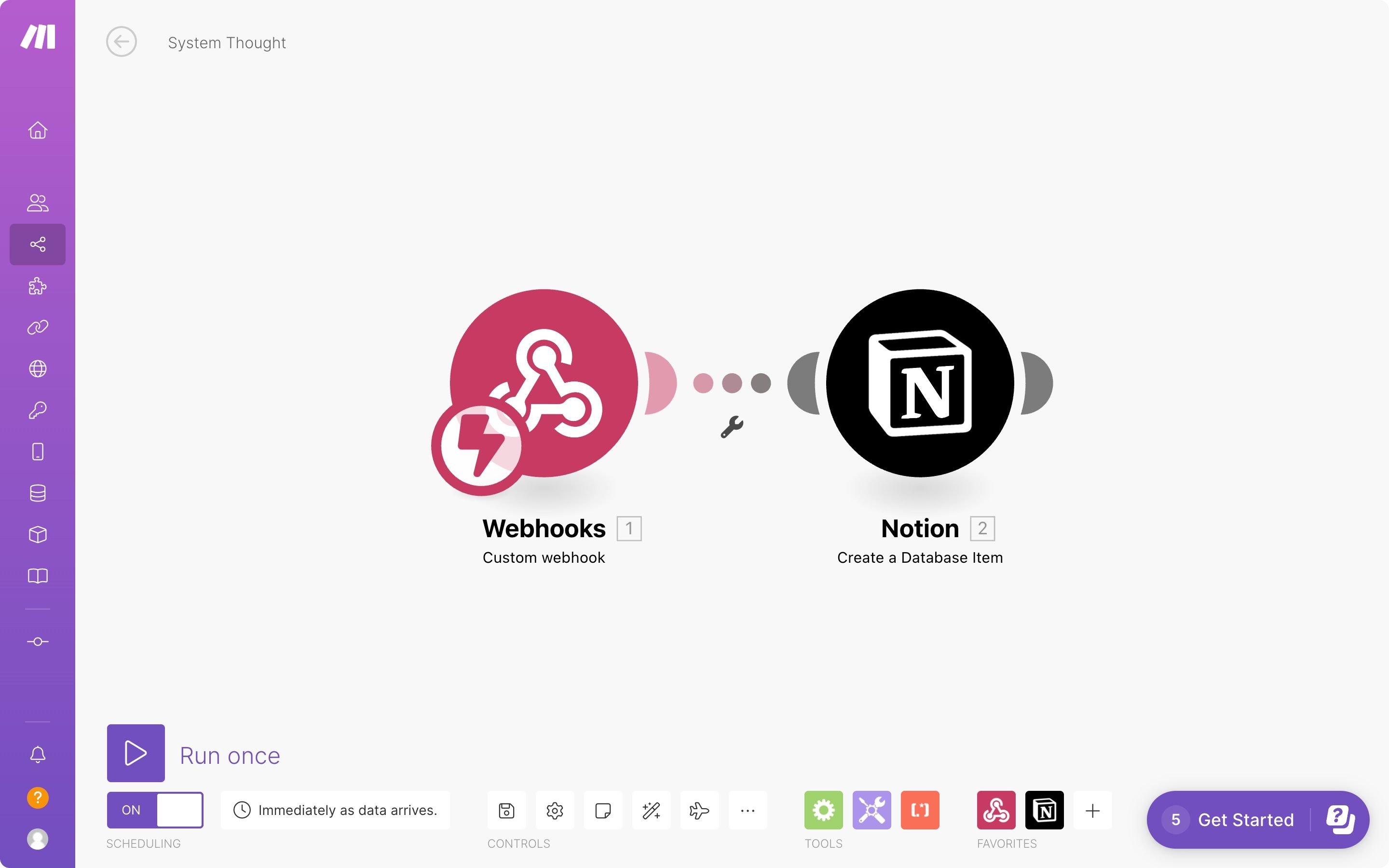
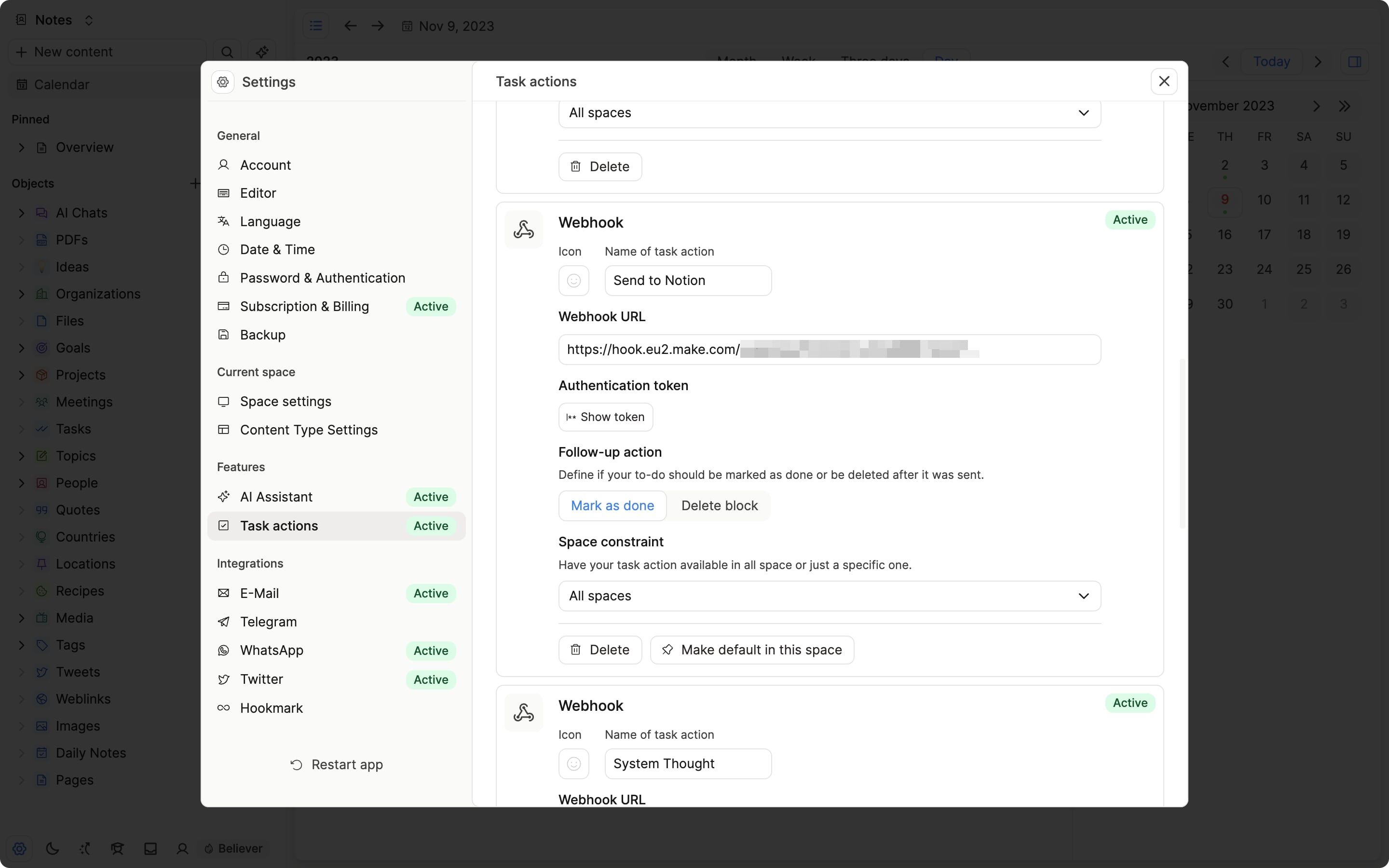
You can create a webhook task action by clicking on the Add task action button and selecting Webhook. You can then define the settings of your task action. Besides the general settings you can define the following settings:
- Webhook URL (required): The URL to which Capacities should send the task data. You can use one of the services above or your own server. If you want to use your own server, you need to make sure that it is accessible from the internet.
For security reasons, Capacities has some restrictions on which webhooks work. If you're not using any of the services above and your webhook fails, we recommend using one of the services above to proxy the request. You can also create a request on our feedback board so we can review and whitelist your webhook domain.
- Authentication If you want to guarantee that a request is coming from Capacities and not an unknown service, you can verify the sender by following these steps:
Every request includes ax-capacities-signature-hmac-sha256header. The value of the header is an HMAC hex digest (SHA256) of the request body using the secret that is shown in your task action settings.
You can use the signature to verify that the request comes from Capacities. Here's an example using Node.js:const crypto = require('crypto') const SECRET = 'your-secret-from-the-task-action-settings' // do not hardcode this in your code const hash = request.headers['x-capacities-signature-hmac-sha256'] const bodyStringified = JSON.stringify(request.body) const bodyHash = crypto.createHmac('sha256', secret).update(bodyStringified).digest('hex') if (bodyHash === hash) { // request is coming from Capacities } else { // request is not coming from Capacities }
Every webhook request is a POST request with a JSON body. Here's an example of a webhook request:
POST /webhook HTTP/1.1
Host: example.com
Content-Type: application/json
x-capacities-signature-hmac-sha256: 0a0a9f2a6772942557ab5355d76af442f8f65e01

{
  "service": "task-action",
  "titlePlain": "Write project outline", // title of the to-do block in plain text
  "titleMarkdown": "Write project outline", // title of the to-do block in markdown
  "done": false, // if the to-do block is marked as done
  "contentMarkdown": "- Define Goals\n\n- Define Requirements\n\n", // content of the to-do block in markdown
  "dueDateTime": "2021-09-30T00:00:00.000Z", // due date if you mentioned a date in ISO 8601 format (UTC) for events with and without a time else undefined
  "dueDate": "2021-09-30T00:00:00.000Z" // due date if the date is an all day event in ISO 8601 format (UTC) at 00:00:00 else undefined
  "tags": ["important", "urgent"], // additional tags added to the to-do block
  "context": {
    "type": "todo-block",
    "spaceId": "2abd7601-9deb-4aee-9d99-7aa68f29c30c",
    "contentId": "09e76b8f-062a-4b5d-8552-6da6be517d39", // id of the content the to-do block is in
    "blockId": "103ed786-d3ea-402e-9cca-aad558872737",
    "title": "Project Unicorn", // title of the content the to-do block is in
    "webLink": "http://localhost:3333/2abd7601-9deb-4aee-9d99-7aa68f29c30c/09e76b8f-062a-4b5d-8552-6da6be517d39?bid=103ed786-d3ea-402e-9cca-aad558872737", // link to the to-do block in Capacities (web version)
    "desktopLink": "capacities://2abd7601-9deb-4aee-9d99-7aa68f29c30c/09e76b8f-062a-4b5d-8552-6da6be517d39?bid=103ed786-d3ea-402e-9cca-aad558872737", // link to the to-do block in Capacities (desktop app)
    "mobileLink": "capacities://2abd7601-9deb-4aee-9d99-7aa68f29c30c/09e76b8f-062a-4b5d-8552-6da6be517d39?bid=103ed786-d3ea-402e-9cca-aad558872737", // link to the to-do block in Capacities (mobile app)
  }
}
You need to return a 200 OK response for Capacities to mark the task action as successful. If you return any other response, Capacities will mark the task action as failed.
Task action errors
There are many reasons why a task action can fail. If a task action fails, you will see an error message in the block.
Steps to resolve the issue:
- Check if your task manager is still connected to Capacities. Open the settings and check if you see an error message next to your task manager connection. If you see an error message, reconnect Capacities to your task manager. Delete your connection and follow the instructions in the settings to reconnect Capacities to your task manager.
- Check if your task action is still active. Open the settings and check if you see an error message next to your task action. If you see an error message, you need to recreate your task action. Delete your task action and create a new one.
- If you're receiving an error code with your error message, you can find more information about the error code below.
- If none of the above steps helped, you can create a ticket on our feedback board with as much information as possible. Please include the error message and the error code if you have one.
Common error codes and how to resolve them
- Code 3498: It is very likely that you already have an active connection to Google (either with this account or another account). Go to your Google connections and remove Capacities Task Actions from the list of connected apps. Then, reconnect Capacities to Google.
- Code 2891: It is very likely that you already have an active connection to Microsoft (either with this account or another account). Go to your Microsoft connections and remove Capacities Task Actions from the list of connected apps. Then, reconnect Capacities to Microsoft.
- Code 3089: Your webhook request failed. This can have multiple reasons. Please check the following:
- Check if your webhook URL is correct. If you're using a service like Zapier, you can check the logs of the service to see if the request was received.
- Check if your webhook URL is accessible from the internet. If you're using a service like Zapier, you can check the logs of the service to see if the request was received.
- Check if your webhook URL is whitelisted. Capacities has some restrictions on which webhooks work. If you're not using any of the services above and your webhook fails, we recommend using one of the services above to proxy the request. You can also create a request on our feedback board so we can review and whitelist your webhook domain.
Ask a question! - The Docs Assistant knows everything about the documentation, and the ideas and feature requests from other users.
Create a ticket on our feedback board. - Let us know if you have an idea for a feature, improvement or think there is something missing.
Request additions to the documentation. - If your questions are not getting answered, let us know and we will extend the documentation.