Reference
Templates
Reference
Templates
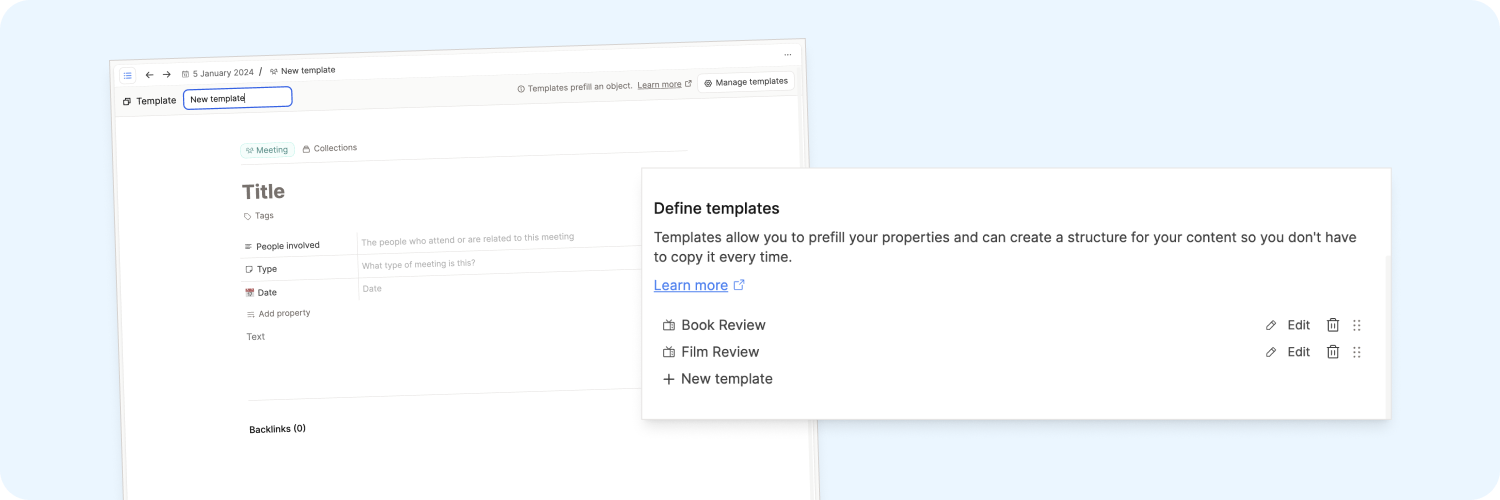
Templates allow you to prefill the content of an object- you can prefill properties and blocks in your objects.
This is very convenient if you have repeating workflows for which you want to set up predefined content because it saves you time, with no need to repeatedly set up each workflow. Templates are available for daily notes, pages, and custom object types.
Here is a Quick Tip video about templates to see them in action:
The Basics
- Templates belong to one object type only. You can't apply the same template to multiple object types.
- When applying a template, all referenced objects (like tags, obect select properties, or links in your content) will not be duplicated but linked.
Creating and editing a template
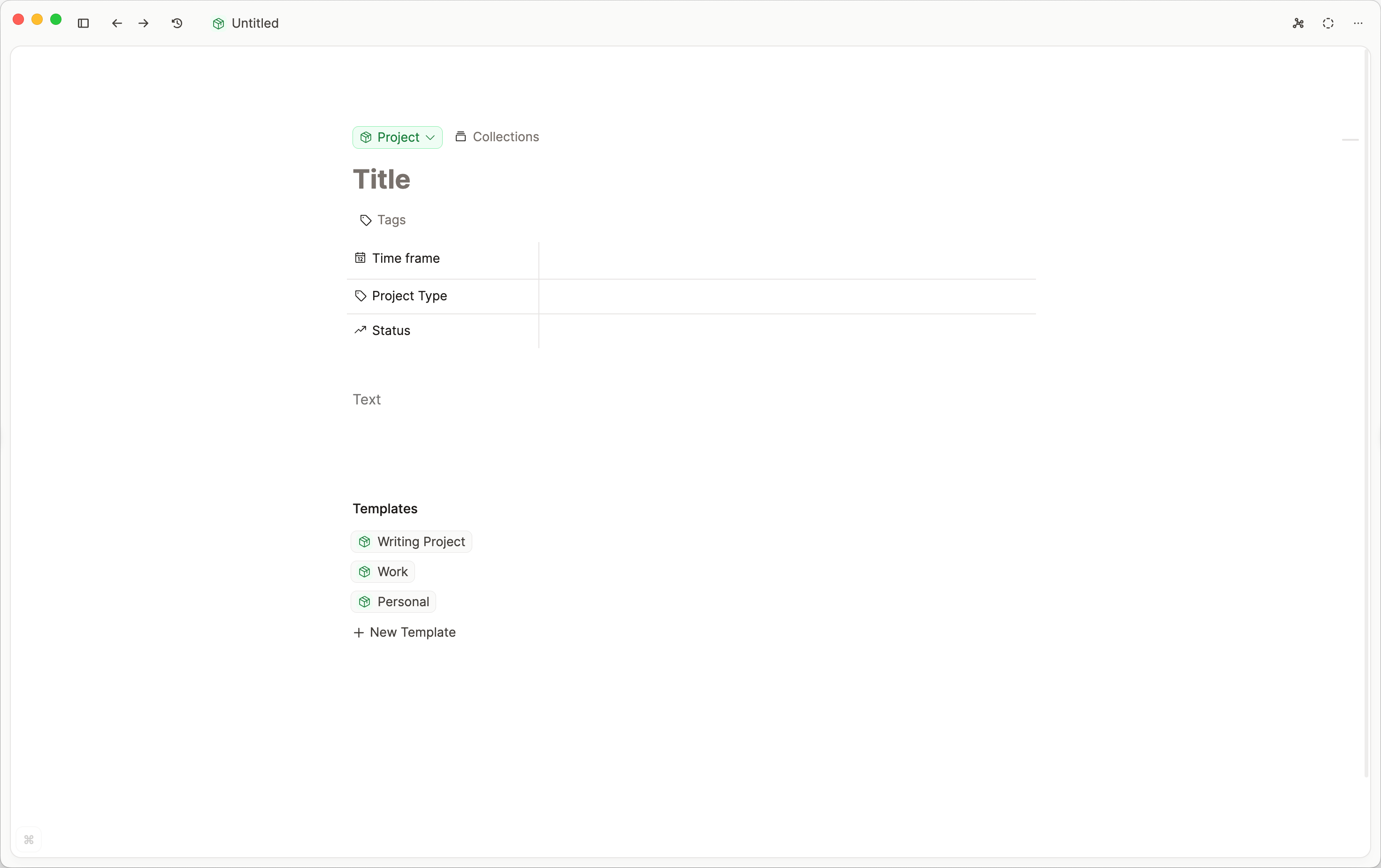
To create a template, go to Settings > Object Types > Choose your type > Scroll to "Define templates" > "+ New Template".
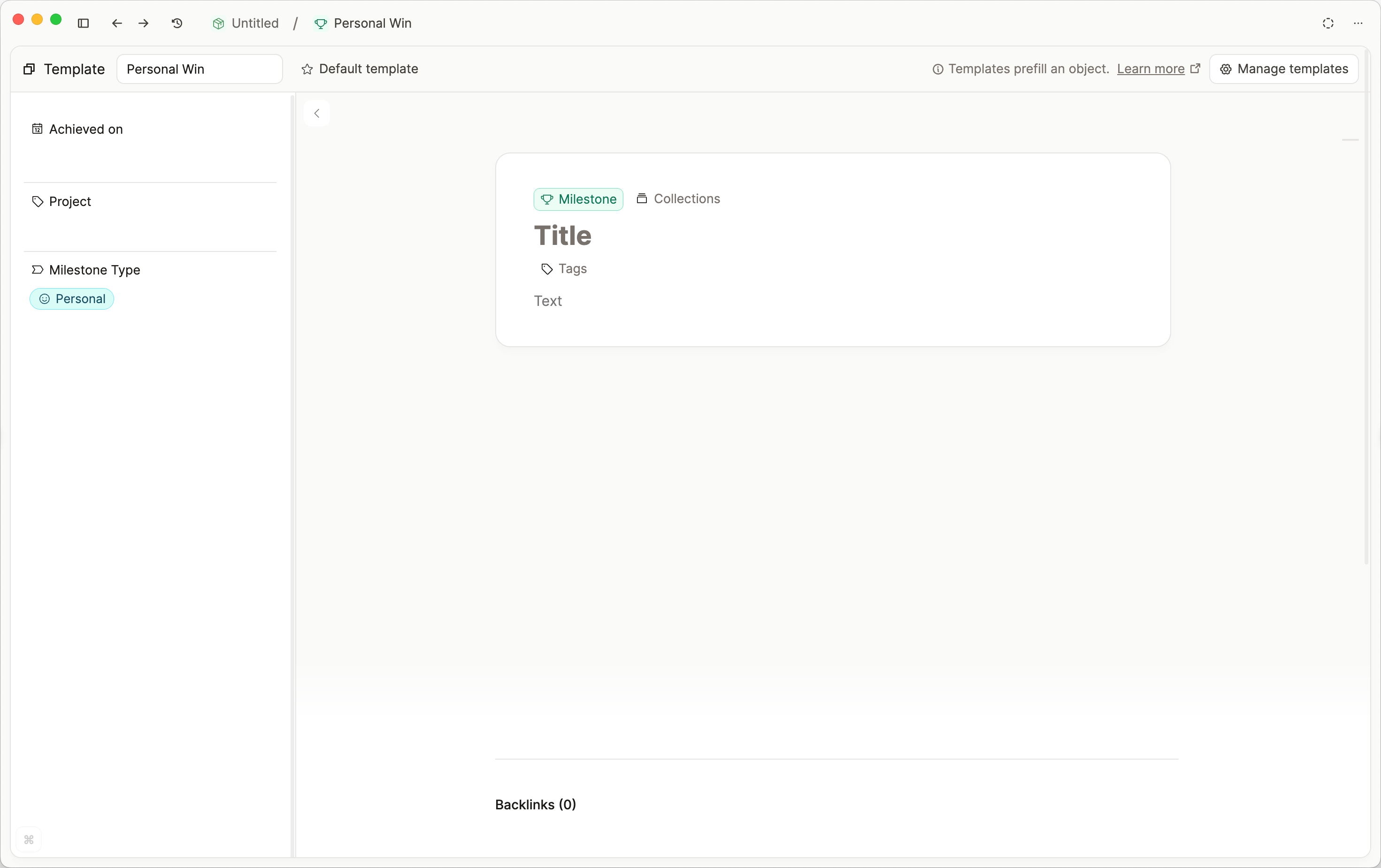
Your template is a blank canvas. You can do anything in a template that you can do in a standard object including block formatting and linking.
You can name your template in the box at the top of the screen.
Applying a template
There are many ways to apply a template you've created.
- If you already have an object created, you can simply choose your template from the template section at the bottom of your empty object.
- You can also create an object from a template with the
+ Newbutton in the left sidebar.
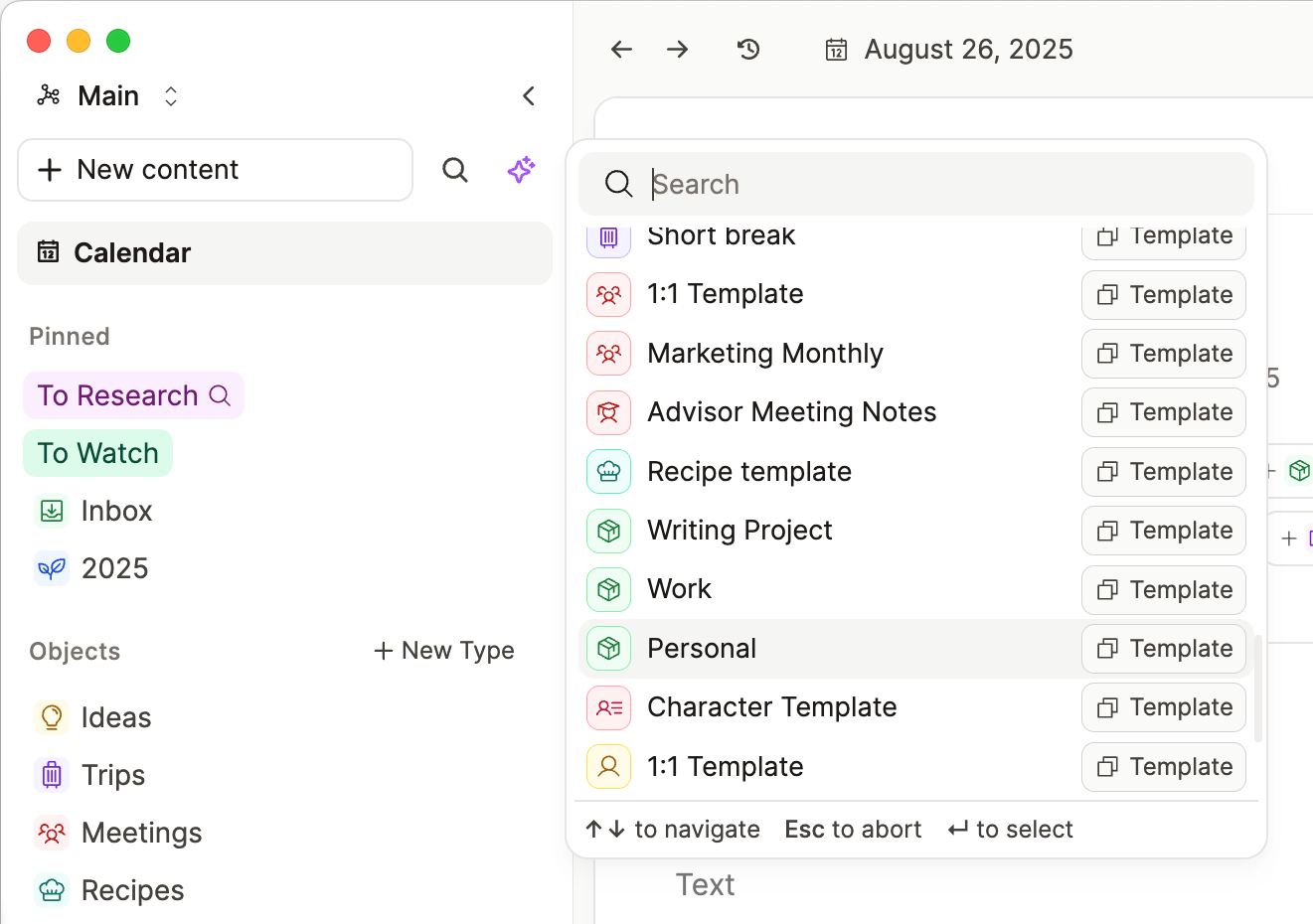
You can directly apply a template from your keyboard too:
- Type
Cmd U(Mac) orCtrl + U(Windows) and then the name of the template (that you defined when setting it up), press enter and you have created the object and applied the template all at once. - Or Type
/<name of template>in any page and enter, which will also create the object and apply the template at once. select the template you want to use.
Develop your templates further
Date variables in titles
If you have a naming schema for your objects based on a date, for example, you want to name your weekly meeting Weekly - 2023-02-1, you can use a date syntax in the title. This is replaced with the relevant date when applying the template. Creating from a calendar event or date keeps the template title and fills {date:…} for that day. For the example above, you'd set the title of your template to Journal Entry - {date:YYYY-MM}-1. You can find more information about all possible date formatting options here.
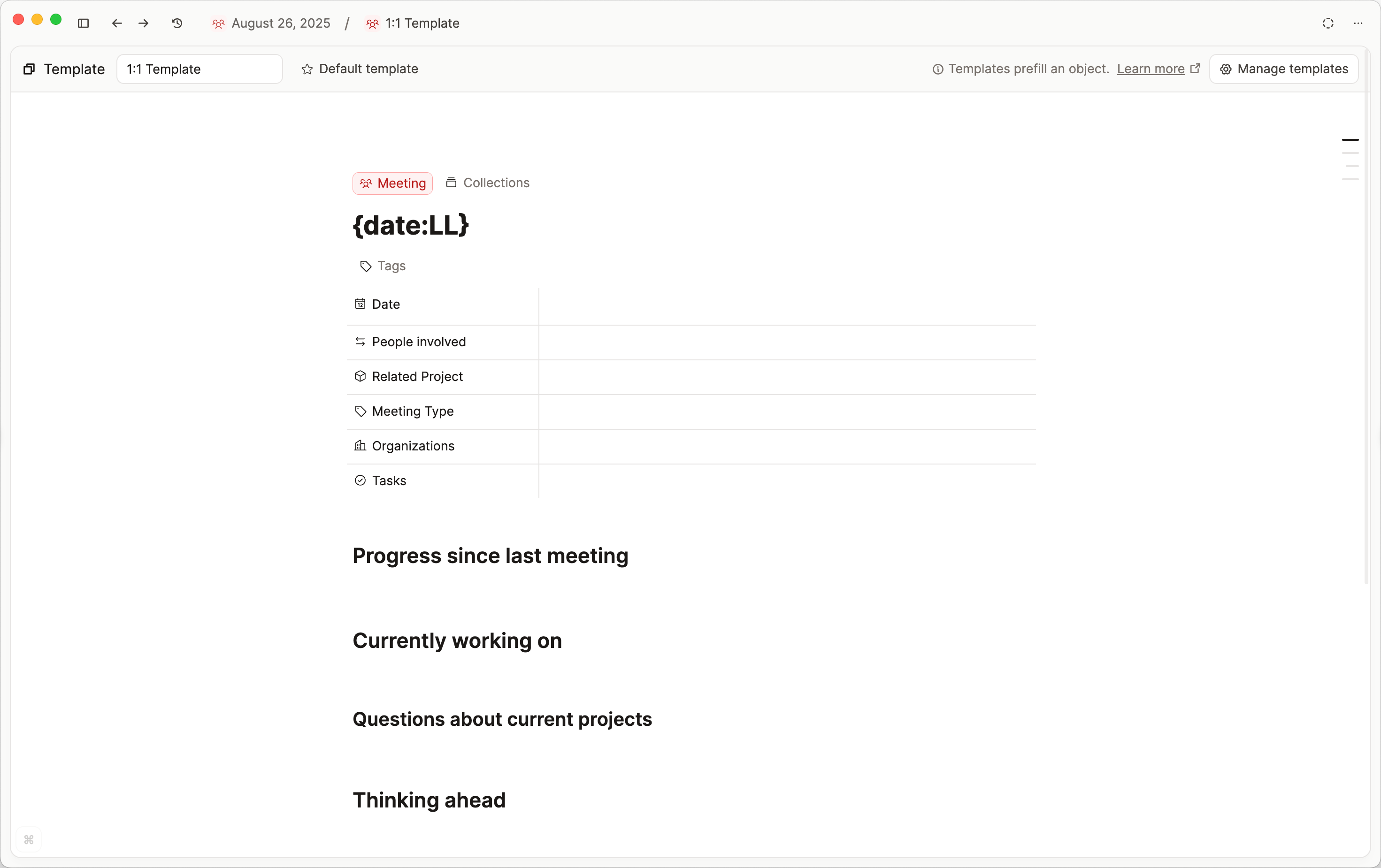
Date variables on date properties
Date properties on a template can use a creation date variable instead of a fixed date:
- Day of creation
- Week of creation
- Month of creation
- Year of creation
If you create the object from the calendar, Day of creation uses that calendar day.
Default Templates
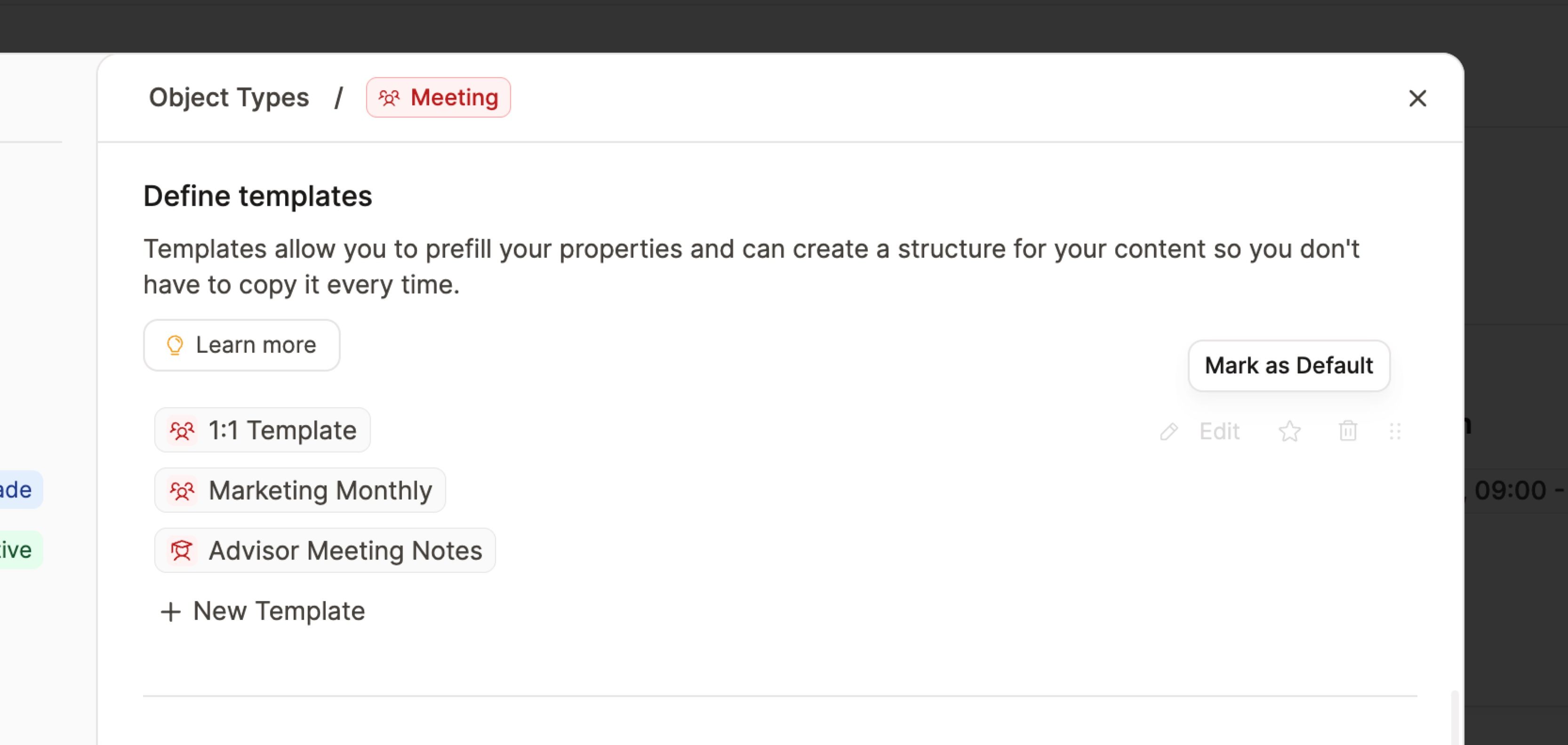
You may want to set some templates as default, such as a daily note template or a colleague template for your Person object type.
Go to the Object type settings > Define Templates > press the star icon next to the relevant template. It will be applied automatically going forward.
Variable queries in templates
Variable queries allow you to build templates that include smart queries, which work immediately without any manual adjustment.
Learn about this here.
What we have planned for templates
The current implementation of templates is version 1.0. Here are some more features you can vote for:
- Block templates
Save a group of blocks and name it to reuse it again. For example, you could define an "info box" as a block template and reuse this block group with all its styles by typing+info boxin your note. You can vote for block templates here. - More template automation and logic
Like further self-referencing properties and customizable duplication logic. You can vote and add your requests here.
FAQs
- How do I add today's date to a template, so that when the template is triggered, today's date is filled?
For a date property on the template, choose Day of creation (or week, month, or year of creation). See Date variables on date properties. For dates in the title, use{date:…}syntax under Date variables in titles. - Can I turn any existing page into a template?
We don't have support for that. Vote here. The workaround is to create the page you want to make a template, then copy all the blocks and paste into a new template. - Is there an option to hide/show certain properties per template?
We don't have support for that. Vote here. - Is it possible to duplicate templates?
Not right now. Vote here. - How do I modify templates?
Open the object type settings, scroll to the template section, hover over the template you wish to edit and click the pencil icon. That will open the template editor. Adjust from there. It is saved automatically.
Ask a question! - The Docs Assistant knows everything about the documentation, and the ideas and feature requests from other users.
Create a ticket on our feedback board. - Let us know if you have an idea for a feature, improvement or think there is something missing.
Request additions to the documentation. - If your questions are not getting answered, let us know and we will extend the documentation.