Tutorials
Getting started
Tutorials
Getting started
We've created a video that will walk you through the Capacities basics and show you how to get started, using our built-in templates.
Here's a written overview of what you need to know to get started.
Why Capacities?
Having a calm and personal space in which to make sense of the world is crucial in the age of information overload. You must be able to capture what’s important to you and have a distraction-free place to process it without needing to spend weeks setting it up, or hours a week maintaining it. Capacities is a note-taking app that wants to be this calm space for you to spend time in.
You’ll never have to think about folder structures or complex organizational methods, because this simply doesn’t exist in Capacities. We work with objects and object types rather than files and folders, and you can link anything together. This means your notes are exactly where you need them, when you need them without all the organizational overhead.
I’ll introduce you to these foundational concepts of Capacities today whilst walking you through exactly how you can get started using it.
No Files, No Folders – Just Objects and Object Types
In Capacities, there are no complex folder structures or hierarchical systems. Instead, the app revolves around objects (individual notes) and object types (categories for your notes). This approach simplifies organization by grouping your notes based on their type. All these types are displayed in the left-hand sidebar. For instance, you might have object types like “Places,” “Trips,” or “Quotes.” Clicking on an object type instantly shows you all related notes, eliminating the need to sift through scattered files.
There are no "loose" notes in Capacities because when creating new content, you make one decision: What type of note is it? This simple choice ensures your notes are automatically organized within their respective groups. For example, notes about places will always be categorized under the "Places" object type.
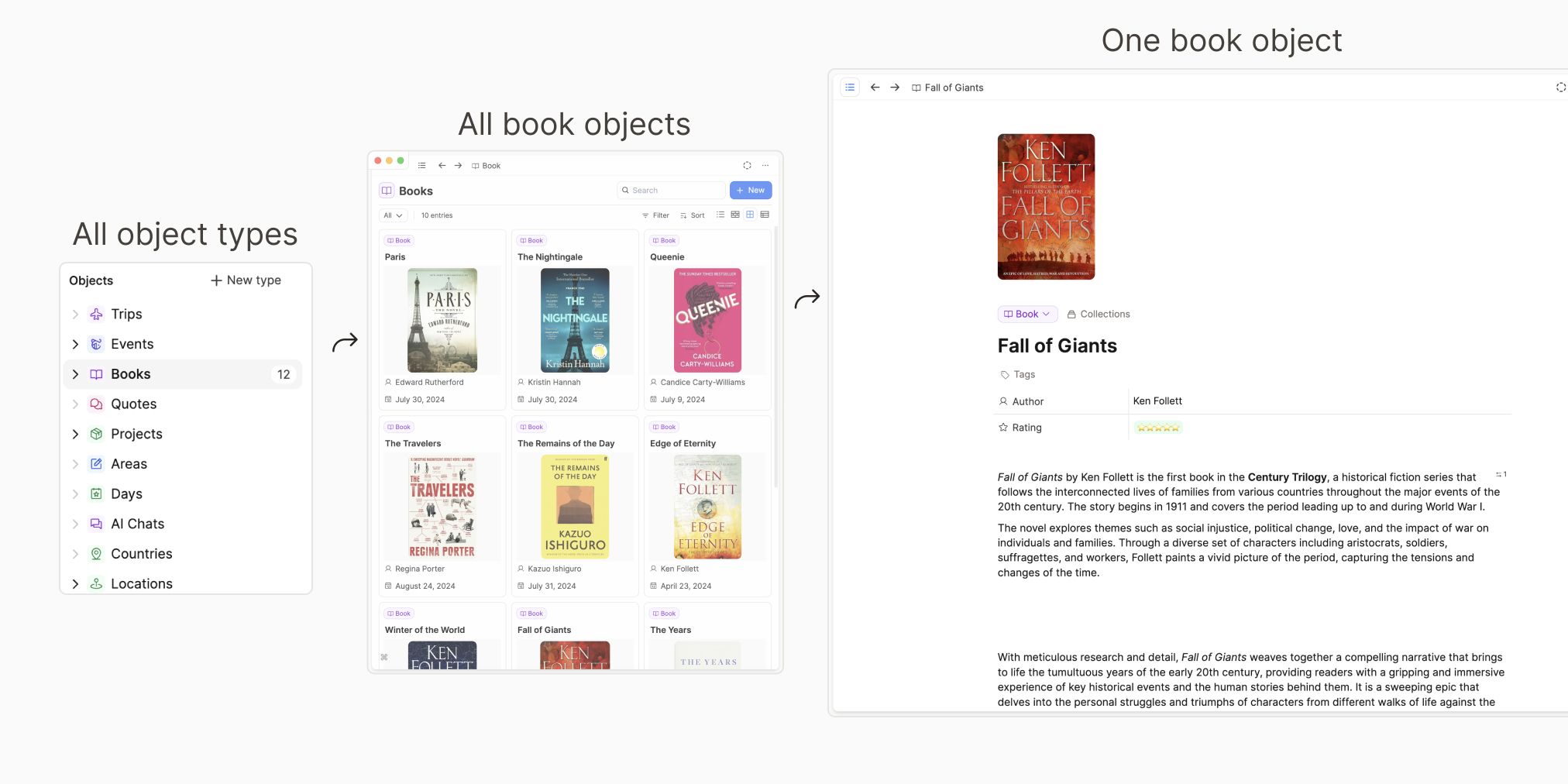
We have lots of templates to help you get started. Click + new type in the left sidebar to find the gallery, and choose which ones you'd like.
Why work like this?
Not all notes are created equal and your object type defines the whole “shape” of an object. This means a book object can look entirely different to a quote object, which is useful because they fundamentally look after different types of information.
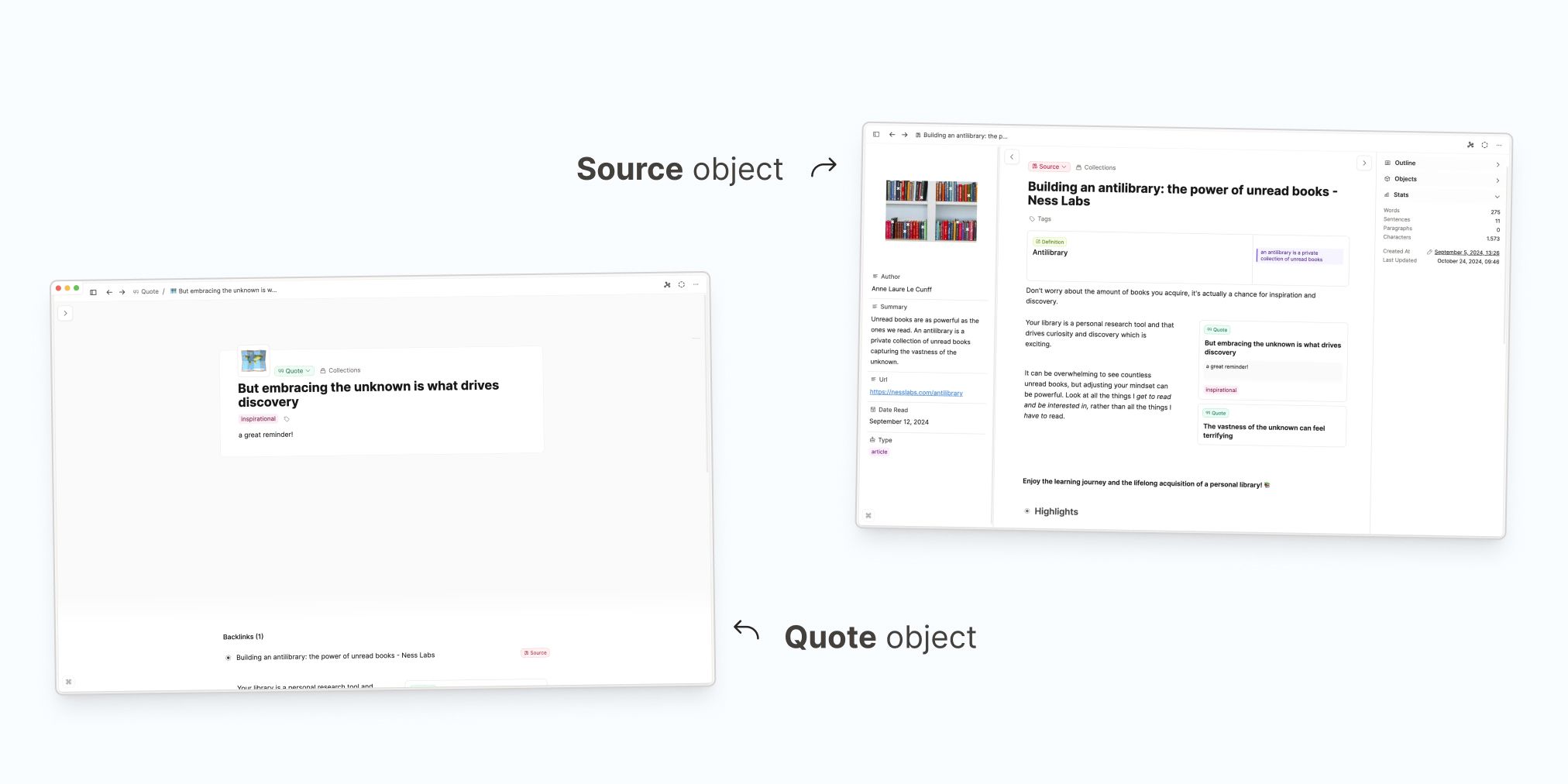
Each object type can have its own unique properties, layouts, and formatting options tailored to your needs. For instance:
- A "Book" note might include fields for the author, completion date, and rating.
- A "Project" note might feature sections for deadlines, team members, and status updates.
- A "Quote" note could have a simple layout focused on the text and source.
This approach means that every note serves its purpose effectively, and applying all these settings is as easy as choosing your object type. These settings are already applied to the templates in the app, add a few templates and look at the example object created with each one to see the differences.
Objects and their types are the base structure of Capacities. But they gain much more power when you link them together. 🔗
The Power of Linking
Being able to link your notes together is how Capacities can feel super intuitive: every object can be connected to another, creating a network of associations.
For instance:
- Link a “Meeting” to a “Person” to track attendees.
- Link a “Place” to a “Person” to remember who’s associated with a location.
- Link a "Book" to a "Topic" to find which books discuss your topics of interest.
Every link creates a backlink. In other words, you will always see where you have linked from. This creates a web of interconnected information that is very easy to navigate.
For more, see the Backlinks reference.
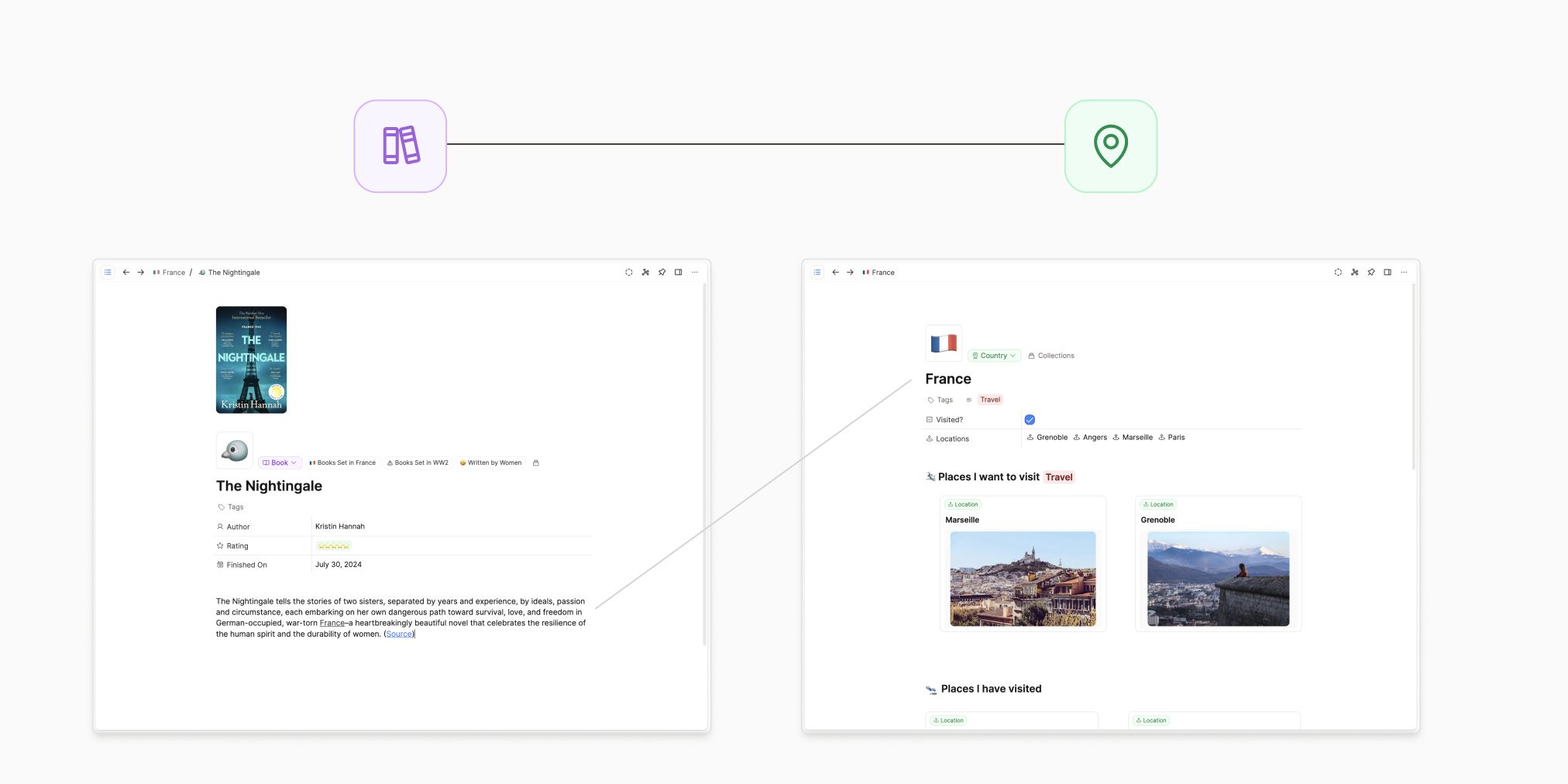
This mirrors how our brains work. It creates intuitive trails through your notes to help you rediscover information effortlessly. Combine this with the object types, and the cognitive load of maintaining a note-taking app is much reduced. .
Visualizing Your Network
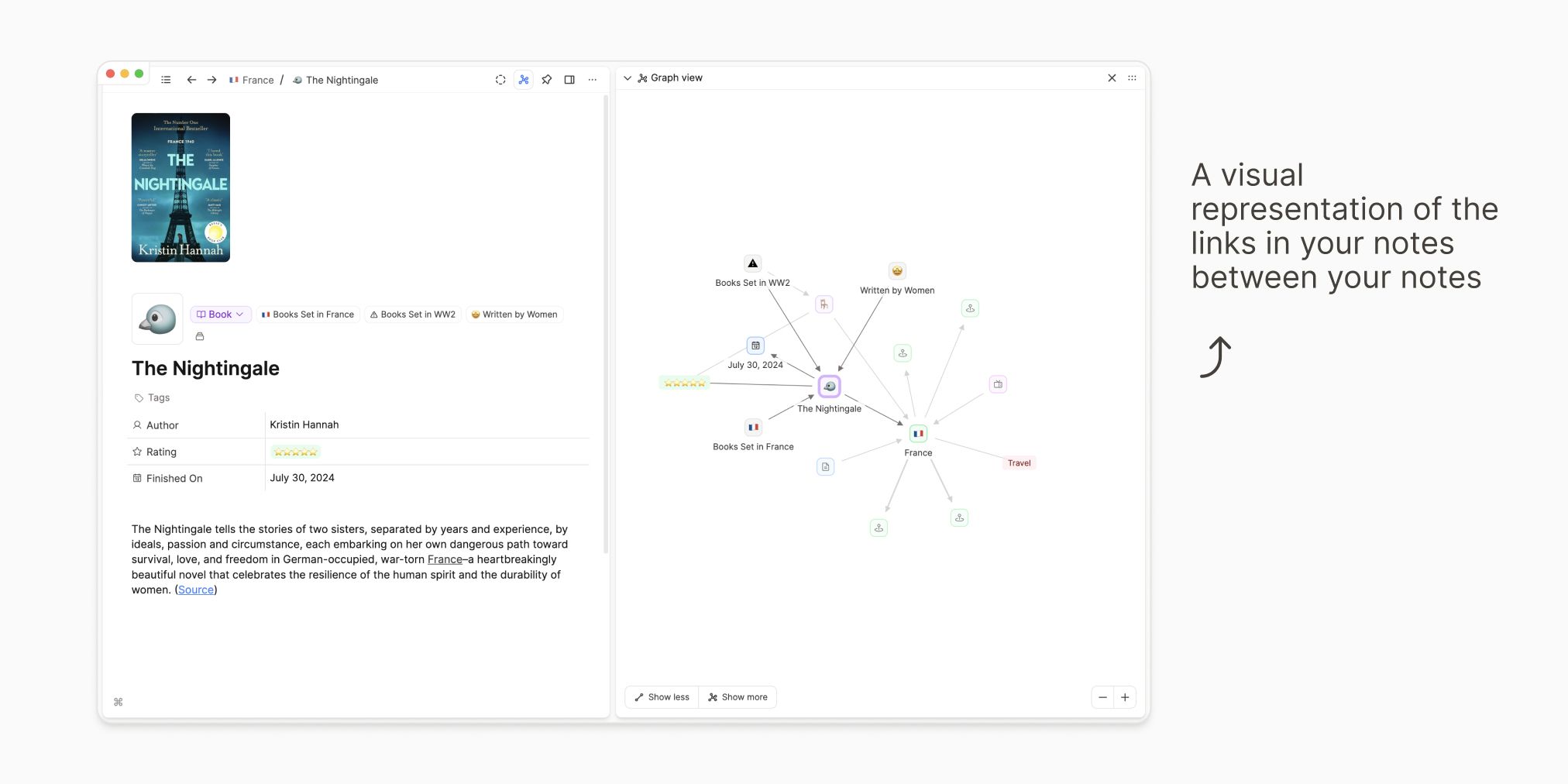
The graph view in Capacities offers a visual representation of your interconnected notes. For example, you might see how a "Person" object is linked to a "Meeting," a "Place," and a "Work" tag. This networked view helps you understand the relationships between your notes at a glance, making it easier to navigate your information.
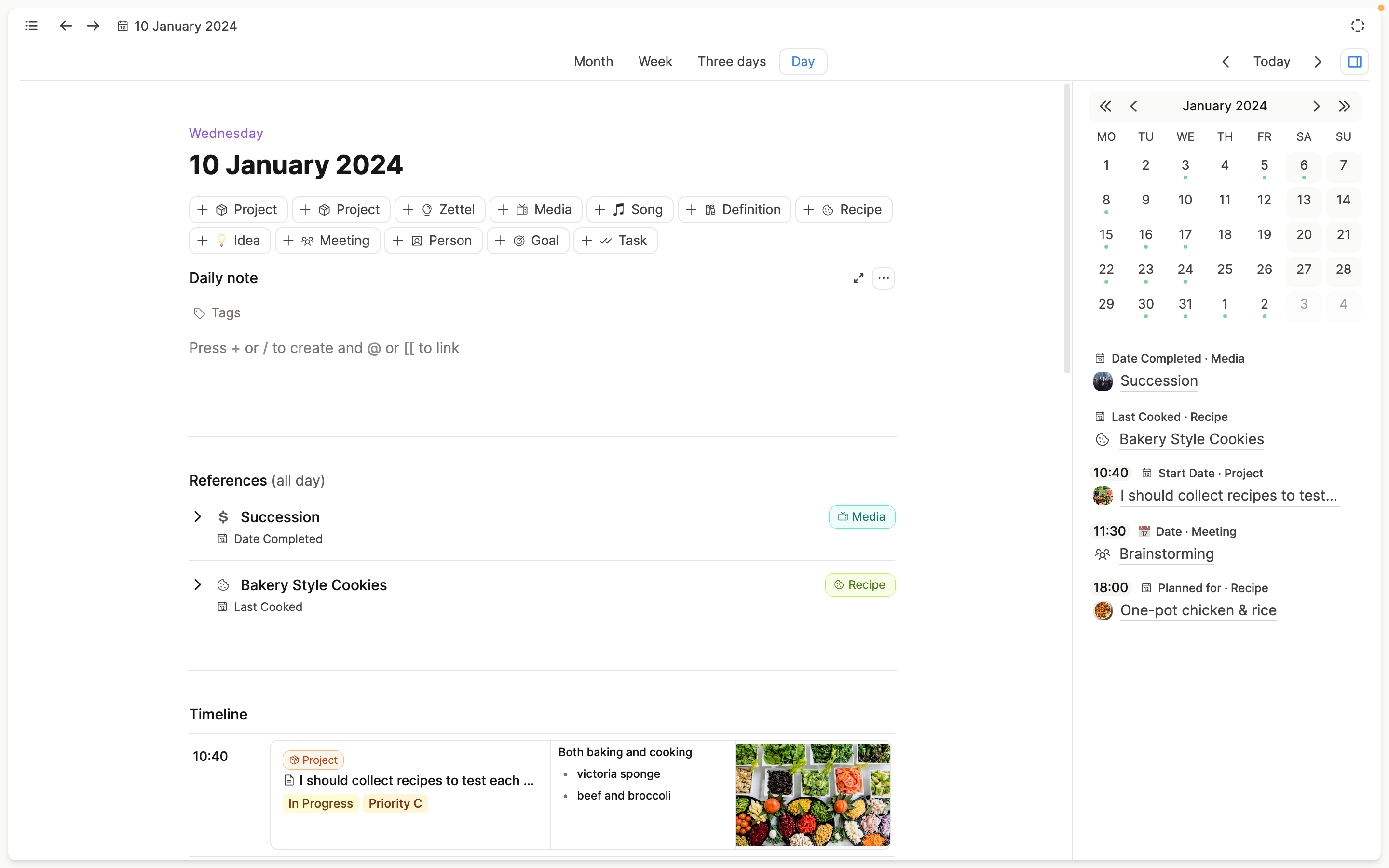
A Central Calendar as an anchor in time
Capacities also features a central calendar, which acts as a hub for time-based organization. Here’s what it offers:
- Daily Notes: A scratchpad for jotting down thoughts, reminders, or quick links to other objects.
- Date References: Automatically gathers notes, meetings, and other objects associated with a specific day.
- Created on this day: Shows all notes created on a particular date, helping you review your content chronologically.
This time-based view provides a grounding anchor, helping you stay organized without overthinking where each note lives.
Why Capacities Works
Capacities combines the best elements of organization and creativity. By focusing on where notes are useful rather than where they live, Capacities reduces the cognitive load of maintaining a system. You can concentrate on thinking, working, and connecting, while Capacities handles the structure. This is how Capacities becomes a calm and enjoyable place for you to make sense of your world.
How You Can Get Started
- Look at your existing notes to see what groups you have - these will probably be your object types.
- Create Some Object Types: Start with templates provided by Capacities or build your own based on your existing notes.
- Explore and Edit: Use example objects to familiarize yourself with formatting options and functionalities.
- Start Linking: Highlight text and create connections to build your network of notes. Try
@{name of object}to link your first notes together. - Use the Calendar: Use the daily note feature like an inbox or a scratchpad. It's easy to find and easy to review.
As you grow comfortable with the app, you can refine your object types and properties to better suit your workflow. Feel free to use our Youtube Channel and Website for inspiration!
Ask a question! - The Docs Assistant knows everything about the documentation, and the ideas and feature requests from other users.
Create a ticket on our feedback board. - Let us know if you have an idea for a feature, improvement or think there is something missing.
Request additions to the documentation. - If your questions are not getting answered, let us know and we will extend the documentation.