Reference
Object menu
Reference
Object menu
All actions related to an object can be found in the object menu, marked by the three dots. You will find it in the top right of the currently opened object.
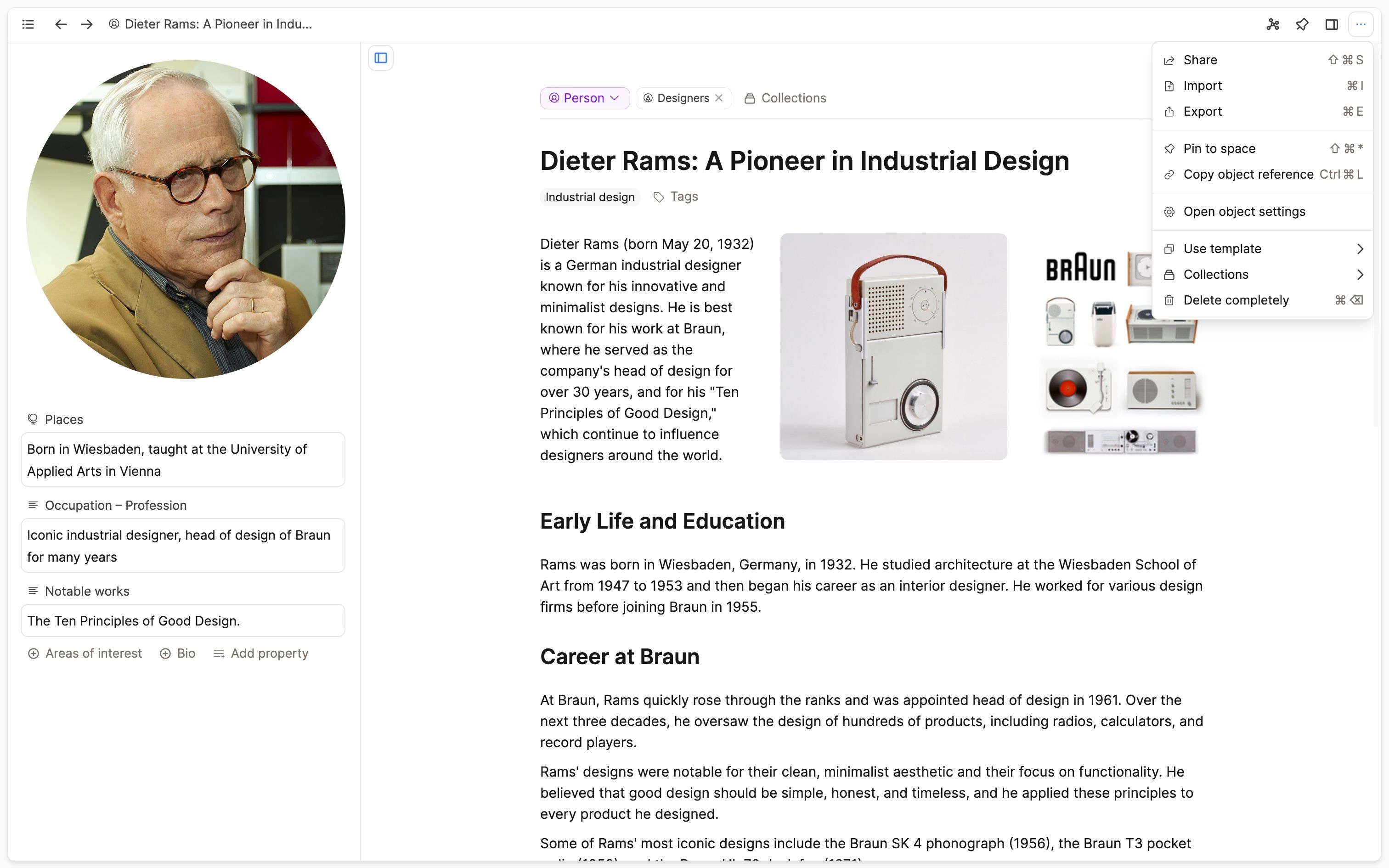
But you will also see it for objects in the left sidebar, next to linked or embedded objects, in the backlinks view, and in other data views, such as an object in a collection or on a tag page.
For background, see the Backlinks reference.
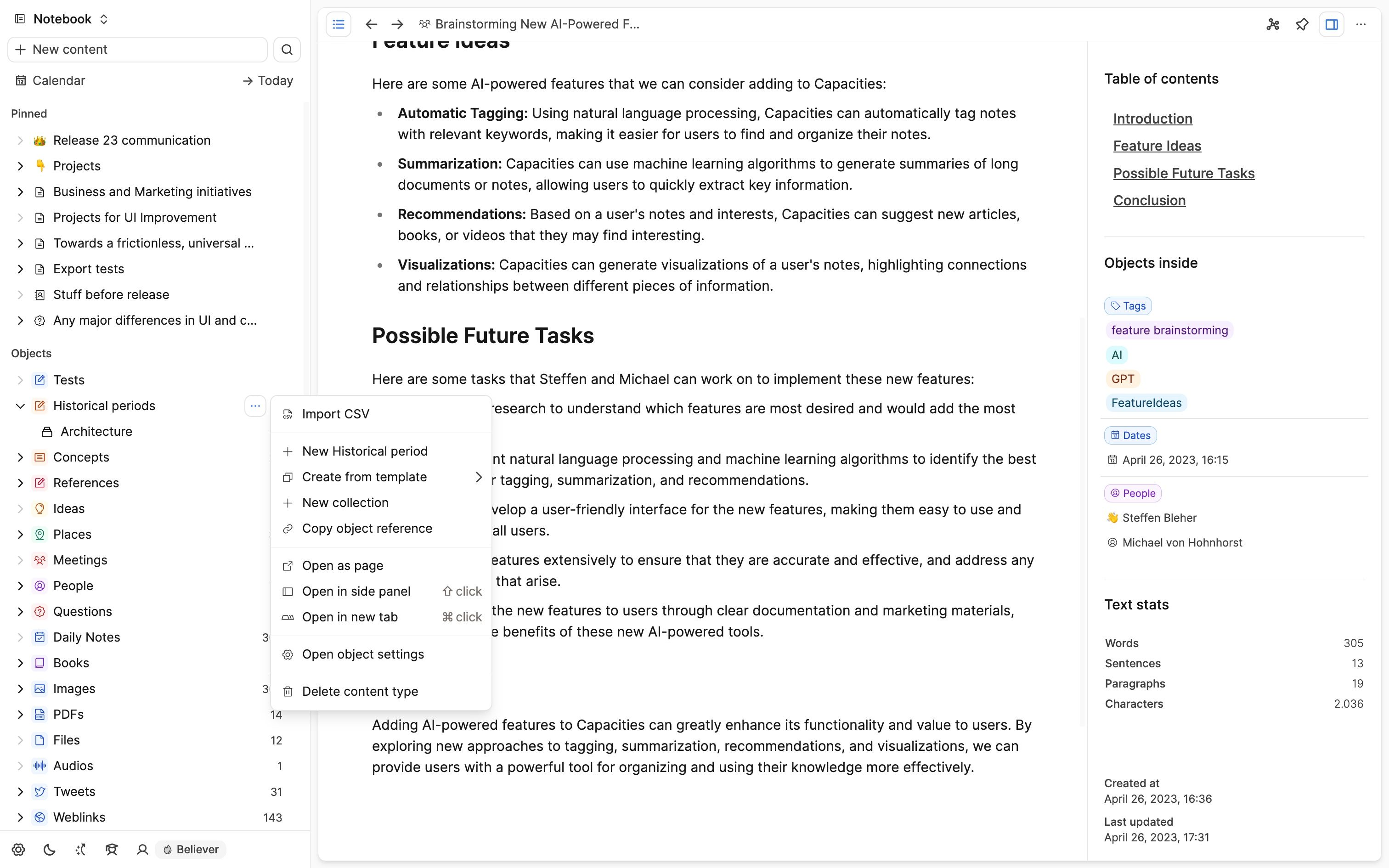
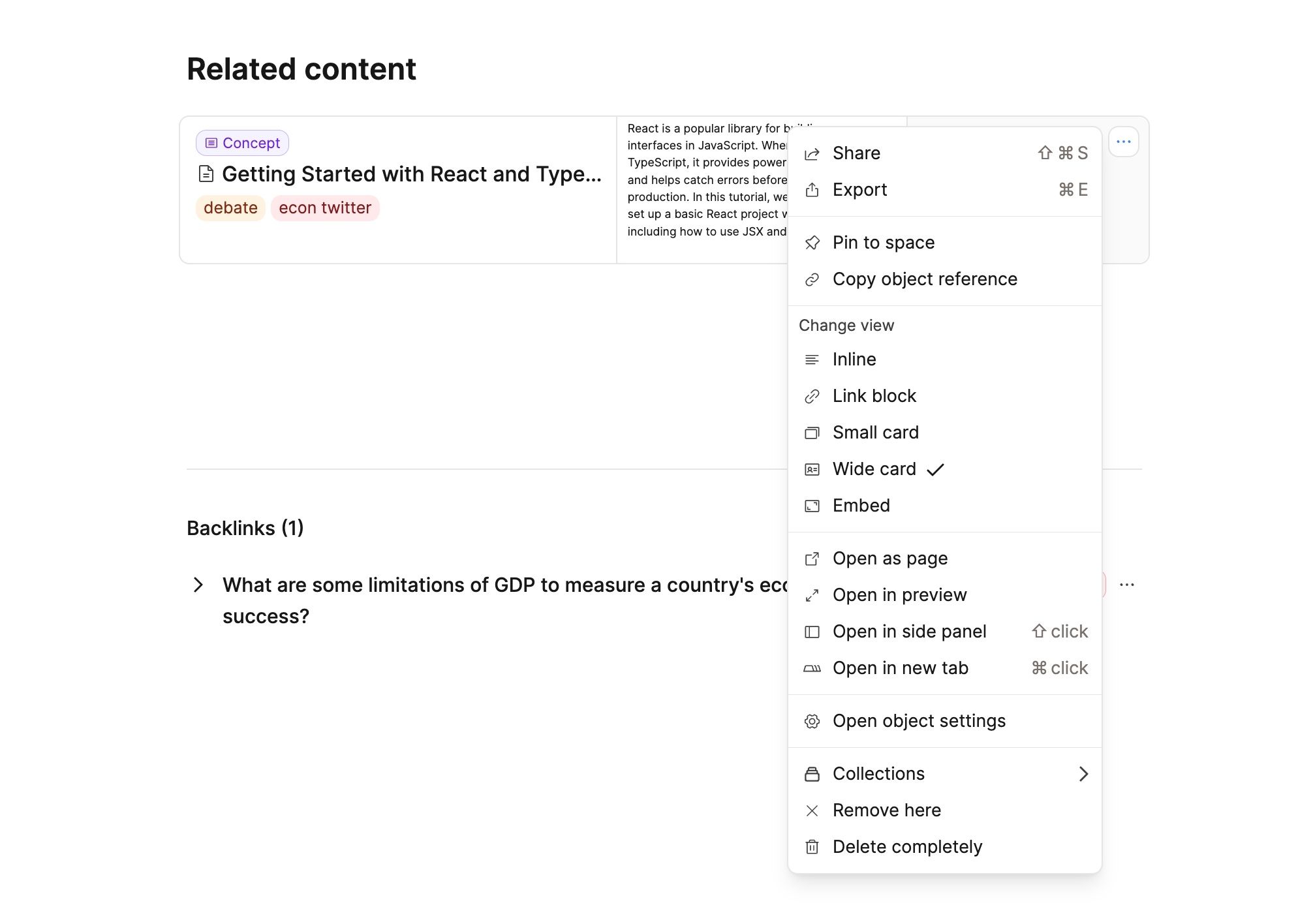
The actions shown in the object menu can depend on the context. For example, on a wide card, it will show the options to change the view, whereas these options are not shown, when the object menu is opened on a page.
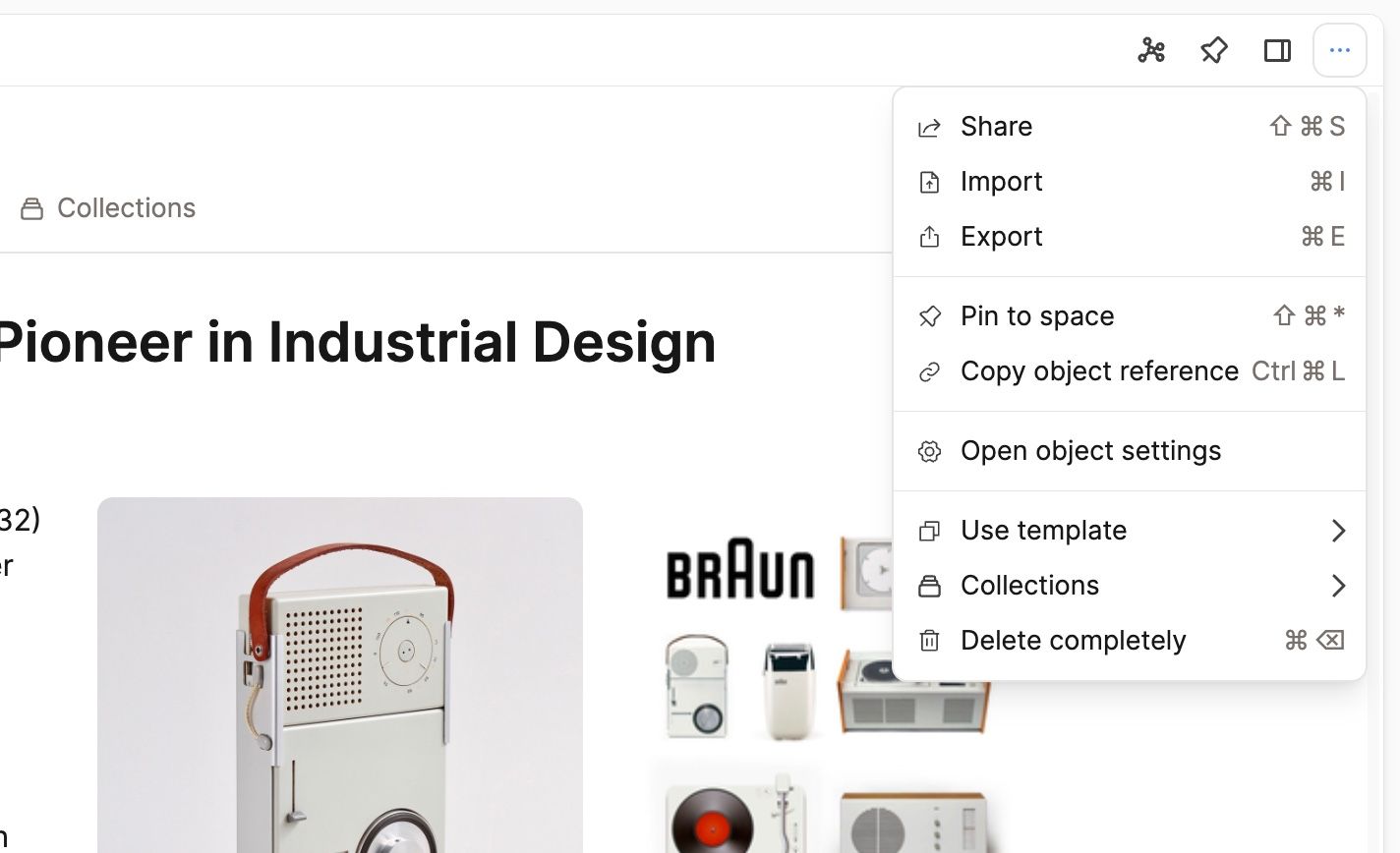
The “Actions” section that was previously part of the right sidebar has moved to the object menu. This means that the right sidebar is now only used for additional information, such as the table of contents, linked objects, and text stats.
Ask a question! - The Docs Assistant knows everything about the documentation, and the ideas and feature requests from other users.
Create a ticket on our feedback board. - Let us know if you have an idea for a feature, improvement or think there is something missing.
Request additions to the documentation. - If your questions are not getting answered, let us know and we will extend the documentation.