
Group By
Group By
Grouping allows you to organize objects and query results into sections based on property values. This provides a structured view of your data that can be customized per object type or query.
The available grouping options depend on your object type set up.
Check out the video introduction below.
Set Up
In any object type view, click the Group By button in the top-right corner.
A menu will display all available properties for that object type. Select one to create groups based on its values.
Groups are automatically created for each distinct property value.
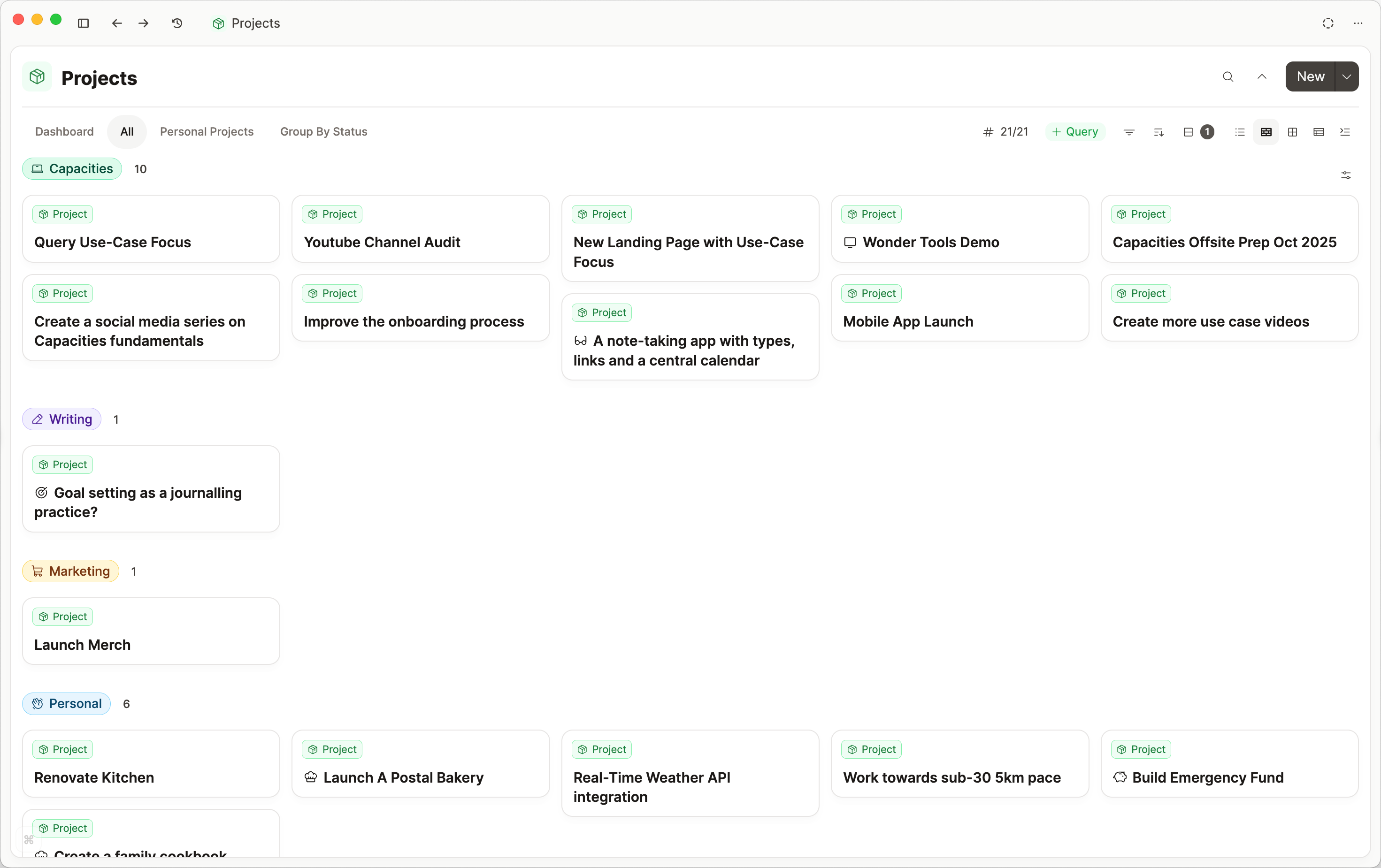
Grouping by Date Properties
When grouping by a date property, an additional granularity setting is available. You can group by exact date, or group into week, month, years or relative options.
For example, group books by their Date Finished property, displayed by month.
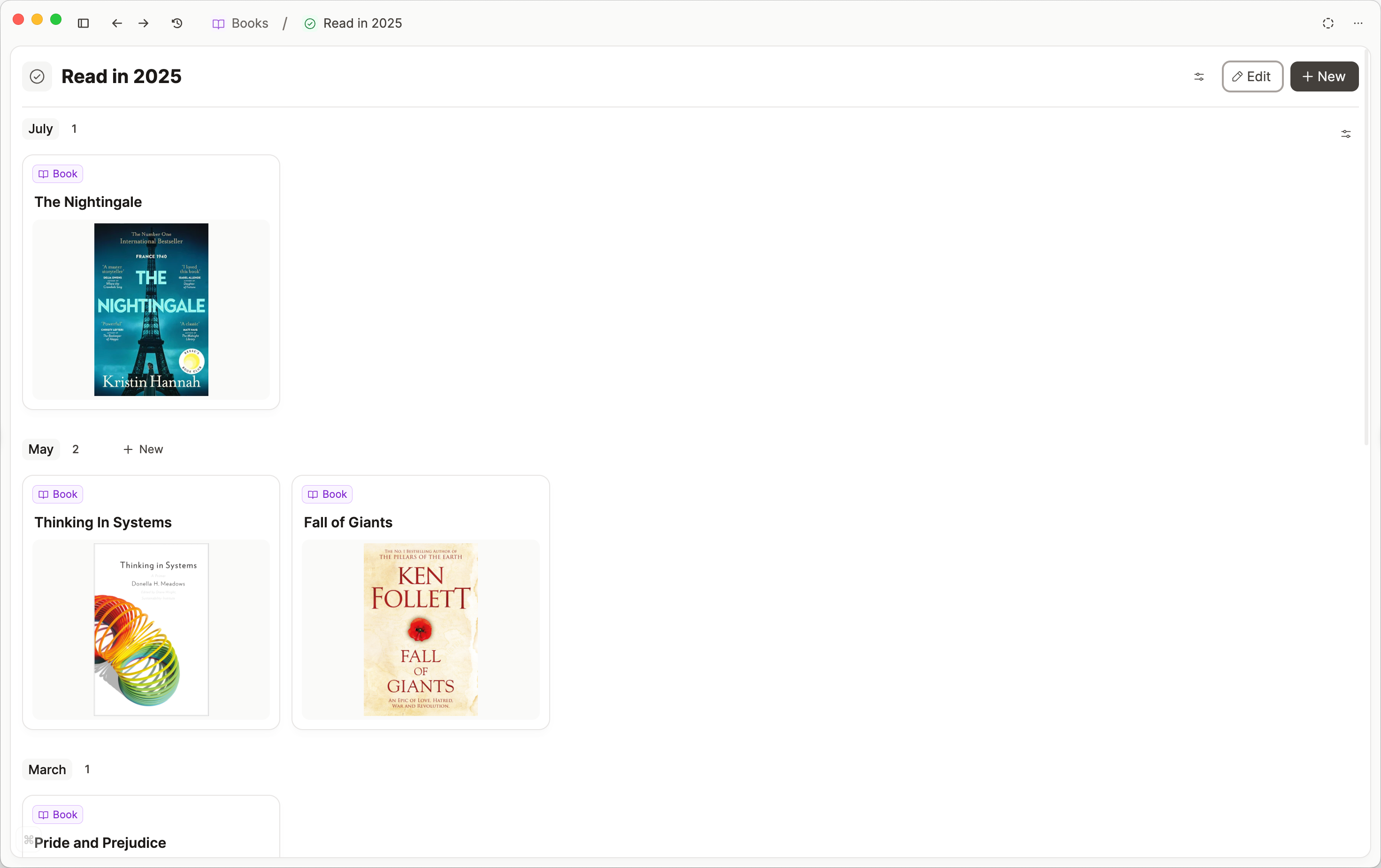
Grouping by Number Properties
Group numbers by exact value or by range.
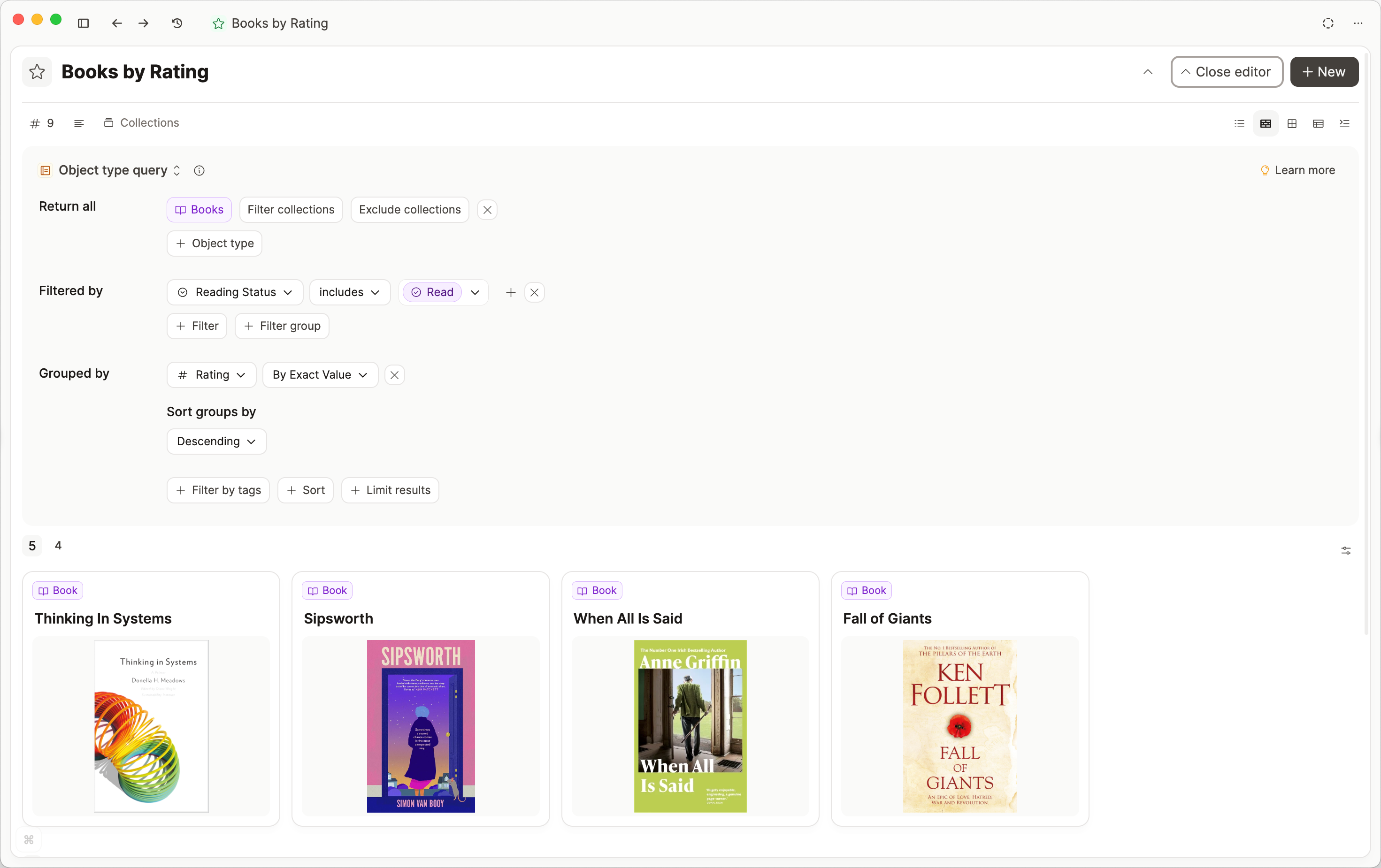
You will see where to set this up when you choose to group by a number property.
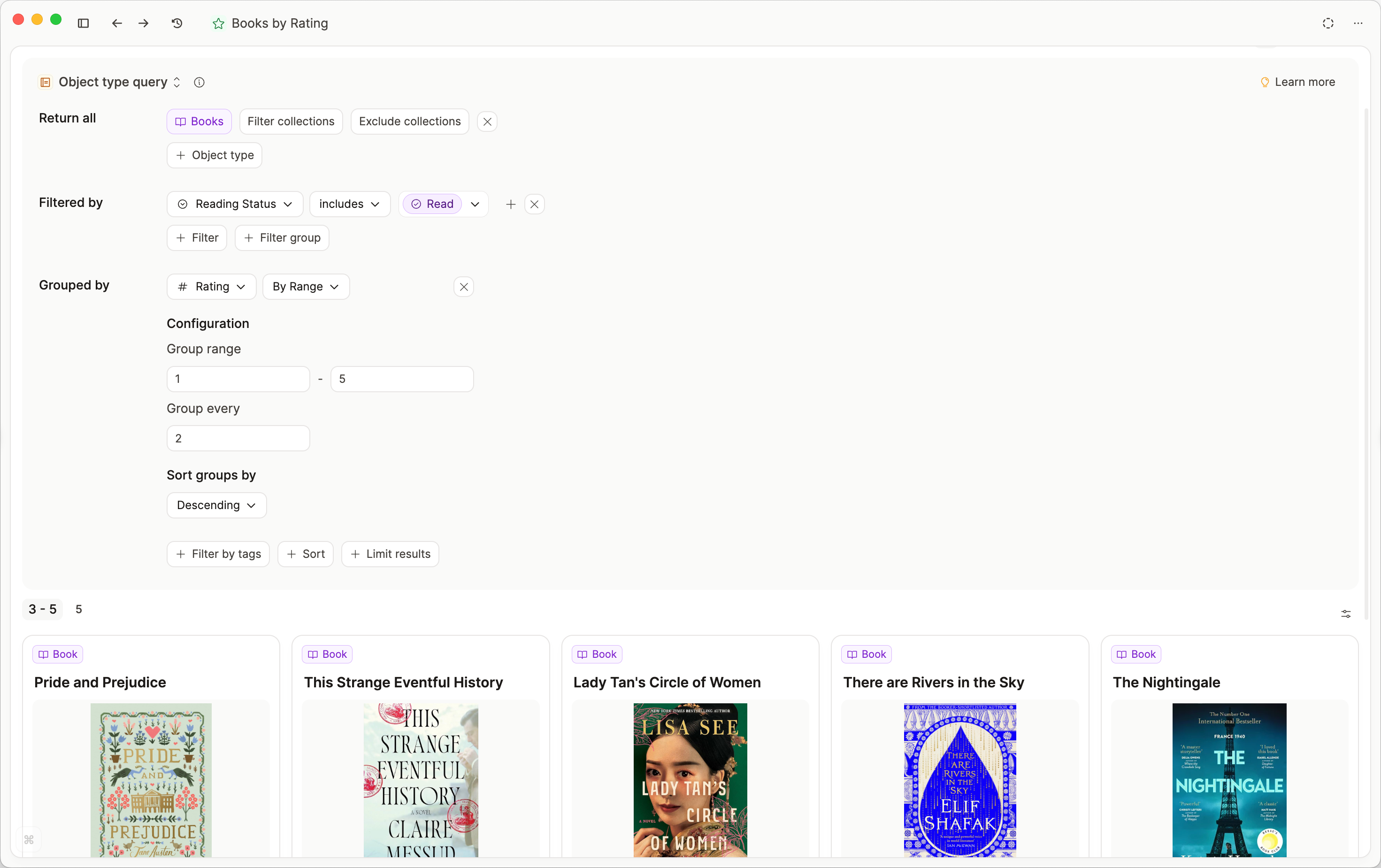
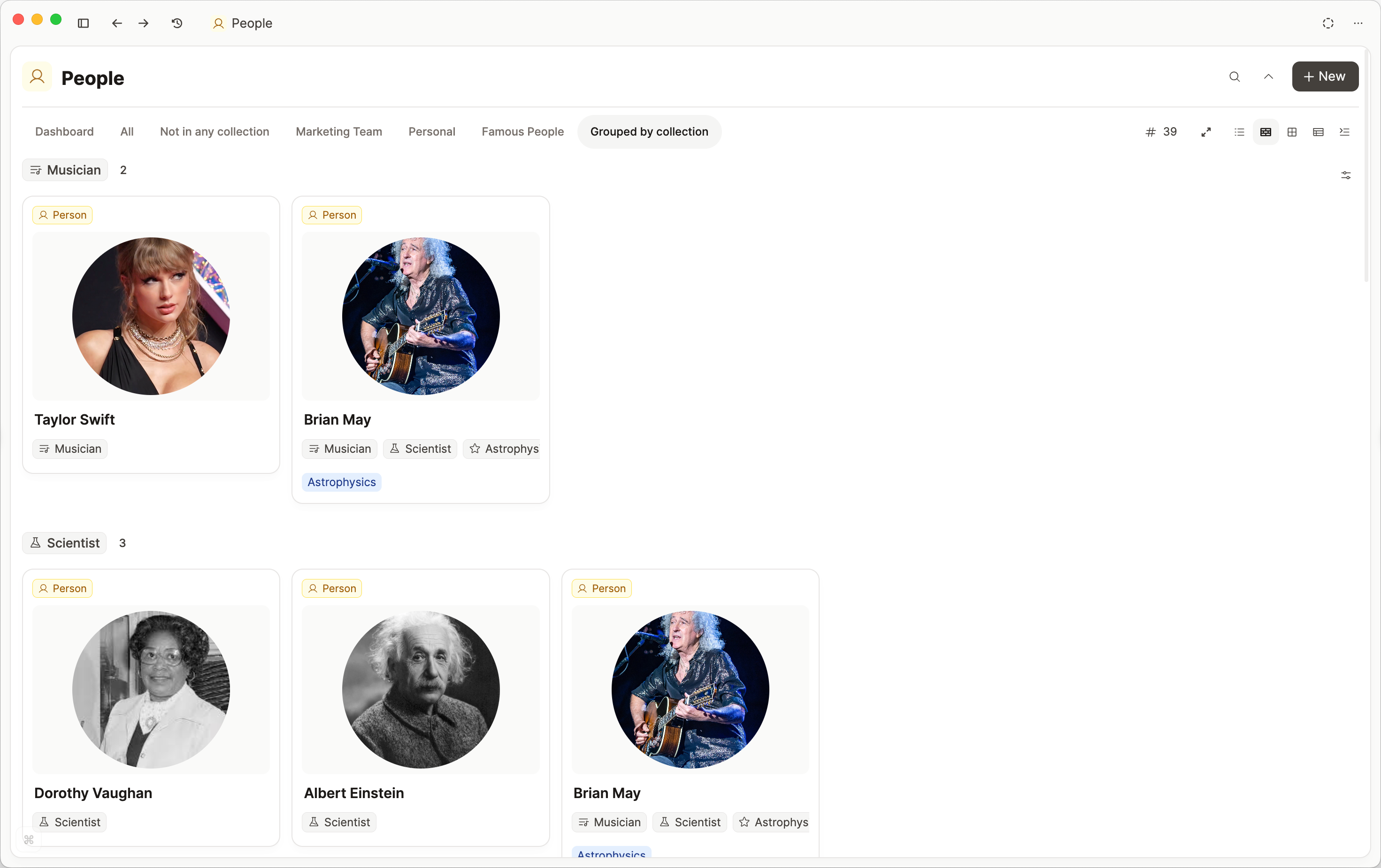
Group by Collections
You can group by collections too.
Arranging the groups
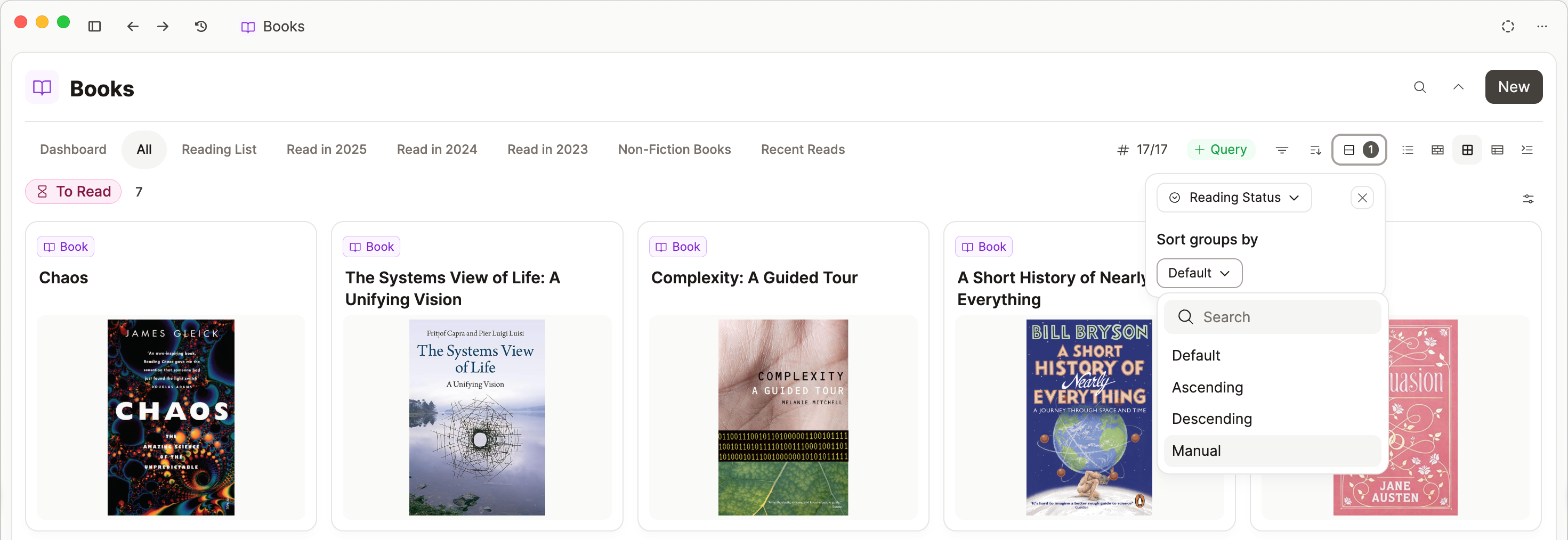
You can choose to sort groups in ascending, descending, manual order, or by size.
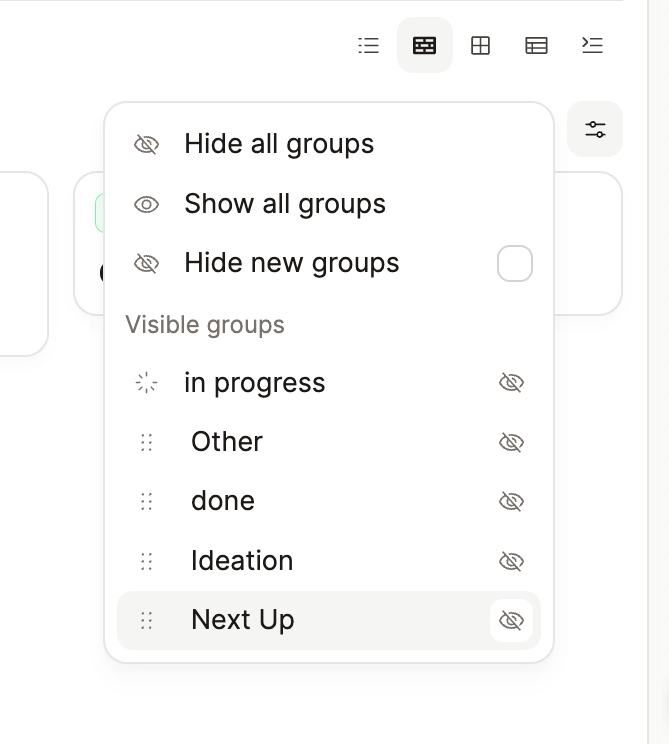
Click on the slider icon on the right side of the window to access controls for hiding/showing groups.
Here you can drag and drop the order of groups if the sort order is set to 'Manual'.
In a table view, empty groups include New object, so you can add a row without leaving the group.
Group by in Queries
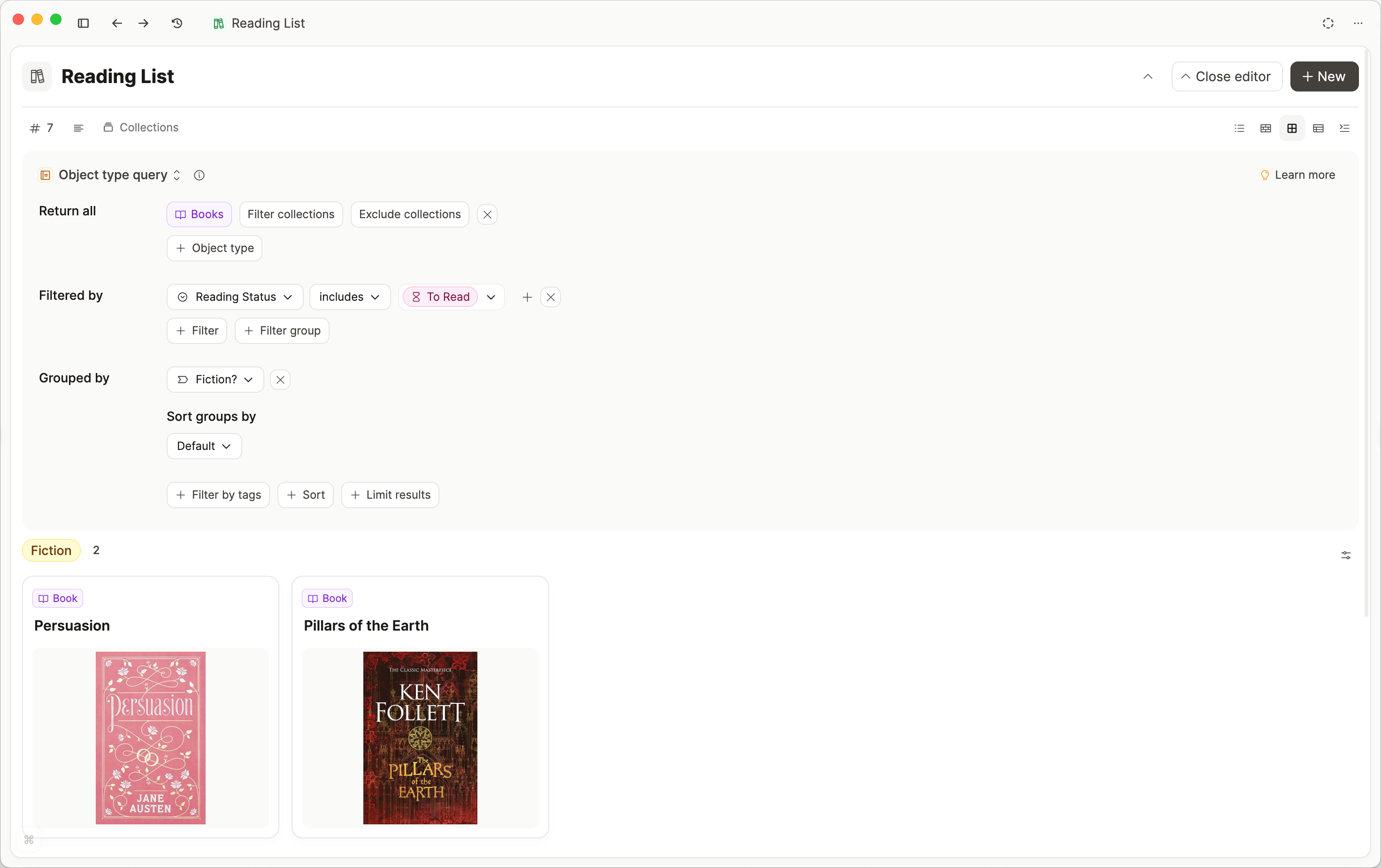
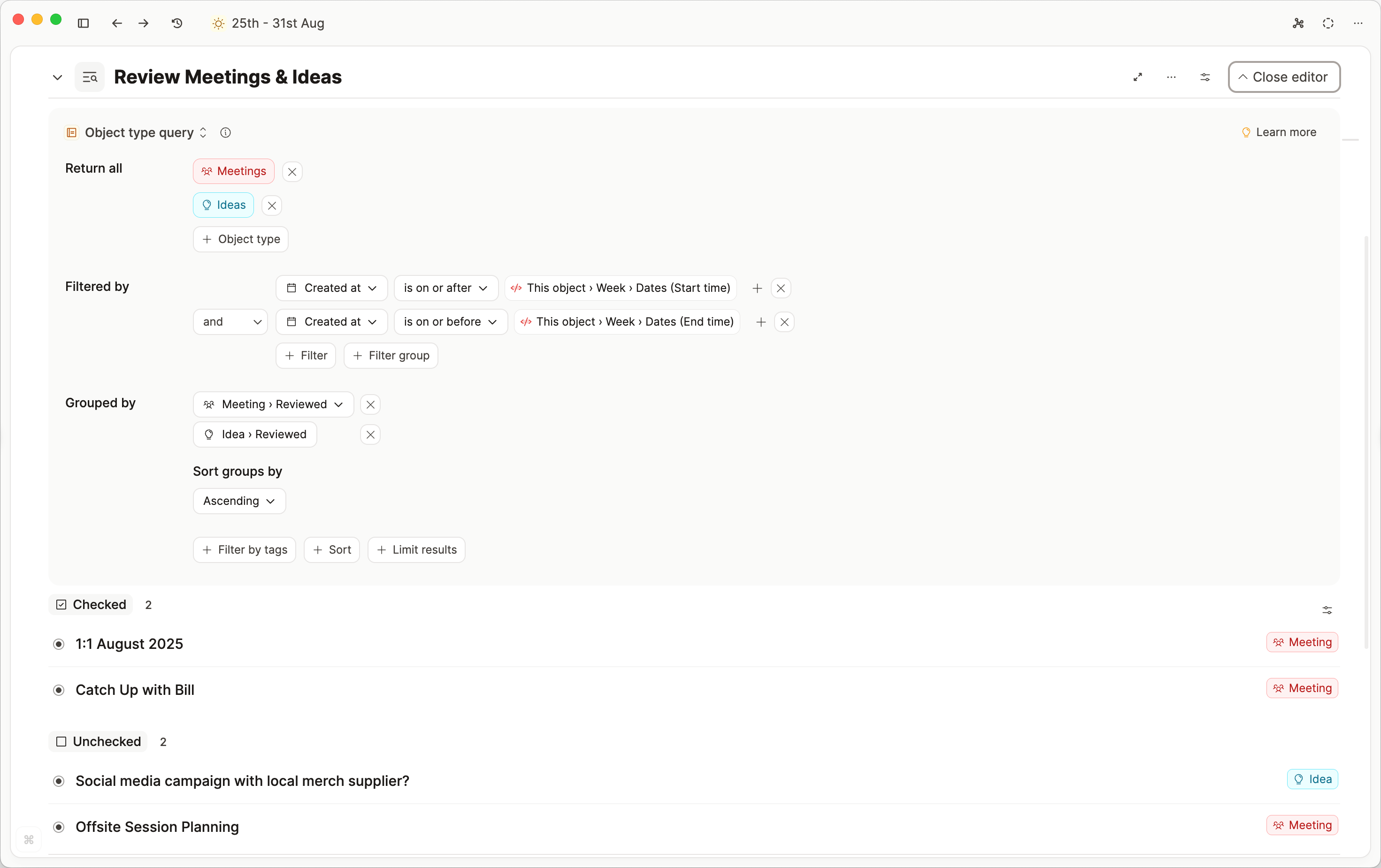
Click 'Group by' in the query editor to define your groups.
Queries can be grouped by any property of the returned objects.
For example, a reading list query filtered to “to read” books can be grouped by “Fiction/Non-fiction.”
Group by similar properties
If multiple object types in a query share a property with the same type (e.g., a checkbox), groups can be merged.
For example: a query returning meetings and ideas with a shared “Reviewed” checkbox groups both into “Reviewed” and “Not reviewed.
FAQs
- How can I re-arrange the groups?
You need to choose 'Manual' in the sort options, then open the slider button on the right side of the window. Drag and drop the groups by the six dots on the right of the group name.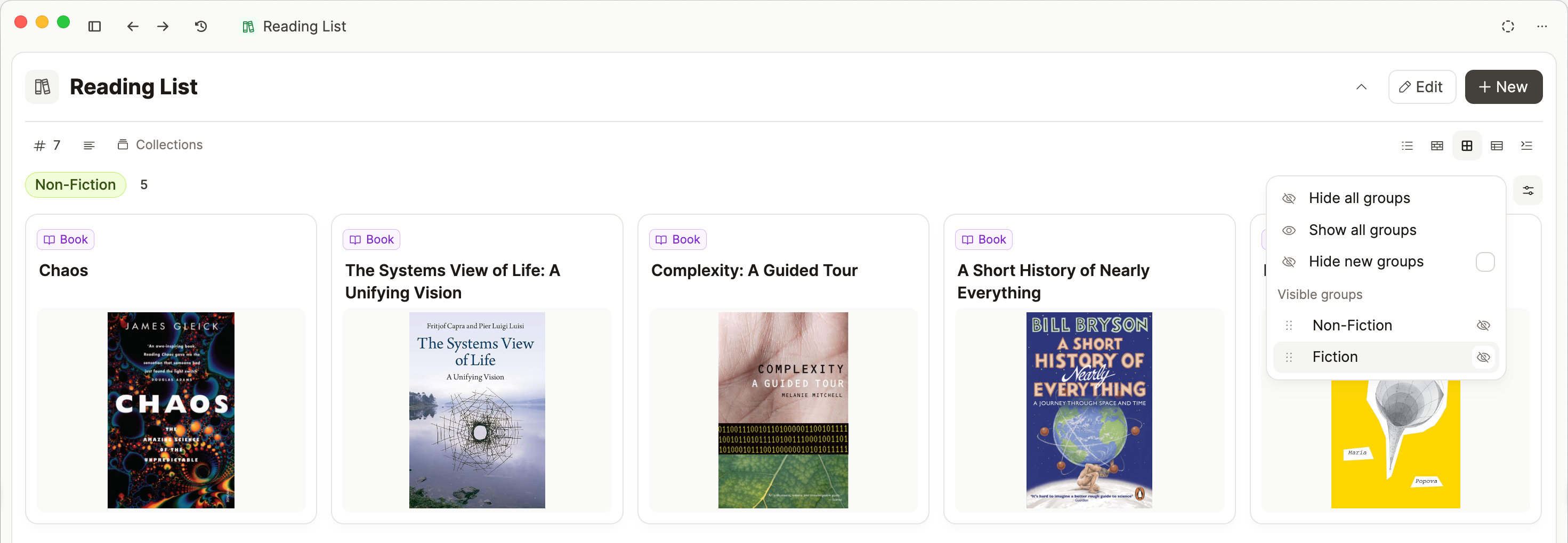
- Where is the kanban view?
In the dropdown menu to the left of the grouping button. - Can I use group by with blocks?
No, blocks do not have properties like object types do, and groups are defined by properties. - I can't find the grouping option I want
Groups are always based on properties of the current objects in view, so you might need to create a new property. If you cannot find the configuration you want after checking the properties, please create a feedback ticket. - How can I save a grouping?
Click+ Query. Queries are a paid feature. - My Kanban only has one column
Group your items first and then choose the Kanban view. - How do I show or hide groups in Kanban?
Go to the slider icon on the right side of your window and you can configure the groups in there. - How do I rearrange the order of my groups in Kanban view?
Go to the slider icon on the right side of your window and click the six dots to the left of each group name. Drag and drop to rearrange. - How can I add a new item to the group?
Hover next to the group name and click 'New', or scroll to the bottom of the group and click 'New'. In a table view, empty groups also show New object.
Ask a question! - The Docs Assistant knows everything about the documentation, and the ideas and feature requests from other users.
Create a ticket on our feedback board. - Let us know if you have an idea for a feature, improvement or think there is something missing.
Request additions to the documentation. - If your questions are not getting answered, let us know and we will extend the documentation.