Integrations
Kindle integration
Integrations
Kindle integration
Capacities integrates with Kindle so you can process your highlights in your notes to make the most of your reading.
For a practical method to process and connect those highlights, see the Reading workflow use-case.
Choose your integration
To get your highlights into Capacities, you have two options:
- Readwise Integration: You can sync your Kindle highlights to Readwise and then from Readwise to Capacities.
- Kindle Import Integration: Directly import your Kindle highlights to Capacities by sending the annotations export to Capacities via email.
There are pros and cons to each approach.
Using Readwise:
- Fully automated background sync (no manual exports)
- Syncs additional properties like cover images and metadata
- Supports images as well as text
- Requires a Readwise subscription
- Doesn't import headings/chapter names unless they are highlights themselves.
Using Kindle Importer:
- Preserves the section and chapter structure of your book
- Simple: export from the Kindle app, send to save@capacities.io, and it appears in Capacities
- On-demand: You choose when to sync, and imports are immediate
- No additional subscription required
You can read about the Readwise Integration here and the Kindle Import Integration below.
Kindle Import Integration
You can share Kindle highlights from the Kindle apps on Mobile, iPad and Desktop to Capacities via save@capacities.io. Your books and highlights will be created in Capacities following your configuration in the app settings.
Set Up
- The Kindle integration uses our email integration, so you should set that up first following the instructions here.
Send a test email to
save@capacities.iofirst to ensure it works. - Set up your object mapping for your spaces. This is where you choose what object type your Kindle book will become. Page is the default, but you can choose any other custom type too from the dropdown menu. Repeat for as many spaces as you need.
- Check that your email address' default space matches the space to which you will send your notes.
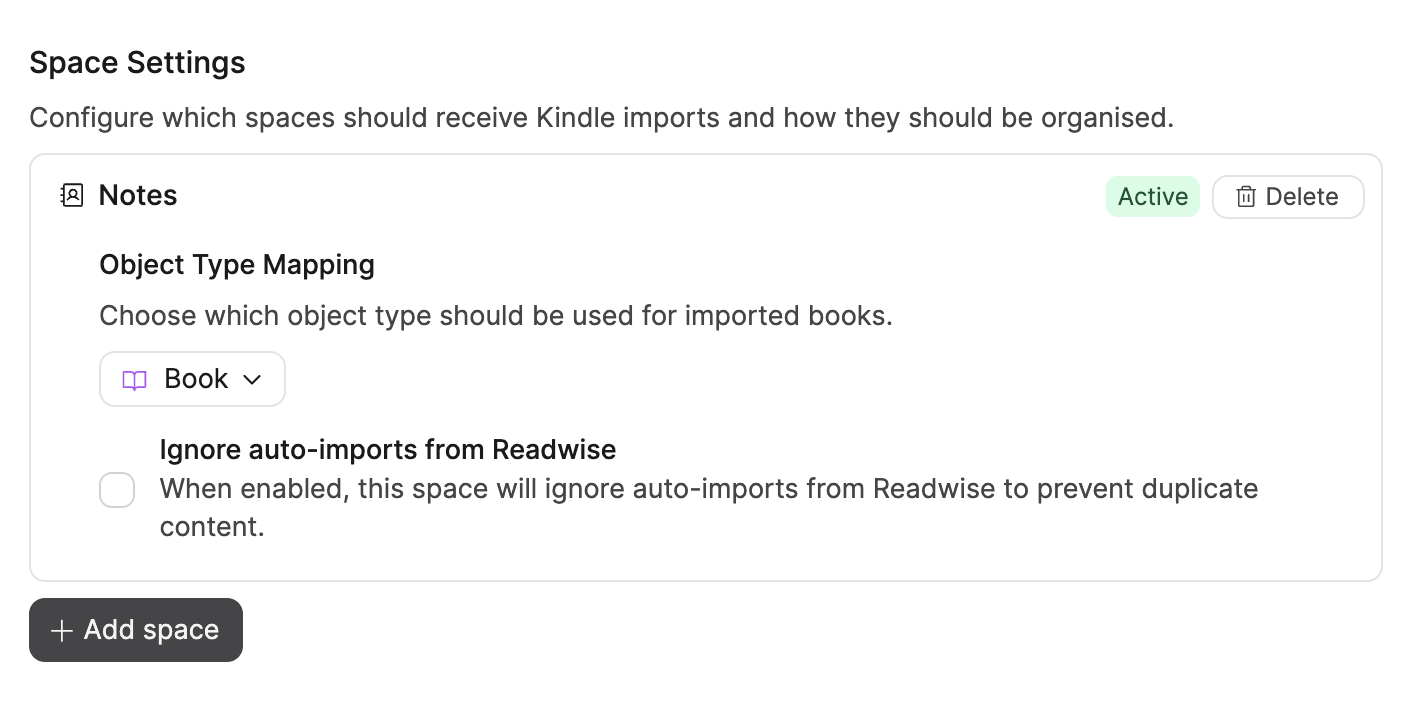
Ignore auto-imports from Readwise
Capacities has both Readwise and Kindle integrations. If you are using both, you can choose to ignore auto-imports of books from Kindle in Readwise to Capacities to avoid duplicate content. Check the box under the object mapping to do this.
Sending Kindle Annotations to Capacities
Once the set up is complete, you can start sending annotations to Capacities.
You cannot send annotations to Capacities from your Kindle device due to how Amazon formats exports from those devices. You will need to use their apps.
- Open the book whose highlights you'd like to share
- Press on the
Annotationsicon - Press the
Shareicon. - Choose
Nonefor the citation style - Press
Export - Write
save@capacities.ioin theTofield. Ensure you are sending the email from an address that is verified to use with Capacities. See here for more information. - Your book and its highlights will be created in Capacities following the object mapping you have set up.
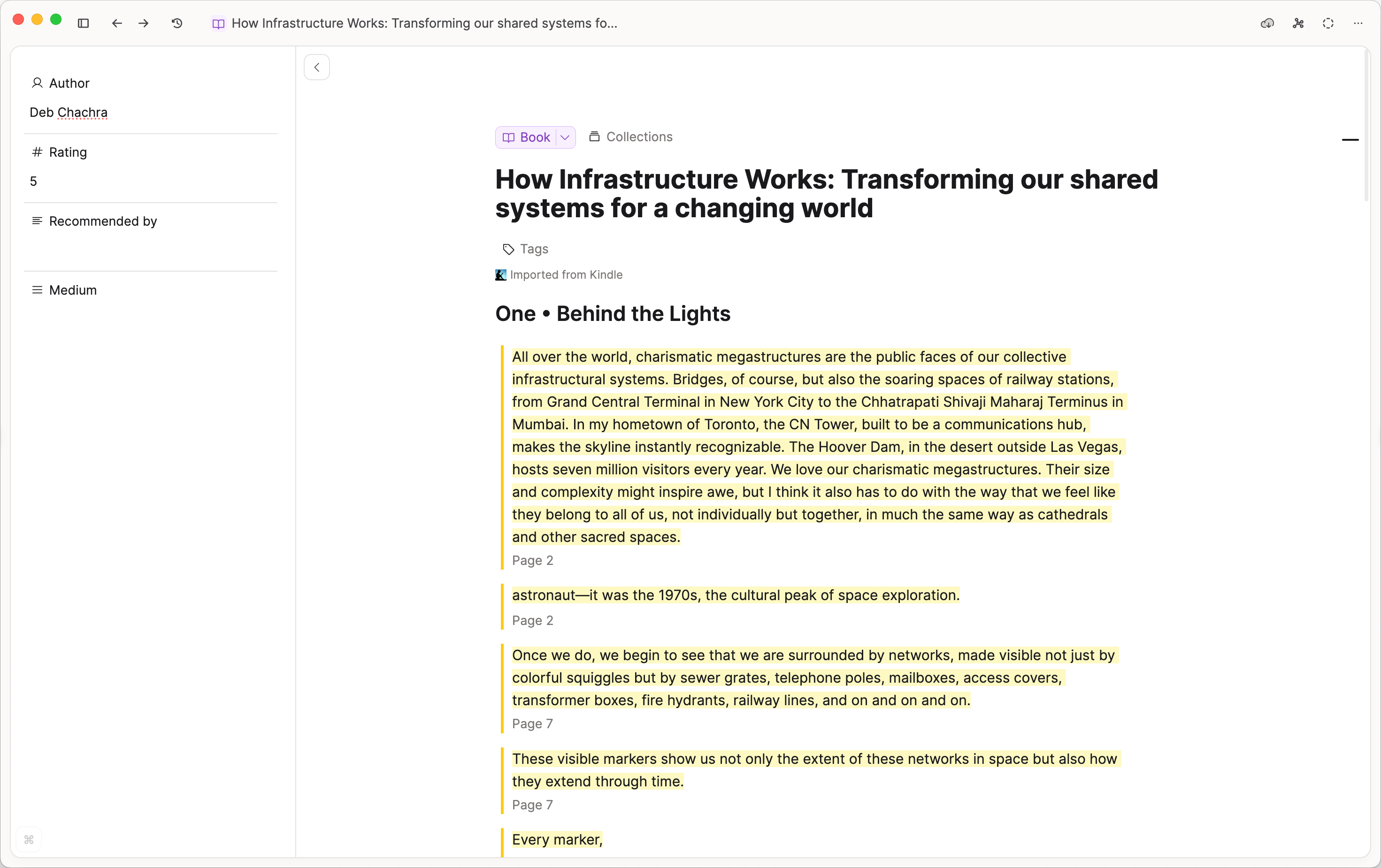
We recommend sending the annotations once you have finished the book when you are ready to process them but if you would like, you can send them in several batches. New highlights will be appended to the end of the existing highlights in your existing object.
Highlights will be split into sections following the chapters and headings in the book.
Demo Video
To see this flow in action, check out this video.
FAQs
- I can't email
save@capacities.iofrom my Kindle device, how do I get annotations into Capacities?
Unfortunately this is a limitation of the current export settings Amazon uses from Kindle devices. You will need to use a Kindle app on your mobile, tablet or desktop. - My books are going to a different space to what I set up in the Kindle Integration Settings
The Kindle Integration uses the email integration. Please make sure the email that you are sending your highlights from maps to the same space you want to see your Kindle books in.
To do this, open the Email Integration settings, find the email address you are sending from and check the default space matches the one you are expecting to see your Kindle books in. - My annotations aren't arriving in Capacities
Ensure that your email integration is active by going toSettings > Integrations > Email. You may need to verify your email address.
If you are emailing from a custom domain, please contactteam@capacities.ioas it will need to be manually approved before verification works. - Why aren't the book cover images imported?
Cover images aren't part of the export that Amazon sends, so we can't import them into Capacities. - Should I use the Kindle Import Integration or the Readwise Integration?
In short, use the Kindle importer if you want a simple, on-demand and structure-preserving workflow that control manually. Use the Readwise integration if you prefer automated syncing with richer metadata and media support. You can read about making a decision at the top of this page. - How can I change my highlight style?
Go toSettings > Editor > Highlight Styleand choose Default or Minimal. This is a Pro feature.
Ask a question! - The Docs Assistant knows everything about the documentation, and the ideas and feature requests from other users.
Create a ticket on our feedback board. - Let us know if you have an idea for a feature, improvement or think there is something missing.
Request additions to the documentation. - If your questions are not getting answered, let us know and we will extend the documentation.